
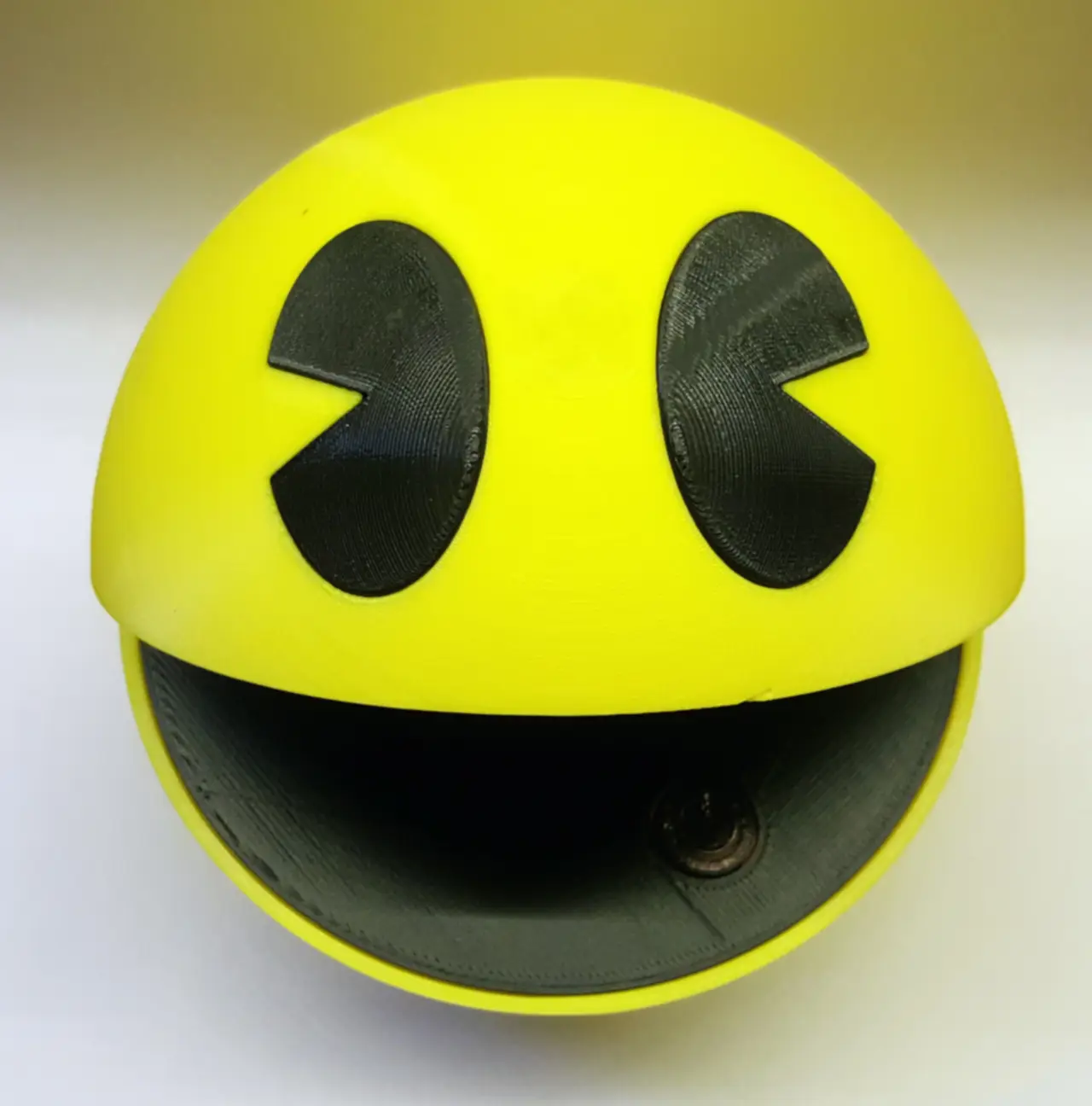
Pacman raspberry pi enclosure case
por Darren Furniss en MyMiniFactory
Introducing the Pacman Raspberry Pi enclosure for the Pi 3.
Licencia
Solo uso personalMyMiniFactory - Credit - Remix - Noncommercial
Licencia de MyMiniFactory: puedes imprimirlo y remezclarlo dando crédito, sin fines comerciales.
Al descargar aceptas respetar la licencia y dar crédito a Darren Furniss.
Archivos (17)
- Bottom Mouth Button.stl STL
- Bottom Mouth.stl STL
- bottom.stl STL
- Botton Stand.stl STL
- button.stl STL
- Eye Left.stl STL
- Eye Right.stl STL
- stand.stl STL
- Top Hollow Button.stl STL
- Top Hollow Eyecut Button.stl STL
- Top Hollow Eyecut.stl STL
- Top Hollow.stl STL
- Top Mouth.stl STL
- Top Solid Button.stl STL
- Top Solid Eyecut Button.stl STL
- Top Solid Eyecut.stl STL
- Top Solid.stl STL
- Categoría
- Tecnología
- Formatos
- STL
- Descargas
- 4,664
- Publicado
Sobre este modelo
Introducing the Pacman Raspberry Pi enclosure for the Pi 3. For that retro pie set up that will look great anywhere. Designed to mount the pi sd card facing up for easy access. Place for a 12mm x 12mm on/off Momentary switch inside his mouth and SD card storage.
A M3 x 30mm screw is needed for the hinge.
There are a few options to print, With or without the on/off button. Separate files for the eyes if you prefer to print in black or print and paint full. There are also solid and hollow versions. Supports will be needed for the bottom for all overhangs.
Button: http://www.ebay.com.au/itm/5pcs-Yellow-12x12x7-3mm-Momentary-Tactile-Push-Button-Switch-PCB-Mounted/262997798478?ssPageName=STRK%3AMEBIDX%3AIT&_trksid=p2057872.m2749.l2649
Enjoy and please share you, re prints and spread the word,
And don't forget to leave a tip, even the smallest amount helps.
UPDATE.
Mouth panels added to print in black and glue in place. mouth is panited in photos so added new files to print.
Descripción original del autor, publicada en MyMiniFactory.



