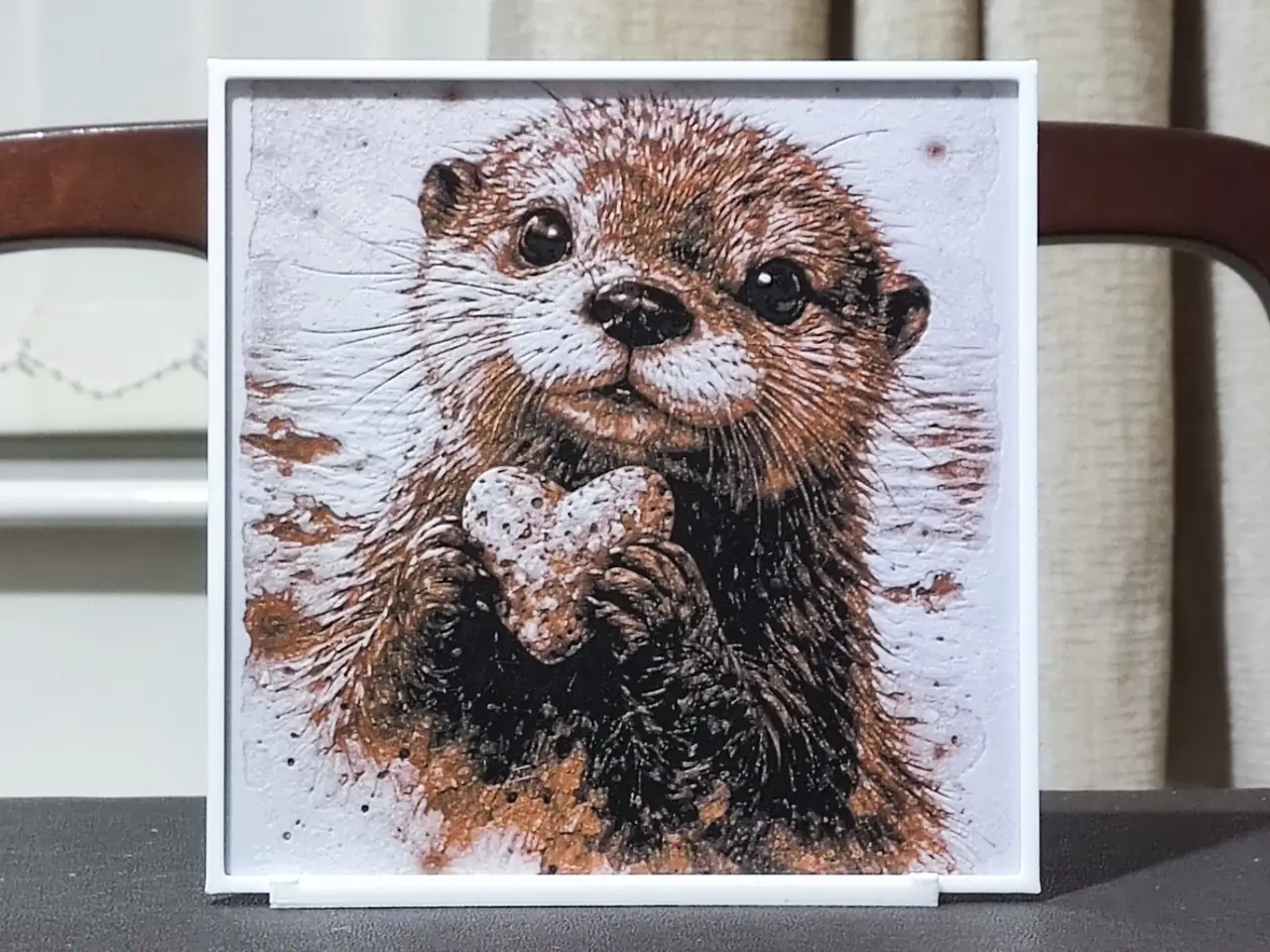
Otterly Lovely - 3 Color HueForge
por BoDad en MakerWorld
To save you looking through hundreds of designs to find what you're interested in, I categorise all of my uploads in collections.
MakerWorld entrega los archivos a usuarios con cuenta gratuita
Licencia
Solo uso personalStandard Digital File License
Licencia estándar de archivos digitales: solo uso personal. No se permite compartir, revender ni subir el archivo a otros sitios, ni vender las impresiones.
Al descargar aceptas respetar la licencia y dar crédito a BoDad.
Archivos (2)
- Otterly Lovely 150.stl STL · 49,9 MB
- Otterly Lovely No Border 150.stl STL · 52,5 MB
- Categoría
- Figuras y arte
- Formatos
- STL
- Descargas
- 1
- Publicado
Sobre este modelo
To save you looking through hundreds of designs to find what you're interested in, I categorise all of my uploads in collections. https://makerworld.com/en/@BoDad/collections
Unlike most HueForges, feel free to play around with the colours used for this one. As there is no shading, TD becomes far less important so you should be able to use any two colours you choose. I've included a photo I took of a second print of this that I made that uses Bambu Cobalt Blue Metallic as an example.
One thing that really annoys me when I'm looking for models to print are people who use a source or AI generated image to promote their design - it never looks anything like the end result. I always provide only photographs of the actual printed design so you know what to expect. Boost MeIf you like any of my designs, please consider boosting them. It's free for you to do, but any designer will tell you that creating these designs takes many hours, a great deal of effort, and multiple prints to get things just right. It's a good way of showing your appreciation at no cost to yourself.MembershipWould you like to sell prints of my designs? Why not consider a membership? Two tiers are available with the second, commercial tier allowing you to sell prints of all my models for as long as you maintain your membership.All the settings and colour changes are in the print profile, but should you not have an AMS, after slicing, replace the colour changes with pauses and make manual colour swaps as detailed below. I'd strongly suggest not changing any other settings in the slicer, as my printing profiles are highly customised to produce the best quality HueForge.
If you decide to resize any of my designs, you can only resize on the X & Y axes. DO NOT RESIZE THE Z AXIS! If you choose to ignore this instruction, it will change the layer heights that the colours change at and destroy the end result.
I have implemented a double layer height modifier on the framed versions and a single layer height modifier on the unframed models. This will only work if you use my print profile (3MF) and not the included STL! This one change knocks a considerable amount off the printing time by changing the layer height of the base and border layers only. It has no detrimental result to the finish of the design whatsoever.
If you're looking for a stand to display your HueForges, I can highly recommend this one:- https://makerworld.com/en/models/1474353-hueforge-stand-hex-or-plain
A couple of final things - please don't turn ironing on for the top surface. HueForges rely on texture and interplay with light. Ironing will reduce the quality of the print. It's turned off in my print profile for this exact reason. Also, please DO NOT simplify the design - you will lose a massive amount of detail.
Print at 100% infill with a layer height of 0.04mm with a base layer of 0.2mm The Model is 150x150mm in size You may print at higher layer heights below the Min Depth of 0.52mm The Max Depth is 2.3mm and the Actual Depth is 1.4mm Filaments Used: PLA BambuLab Basic Black Transmission Distance: 0.6 PLA eSun Orange Transmission Distance: 5.6 PLA Bambu Basic Jade White Transmission Distance: 5.6 This print uses 3 unique filaments Swap Instructions: Start with Black At layer #12 (0.64mm) swap to Orange At layer #20 (0.96mm) swap to Jade White for the rest.
Descripción original del autor, publicada en MakerWorld.