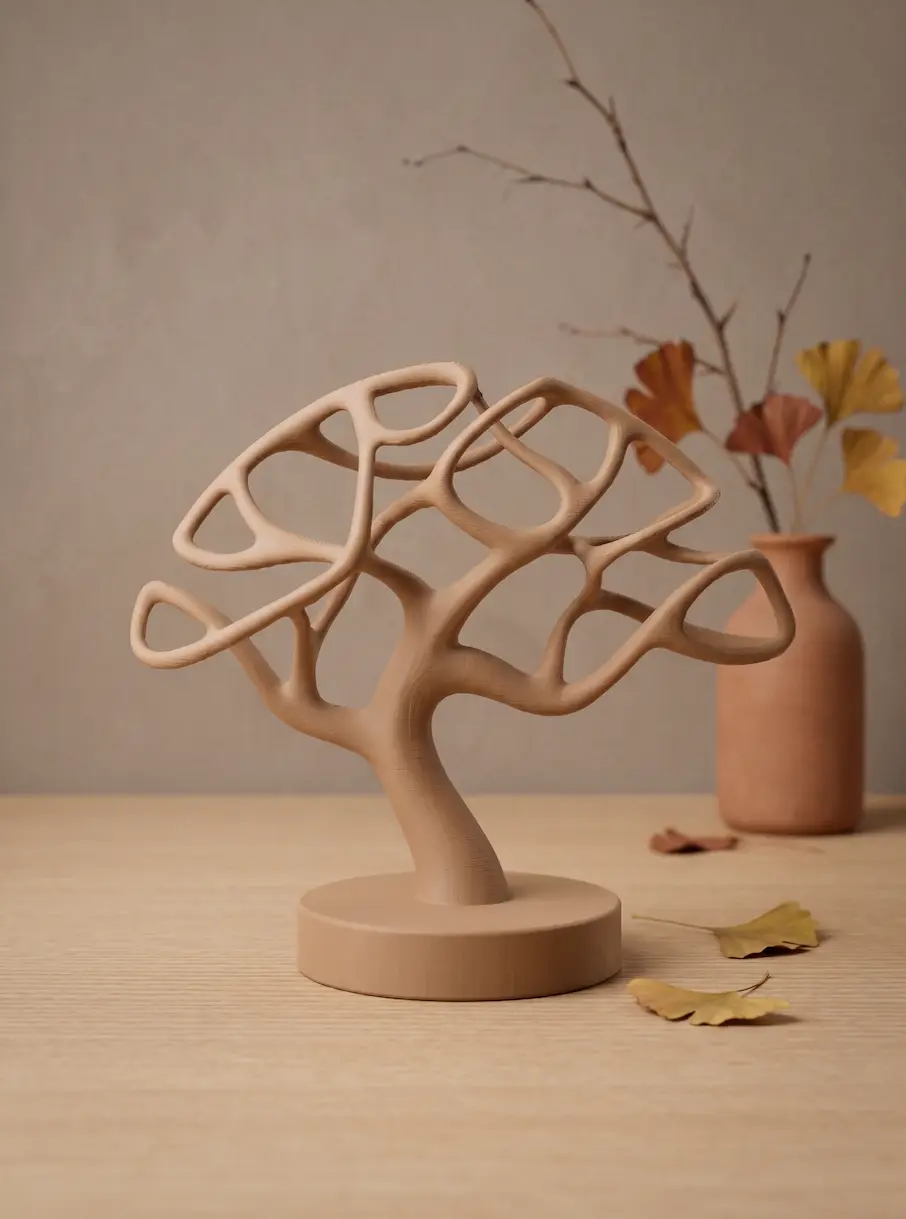
Organic minimalistic Japandi Tree
por Sv0dn1k en Printables
This organic tree design makes for a striking display piece or jewelry stand
Licencia
Solo uso personalStandard Digital File License
Licencia estándar de archivos digitales: solo uso personal. No se permite compartir, revender ni subir el archivo a otros sitios, ni vender las impresiones.
Al descargar aceptas respetar la licencia y dar crédito a Sv0dn1k.
Archivos (3)
- Categoría
- Hogar
- Formatos
- 3MF
- Descargas
- 62
- Publicado
Sobre este modelo
This organic japandi tree design makes for a striking display piece or jewelry stand. The complex, sweeping geometry and the specific angles of the branches make using supports absolutely unavoidable. If printed with standard slicer settings, the underside of these delicate curves will likely suffer from scarring and rough textures. I have specifically optimized the print profile to tackle this issue. My hope is that by using the settings below or in the 3mf file, you can preserve the beautiful finish of the model and keep the undersides of the branches looking as clean and smooth as possible. Recommended Support Settings (Single Material / PLA): For the perfect balance between easy-to-remove supports and a clean bottom surface: - Support type: Tree (auto) - Choose 'Tree Slim' or 'Tree Organic' to avoid touching the rest of the tree.
- Top Z distance: 0.2 mm (Set this equal to your layer height).
- Top interface layers: 3
- Top interface spacing: 0.2 mm or 0.3 mm. (Important! The default in Bambu Studio is 0.5 mm, but lowering this creates a much denser support roof and prevents the hot filament from sagging. This results in a drastically smoother bottom surface).
- Top interface pattern: Concentric (Follows the round shapes of the branches much better).
- Support/Object XY distance: 0.35 mm (Prevents the tree support structures from fusing to the sides of your printed branches).
For advanced users Pro-Tip 1: Support Painting Many of the angled branches grow at a safe angle and do not require supports on a Bambu Lab printer. Use the Support Painting tool (shortcut L) to manually place supports only under the absolute 'islands' (the lowest points) of the branches. This saves material and prevents unnecessary support scarring. Pro-Tip 2: The Mirror-Smooth Bottom (For AMS Users) Do you have an AMS? Print the tree in PLA and use some leftover PETG (or dedicated Support for PLA filament) only for the Support/raft interface. If you like this design, please consider leaving a like! Don't forget to share a picture of your result! I'd love to see it!
Descripción original del autor, publicada en Printables.