
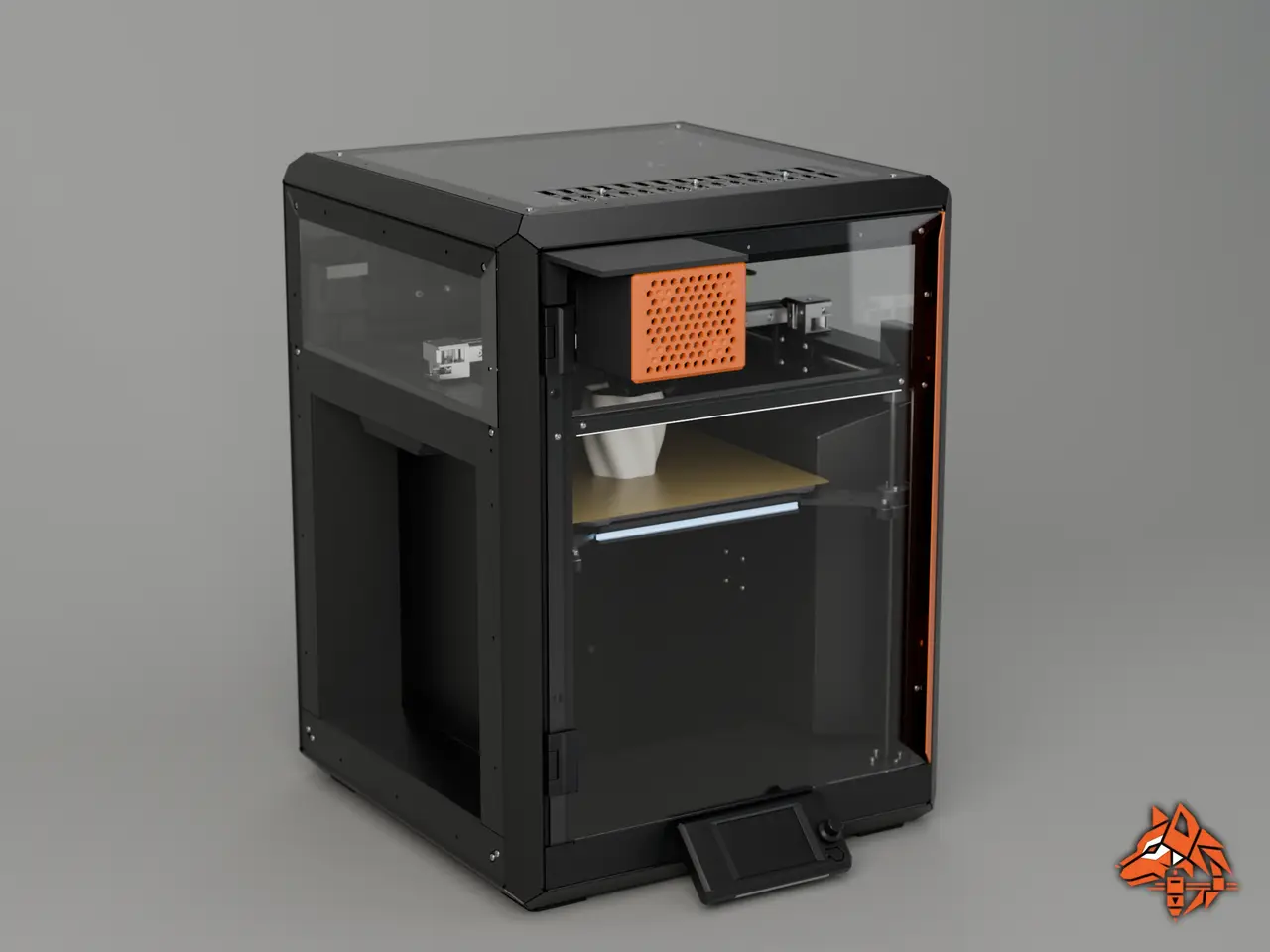
NoodleWatch : spaghetti detection for Prusa CORE One
por Hells en Printables
When a print turn into spaghetti, NoodleWatch pause it. Detection runs on the Coralboard's NPU, with no cloud service.
Licencia
Solo uso personalCC BY-NC-ND 4.0 — Atribución, no comercial, sin derivadas
Solo para uso personal, sin modificarlo y dando crédito. No se permite vender ni redistribuir cambios.
Al descargar aceptas respetar la licencia y dar crédito a Hells.
- Categoría
- Para tu impresora
- Formatos
- STL
- Descargas
- 2
- Publicado
Sobre este modelo
What it is NoodleWatch is a small box on the outside of the CORE One door. It hold Coralboard SL with its sensor HAT and camera. When frame show spaghetti, the print is paused through PrusaLink. How it works - Every 5 sec the camera takes a frame
- The frame goes through a YOLOv8n model on the board's NPU
- When 3 of the last 5 frame show spaghetti, the print is paused through PrusaLink
- Optional: the box can also act as Prusa Connect camera
What you need - 3 printed parts with no support in PETG
- Coralboard SL (Google I/O kit) with its sensor HAT and camera
- M.2 Wi-Fi module Ampak AP12611_M2 (not included in the kit) https://www.digikey.cz/en/products/detail/ampak/AP12611-M2/29518678
- 8 × N52 magnets, 10 × 3 mm
- 4 × M3 × 8 self-tapping screws
- One USB-C cable and a 5 V USB power supply
Mounting - Assemble the kit : board, sensor HAT and camera https://developers.google.com/coral/products/SL2610-get-started
- Fit the Wifi module into the board's M.2 slot
- Screw the board onto the 4 column of the lid with the M3. ( the column are angled, so the camera points toward the center of the bed)
- Thread the usb-c cable through the opening under the body and plug it into the board
- Push the lid into the body until the clips snap
- Press the magnets in: 4 into the mount’s roof and 4 into the top of the body, paired so they attract.
- Clip the mount onto the top-left corner of the door panel
- Bring the box up under the mount
Detection status I'm still working on the model in lab. For now it catches 96% of the spaghetti test images. I'm also working on detecting the "blob of death". Commint next : - Settings & source code
- Better mount & lid
All images are renders made in Blender from the CAD: my three FreeCAD parts, Prusa's official CORE One CAD
Descripción original del autor, publicada en Printables.



