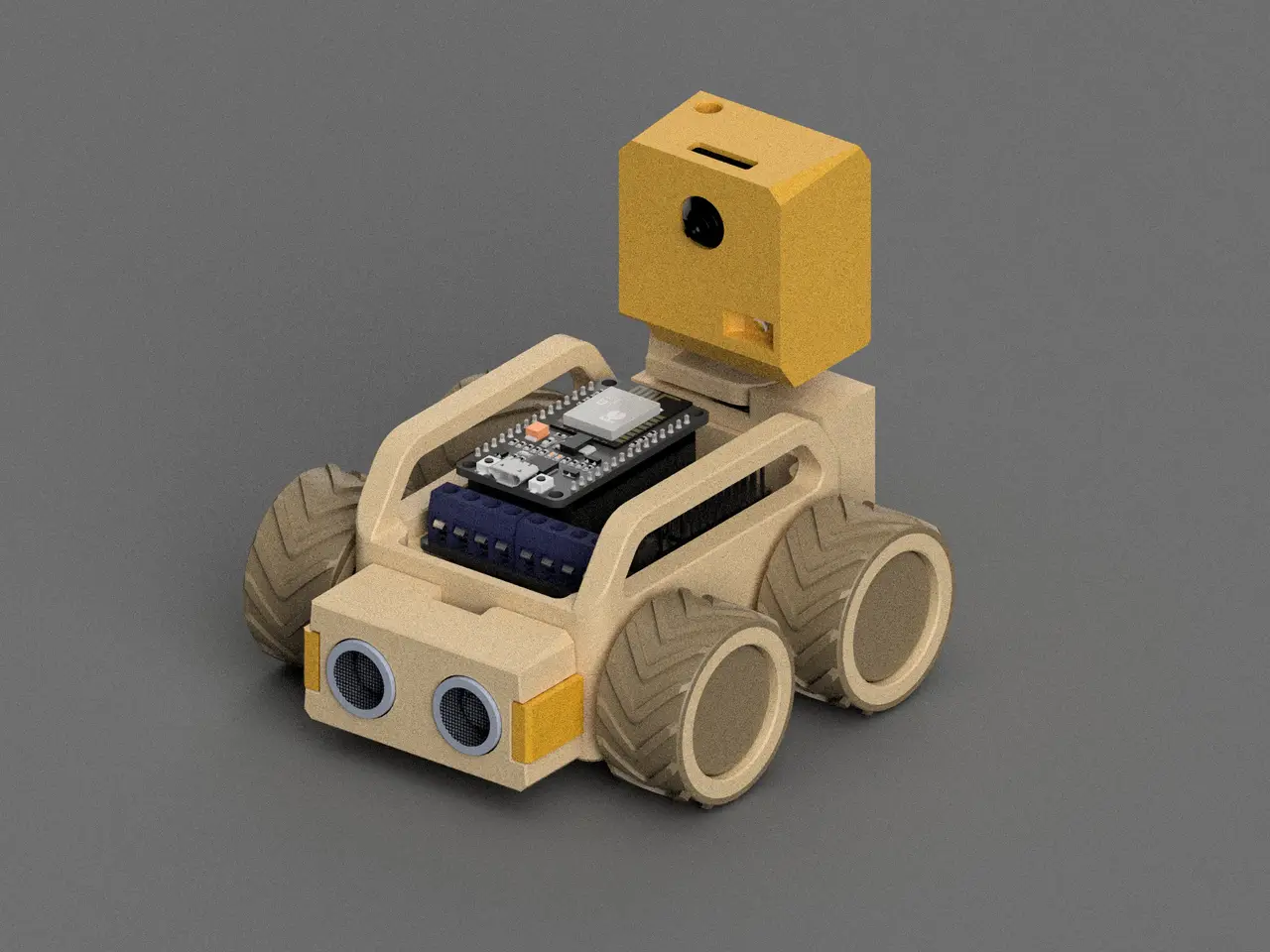
Node Robot Platform - SMARS inspired using ESP8266
por ryandam en Printables
Node Robot Platform using ESP8266 for robotic development
Licencia
Solo uso personalCC BY-NC 4.0 — Atribución, no comercial
Puedes imprimirlo y modificarlo para uso personal dando crédito. No se permite vender las impresiones.
Al descargar aceptas respetar la licencia y dar crédito a ryandam.
Archivos (14)
- SonicHeadCap.3mf 3MF · 12 KB
- ExtenderClip.3mf 3MF · 46 KB
- Outer.3mf 3MF · 33 KB
- Tire.3mf 3MF · 210 KB
- Inner.3mf 3MF · 50 KB
- mid_pcb_frame.3mf 3MF · 45 KB
- mainframe.3mf 3MF · 46 KB
- top_lid_handle.3mf 3MF · 43 KB
- bottom_lid_large.3mf 3MF · 29 KB
- Join.3mf 3MF · 62 KB
- BaseCover.3mf 3MF · 46 KB
- Cover.3mf 3MF · 65 KB
- Base.3mf 3MF · 53 KB
- Upper.3mf 3MF · 44 KB
- Categoría
- Varios
- Formatos
- 3MF
- Descargas
- 580
- Publicado
Sobre este modelo
Node Robot Platform using ESP8266 for robotic development. This project is inspired by the SMARS robot but use ESP8266 as it heart for out of the box remote control. Hardware Needed hardware (all the link is for reference): - 1x ESP8266 NodeMCU (link) - 1x NodeMCU Motor Board (link) - 4x N20 motor (9-10mm shaft) (link) - 1x MH-CD42 (link) - 1x LiPO battery, maximum dimentions: 35x55x15mm - 1x USB-C Female header (link) - 10x M3 Brass Heatset Inserts - Short M3x5x4 - 10x M3x6 Screws - 4x 6x3 Magnet (for main platform handle)
Hardware for Camera Arm (Optional): - 1x ESP32 Cam (link) - 2x MG90S servo (link) - 2x M2.5 Brass Heatset Inserts - Short M2.5x3x4 - 4x M2.5x6 Screws
Hardware for Sona (Optional): - 1x Ultrasonic hc-sr04 (link)
Assemble Overview Main Platform: Overview Camera Arm: Note: remove ESP32 Cam header before installation. Electric Schema Electric Schema (Main Platform): Electric Schema (Camera Arm): Source code Source Code for ESP8266: https://github.com/RyanDam/NodeRover.git Source Code for Camera (live stream and face detection): https://github.com/RyanDam/NodeRoverSmartFPVModule.git Note: after flashing code using PlatformIO, you need to connect to ESP8266 (or ESP32) wifi to setup wifi. After that go to the IP of the device in your browser to control the robot.
Descripción original del autor, publicada en Printables.