
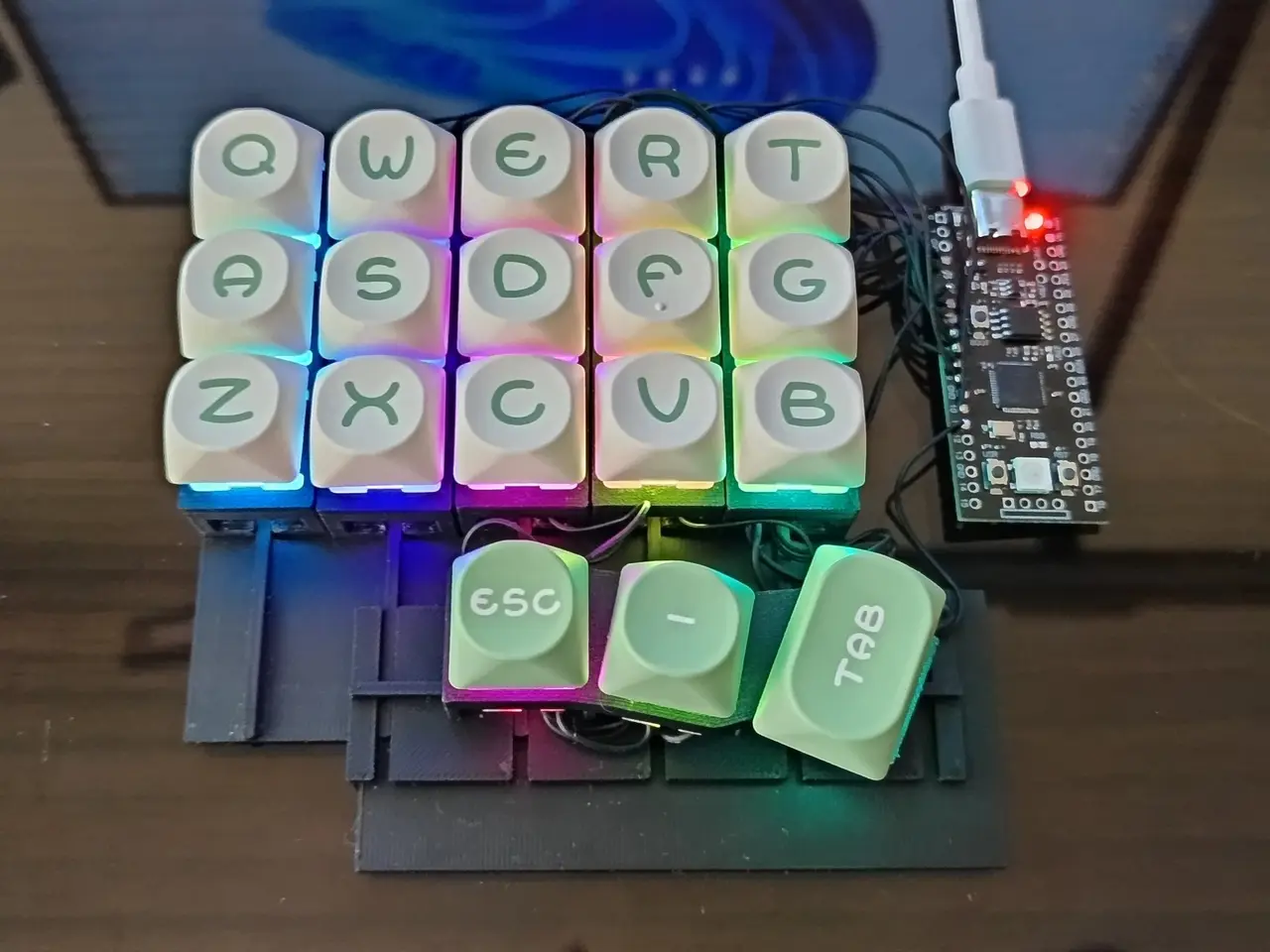
My Split Split Keyboard
por syll syll en Thingiverse
Summary My split split keyboard - a keyboard with individual column modules which can slide up and down creating different key stagger arrangements. The thumb cluster can move left/right/up/down. This project contains the 3D models used for this keyboard. The aim of this keyboard is to allow me to..
Licencia
Uso comercial permitidoCC BY-SA 4.0 — Atribución, compartir igual
Puedes usarlo y modificarlo dando crédito; las versiones modificadas deben compartirse con la misma licencia.
Al descargar aceptas respetar la licencia y dar crédito a syll syll.
Archivos (5)
- Categoría
- Tecnología
- Formatos
- STL
- Descargas
- 56
- Publicado
Sobre este modelo
Summary My split split keyboard - a keyboard with individual column modules which can slide up and down creating different key stagger arrangements. The thumb cluster can move left/right/up/down. This project contains the 3D models used for this keyboard. The aim of this keyboard is to allow me to test different keyboard stagger arrangements. More backstory: https://www.reddit.com/r/ErgoMechKeyboards/s/xT2Qap1bwC Not perfect, it can be further improved, but wanted to share to get feedback and maybe inspire others. 3D parts needed: - 10 x KeyStaggerTest2 - 2 x TestBase - 2 x ThumbBase - 2 x ThumbModule, make sure to mirror one of them - optional 2 x ThumbBaseFoundation to put below thumb cluster for stability. Could mirror one of them for matching surface finish
I printed everything in PLA on basically default settings, 0.2mm layer height, 0.4mm nozzle. Other parts: - Amoeba key PCBs, I used: https://github.com/JKing-B16/keyboard-pcbs/tree/master/amoeba-king - Flexible wires - RP2040 microcontroller - MX switches - MX Keycaps - USC cable for the microcontroller
Assembly Put switches in switch holes, add PCBs from the bottom, the switch should basically hold the PCB in place by friction. Columns go on vertical rails on the base, ThumbBase goes at the bottom on the same vertical rails, ThumbModule goes on the horizontal rail on the ThumbBase. ThumbBaseFoundation goes below ThumbBase against TestBase Wiring There's nothing exotic here, you can just follow any handwired keyboard wiring instructions. I'd recommend looking at Dactyl keyboard wiring instructions. Just use thin and flexible cables between the columns. If not, the columns will be very hard to adjust, may even break cables. Programming Yet again, nothing really exotic here, can follow any DIY keyboard programming guide.
Descripción original del autor, publicada en Thingiverse.



