
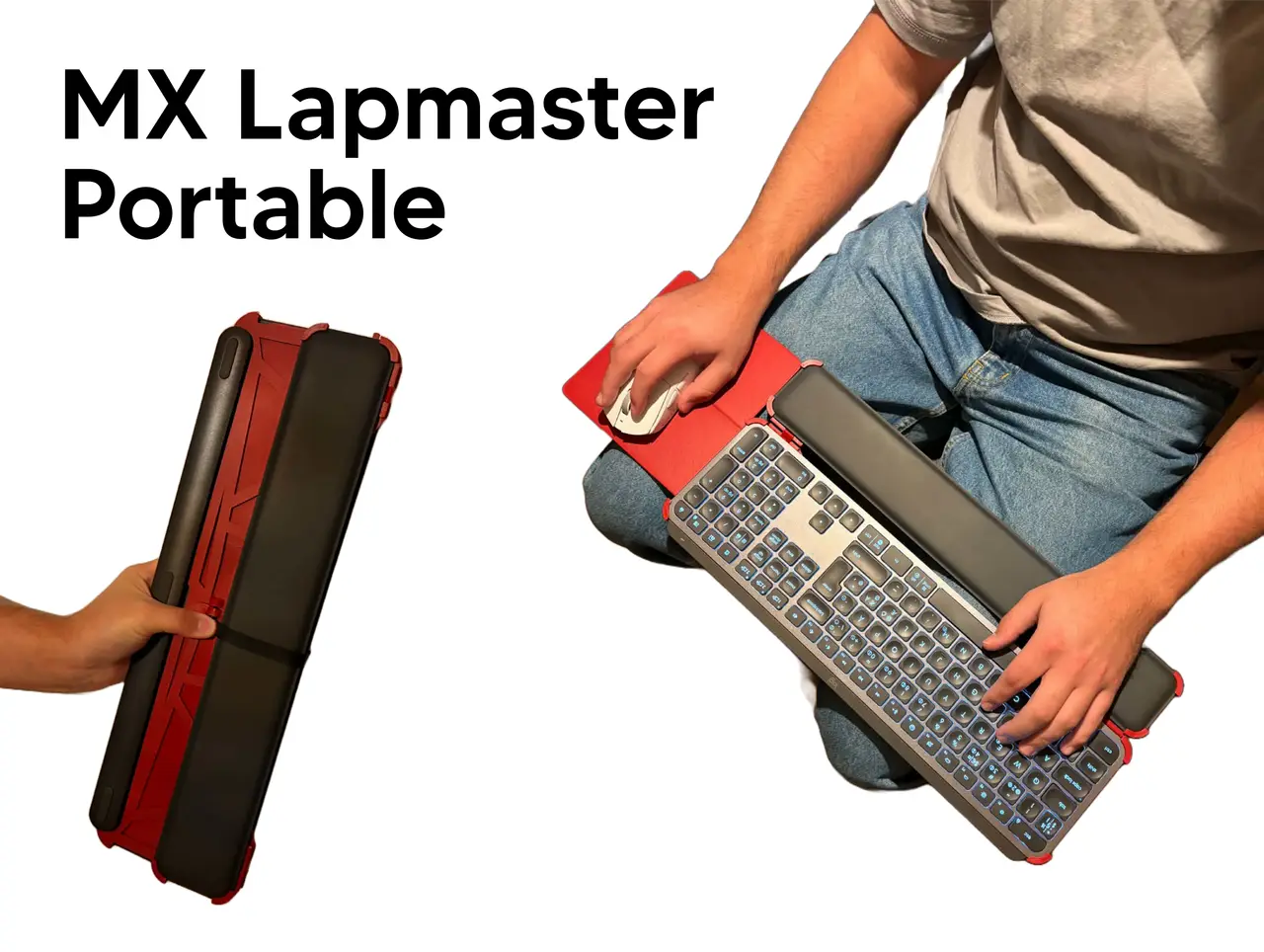
MX Lapmaster portable
por Arketyp Engineering en Printables
An attachment making it more accesible to use the MX keys keyboard in the lap while on the go or in an office setting.
Licencia
Solo uso personalCC BY-NC 4.0 — Atribución, no comercial
Puedes imprimirlo y modificarlo para uso personal dando crédito. No se permite vender las impresiones.
Al descargar aceptas respetar la licencia y dar crédito a Arketyp Engineering.
Archivos (13)
- Fastener 1x.stl STL · 39 KB
- Fastener 1x.stl STL · 39 KB
- frame 1x.stl STL · 478 KB
- Frame 1x.stl STL · 478 KB
- Frame small 1x.stl STL · 485 KB
- Frame small 1x.stl STL · 484 KB
- hinge 2x.stl STL · 85 KB
- wedge 1x.stl STL · 15 KB
- mousepad 1x.stl STL · 100 KB
- mousepad 1x.stl STL · 79 KB
- Clip 1x.stl STL · 95 KB
- Strap 1x (TPU).stl STL · 29 KB
- Strap end 2x.stl STL · 16 KB
- Categoría
- Tecnología
- Formatos
- STL
- Descargas
- 1
- Publicado
Sobre este modelo
Hardware needed: 1x m3 heat insert 1x m3 screw Superglue
Assembly instructions:
Insert heat insert in the bigger hole of the two back fasteners.
Glue in both fasteners to the frame parts.
Cut and insert filament as shown on both sides. In total 4x, you might need to drill out the holes a bit.
It should now look like this: Insert the keyboard and wristrestand turn it over.
Now screw in the m3 bolt on the back.
Line up and secure the wristrest by pushing in the wedge as shown.
Attach the two mousepad halves with the fastener as shown.
Slide them into the back of the case.
Glue the strap ends to both sides of the TPU strap Strap it in to hold the keyboard securely. (Optionally glue in one side to the frame to not lose the strap)
Descripción original del autor, publicada en Printables.



