
Multi-Monitor Alignment System
por Adam Freeman en MyMiniFactory
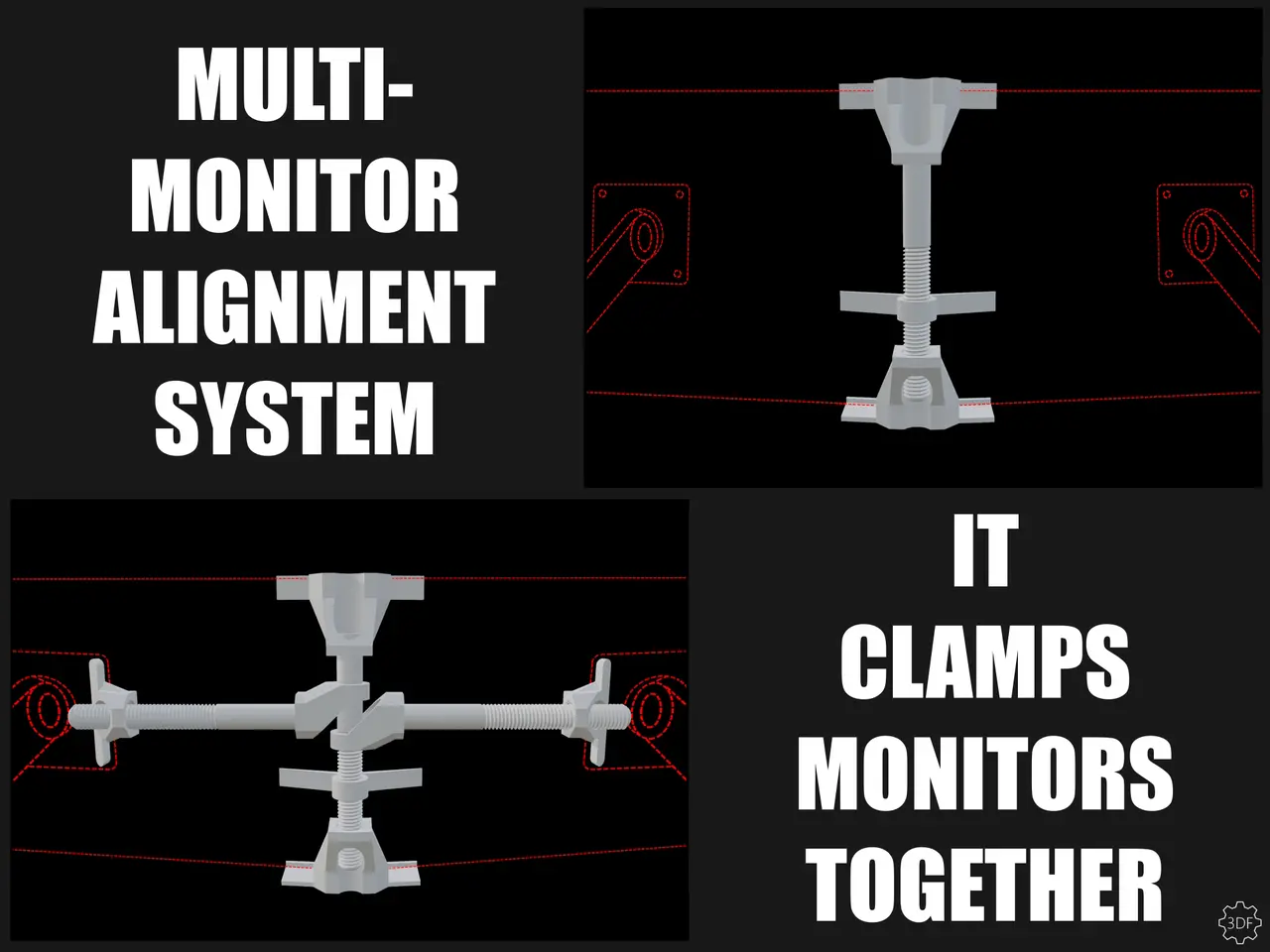
It clamps your monitors together.
MyMiniFactory entrega los archivos a usuarios con cuenta gratuita
Licencia
Solo uso personalCC BY-NC-SA 4.0 — Atribución, no comercial, compartir igual
Uso personal dando crédito; sin fines comerciales y las modificaciones con la misma licencia.
Al descargar aceptas respetar la licencia y dar crédito a Adam Freeman.
Archivos (28)
- 1000R_34Deg_BottomClamp.stl STL
- 1000R_34Deg_TopClamp.stl STL
- 1000R_45Deg_BottomClamp.stl STL
- 1000R_45Deg_TopClamp.stl STL
- 1500R_23Deg_BottomClamp.stl STL
- 1500R_23Deg_TopClamp.stl STL
- 1500R_30Deg_BottomClamp.stl STL
- 1500R_30Deg_TopClamp.stl STL
- 170Bolt_Side.stl STL
- 170Bolt_Stood.stl STL
- BigBolt_Side.stl STL
- BigBolt_Stood.stl STL
- Flat_0Deg_BottomClamp.stl STL
- Flat_0Deg_TopClamp.stl STL
- Flat_15Deg_BottomClamp.stl STL
- Flat_15Deg_TopClamp.stl STL
- Flat_30Deg_BottomClamp.stl STL
- Flat_30Deg_TopClamp.stl STL
- Strainer_01.stl STL
- Strainer_02.stl STL
- Strainer_03.stl STL
- Strainer_04.stl STL
- Strainer_05.stl STL
- VesaMount_Hook_15Deg_M4.stl STL
- VesaMount_Hook_15Deg.stl STL
- VesaMount_Hook_Flat_M4.stl STL
- VesaMount_Hook_Flat.stl STL
- VesaMount_Joint.stl STL
- Categoría
- Herramientas
- Formatos
- STL
- Descargas
- 140
- Publicado
Sobre este modelo
It clamps your monitors together.
If you want your multi-monitor setup to be aligned and pulled together with no gaps.
So there does look like a scary amount of files but that's just because I tried to cater for most common types and angles. You only need four files for the main clamp, depending on what monitor you own (Flat, 1000R or 1500R) plus the angle you want them to touch at. You only need one BottomClamp & TopClamp, one BigBolt and a Strainer.
For example, if you have three 1500R monitors and you want a continous curve (23 degrees), you would need the 1500R_23Deg_BottomClamp & TopClamp, then you would need the BigBolt_Side or Stood (your printing preference, they are the same thing) and lastly a Strainer (1,2,3,4 or 5). The Strainer type really comes down to your monitors back design; the purpose is to ensure the monitors are pushed up against the front of the clamp.
At that point, with the clamp holding your monitors together you might be fine to leave it there...
BUT
If, like me, you have separate monitor arms, all causing trouble, you might find you still have an annoying gap between them. So this is where you print out two more BigBolts, two VesaMount_Joints and a pair of VesaMount_Hook_15Deg. Hook the pegs into the bolt holes on your monitor arm's mounting plate then tighten the bolt till the monitors are pulled together.
I printed all my parts using PLA with a 5% infill and just took care not to over-tighten the bolts. If you do need to tackle more strain, then up your infill rate and consider the VesaMount _Hooks that end in M4, as they are for you to attach them using your monitors' mounting bolts.
If you have a smaller print bed, like 180x180 then use the 170Bolts which are made so you can screw them together, which is also handy if you need bigger bolts for bigger monitors.
If you need a different angle clamp or any adjustments, just give me a shout.
May your visual periphery be filled and your graphics card be worthy!
MY PATREON & PATREON SHOP. https://www.patreon.com/3DFreeman
Thanks for all your continued support!
Descripción original del autor, publicada en MyMiniFactory.



