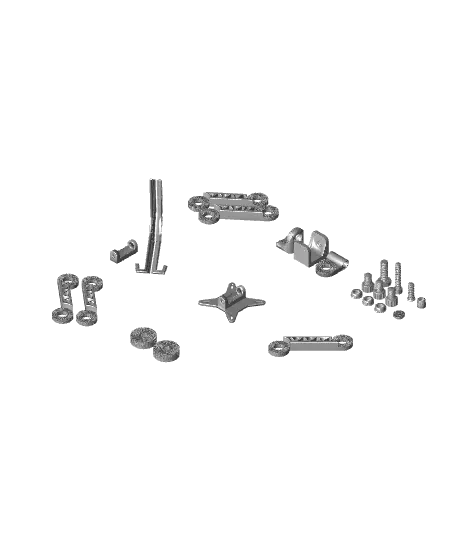
Monitor Lifter_SUNLU_3mf.3mf
por SUNLU Official en Thangs
Robotic Arm Monitor Lifter
Thangs entrega los archivos a usuarios con cuenta gratuita
Licencia
Solo uso personalSin licencia indicada
El autor no indicó una licencia: todos los derechos le pertenecen. Úsalo solo para imprimir en casa y consulta al autor para cualquier otro uso.
Al descargar aceptas respetar la licencia y dar crédito a SUNLU Official.
Archivos (3)
- Monitor Lifter_SUNLU_3mf.3mf 3MF · 42,3 MB
- Monitor Lifter_SUNLU.zip ZIP
- Assembly Instruction(1).pdf PDF
- Categoría
- Herramientas
- Formatos
- 3MF, ZIP, PDF
- Descargas
- 836
- Publicado
Sobre este modelo
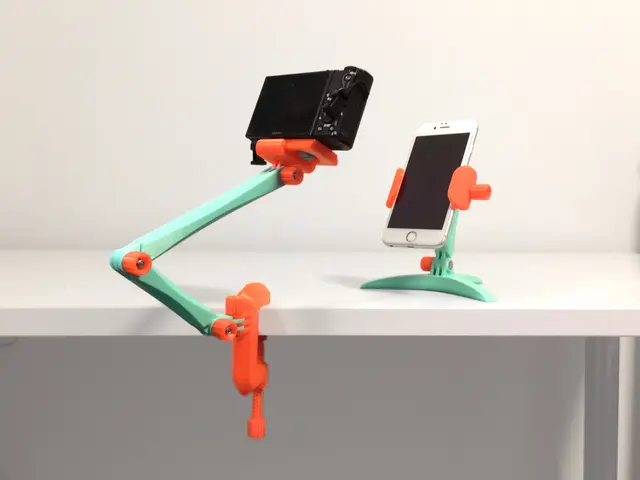
Robotic Arm Monitor Lifter This innovative module Robotic Arm Monitor Lifter supports monitors, iPads and laptops. Its robotic arm design is not only aesthetically pleasing but also offers exceptional flexibility and adjustability. Users can connect 1 to 3 joints as needed to accommodate different length preferences and desktop layouts. Files Included: 3D model files (STL format) Assembly instructions Printing Filaments Recommendation: It is recommended to use Sunlu PC-ABS for the screw parts and Sunlu PA12-CF for the other parts. Printing Parameter Settings: PA12-CF: Filament Selection: Generic PA Nozzle Temperature: 260-280 Celsius Inner/Outer Wall Speed: 60-100mm/s Textured PEI Print Bed Temperature: 60-70 Celsius, apply adhesive to the bed. PC-ABS: Filament Selection: Generic PC Nozzle Temperature: 260-280 Celsius Inner/Outer Wall Speed: 50-230mm/s Textured PEI Print Bed Temperature: 100-110 Celsius, apply adhesive to the bed. Assembly: Follow the provided instructions for assembly, ensuring all screws are tightly secured. Non-Slip Pads: It is strongly recommended to attach a piece of non-slip pads to the bottom of the fixed components that come into contact with the desktop. This will significantly enhance the lifter's stability and anti-slip performance. Safe Usage: Ensure the lifter is placed on a stable desktop and avoid overloading it.
Descripción original del autor, publicada en Thangs.