
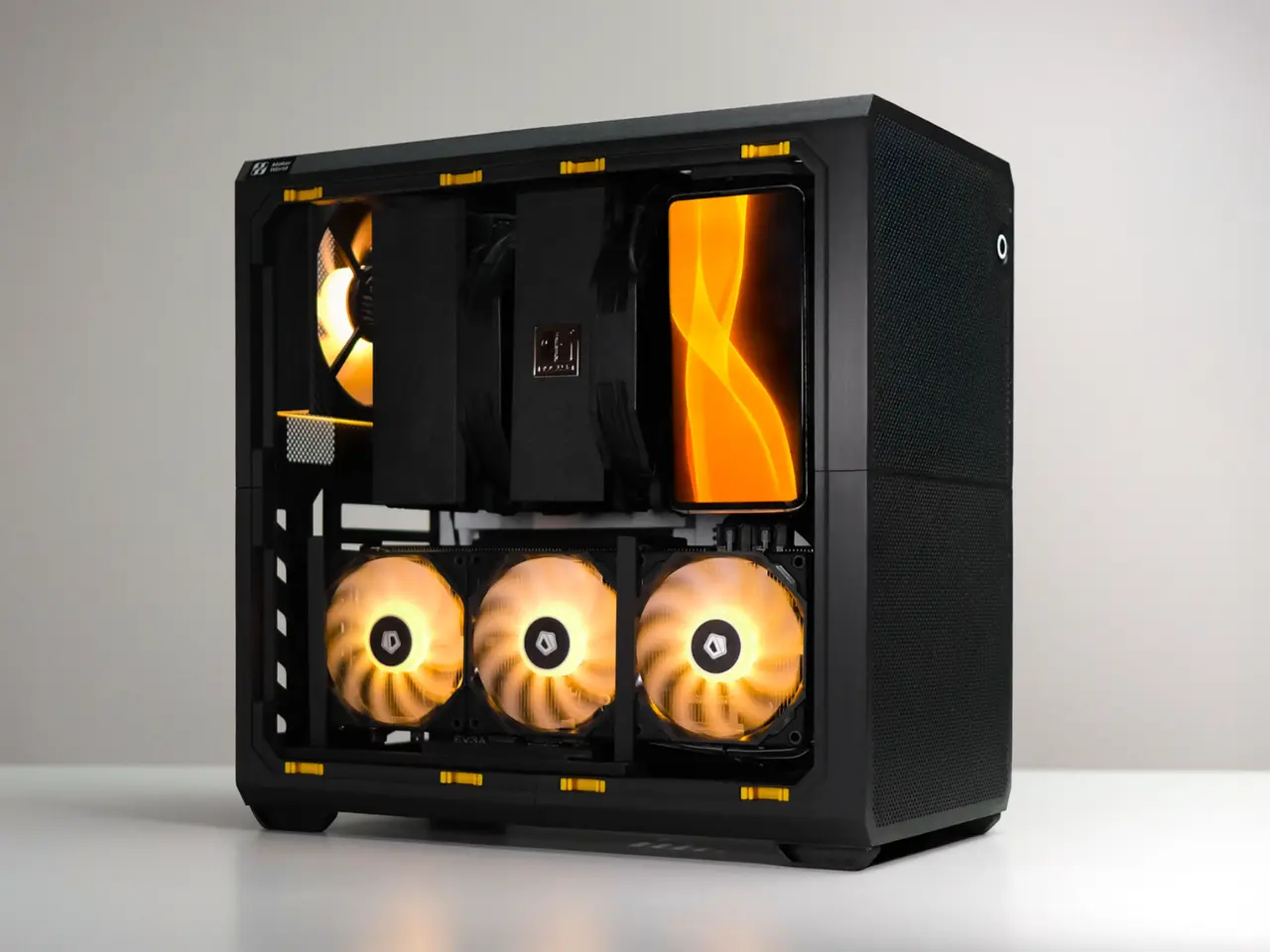
MODCASE HYPER - Compact ATX PC Case
por Haydn Bao en MakerWorld
MODCASE HYPER. HYPER is a compact 24L ATX PC case with advanced customizations and superb cooling performance.
MakerWorld entrega los archivos a usuarios con cuenta gratuita
Licencia
Solo uso personalStandard Digital File License
Licencia estándar de archivos digitales: solo uso personal. No se permite compartir, revender ni subir el archivo a otros sitios, ni vender las impresiones.
Al descargar aceptas respetar la licencia y dar crédito a Haydn Bao.
- Categoría
- Tecnología
- Descargas
- 12,605
- Publicado
Sobre este modelo
MODCASE HYPER HYPER is a compact 24L ATX PC case with advanced customizations and superb cooling performance. It has minimal assembly and a per model tuned project file for a 1-Click experience.
Design Highlights
- Minimum parts - Maximum Strength
- Minimum Assembly - Minimum Screws
- All Tool-Free panels for easy access
- High Air Flow Vents on All Side + Customizable Mesh for extreme open rate
- Universal Mounts - Mount extra components with flexible layout
MODCASE's engineered simplicity brings more features in less parts, and with less parts, the case is more robust and easier to assemble.
Universal Mounts Put PC accessories anywhere with a universal rail system on the Top, Bottom, Front of your case. You can opportunistically make use of extra space in your build.
SPECIFICATIONS Motherboard: ATX, mATX, ITX, DTX GPU Support: 7 PCIE Slots x 337mm Long x 165mm Tall CPU Cooler: 168mm Max Height PSU Support: ATX, SFX, SFX-L IO Ports: USB-C, USB-A x2 Fans: 4x 140mm or 5x 120mm Radiators:120, 140, 240, 280 mm Hard Drives: 12x2.5", 4x3.5" Dimensions: 353x338x202mm 24L 1.9KG Print Volume: 202x200x200mm
INSTRUCTIONS Step 1: Assemble Front and Rear quarters with BT3x20 self tapping screws
M3x20 and #4x3/4 screws are also compatible.
Step 2: Join the halves
MOTHERBOARD Installation ATX, MATX, ITX - Mount directly using standard PC case screws.
Insert included standoffs for MATX motherboards.
GPU / PCIE Installation
PSU Front SFX Option
Rear ATX PSU Option
More PSU positions see Parts list.
Mesh Inserts 👉Customize your mesh density and hole shape by changing your infill % and pattern.
Side Panels and Doors 4 Split side panels are included for smaller printers
Fans 120 and 140 fans are mounted on universal brackets that can be installed anywhere along the top, front and bottom of the case.
Radiators Use the same bracket as fans.
Hard Drives 3.5” or 2.5” HDDs can be mounted on the included universal mount. Multiple plates can be used if you have room. Place anywhere along the top, front and bottom of your case.
USB and Power Button
- USB-A Cable (Link) - 👉Cut the rubber tabs (it's soft) and use standard computer screws (#6-32 -6) to secure the cable.
- USB-C Cable (Link) - Similar cables may also work.
Install POWER BUTTON (Link) 👉It is a standard Ø16mm hole, to suit commonly available 16mm round PC power buttons.
Metal Nut Inserts M3 Square Nuts (Link) can be inserted behind holes. Captive nut insert is a backup option. Use them with M3 Machine Screws (Link).
CABLE MANAGEMENT Slots are on the inside of the case for zip ties or 10mm wide velcro strips.
Descripción original del autor, publicada en MakerWorld.



