
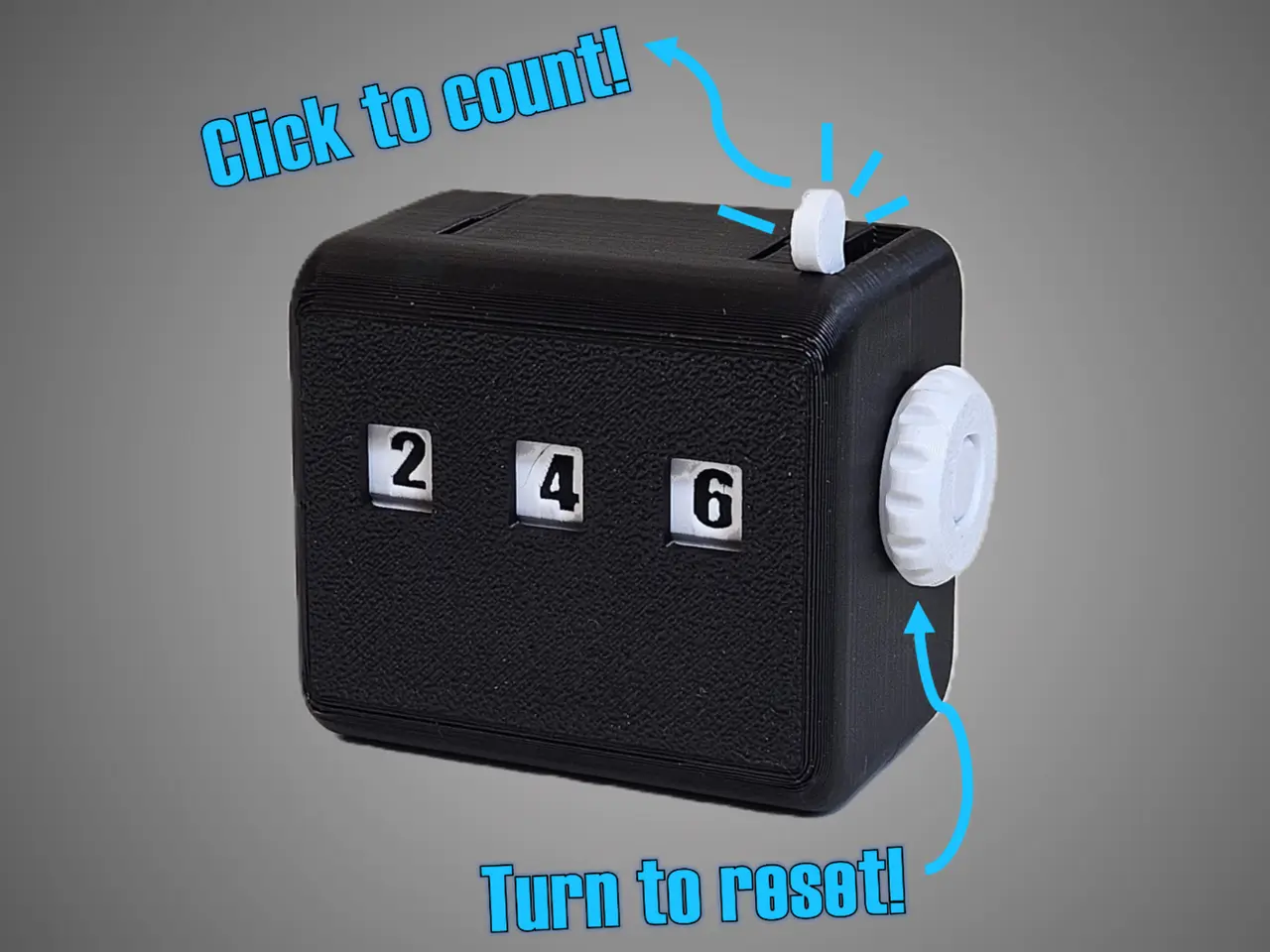
Mechanical Counter - all printed parts!
por Its On My Mind en MakerWorld
Please consider following my YouTube channel—it really helps me keep creating more designs!
MakerWorld entrega los archivos a usuarios con cuenta gratuita
Licencia
Solo uso personalStandard Digital File License
Licencia estándar de archivos digitales: solo uso personal. No se permite compartir, revender ni subir el archivo a otros sitios, ni vender las impresiones.
Al descargar aceptas respetar la licencia y dar crédito a Its On My Mind.
Archivos (10)
- Tens wheel.stl STL · 1,4 MB
- Hundreds whee.stl STL · 1,4 MB
- Intermediate gear PRINTx2.stl STL · 224 KB
- knobe.STL.stl STL · 639 KB
- Main shaft.stl STL · 417 KB
- lever.stl STL · 126 KB
- Ratchet spring.stl STL · 144 KB
- Front shell.stl STL · 627 KB
- Back shell.stl STL · 538 KB
- One_wheel.STL.stl STL · 783 KB
- Categoría
- Herramientas
- Formatos
- STL
- Descargas
- 26,910
- Publicado
Sobre este modelo
Please consider following my YouTube channel—it really helps me keep creating more designs!
Assembly Instructions for the Mechanical Counter 1. Preparing the Main Shaft Assembly
- Take the main shaft and hold it with the groove on the left side.
- Identify the three digit wheels, marked as: - Hundreds wheel (three dots)
- Tens wheel (two dots)
- Ones wheel (one dot)
- From the right side, insert the hundreds wheel (three dots facing inward).
- Thread it onto the shaft until it reaches just before the stopping point.
- Repeat for the tens wheel and ones wheel, in that order.
2. Attaching the Ratchet Mechanism
- Take the ratchet spring and the lever.
- Align the notches on both parts to ensure correct orientation.
- Connect them together.
- Slide the assembled ratchet spring and lever onto the main shaft, ensuring that the ratchet spring sits inside the ones wheel.
3. Securing the Knob
- Take the knob and thread it onto the main shaft.
4. Installing the Main Shaft Assembly into the Back Shell
- Place the main shaft assembly inside the back shell.
- The main shaft has a designated seating position inside the shell.
- Ensure that the knob’s groove fits properly into the back shell.
5. Placing the Intermediate Gears
- Take the two intermediate gears andPosition them in their dedicated slots between the digit wheels.
6. Attaching the Front Shell
- Place the back shell on a table to prevent the intermediate gears from moving.
- Carefully align and snap the front shell onto the back shell .
- Press firmly to secure.
7. Securing the Lever Spring
- The lever has a spring section that needs to be pushed into place.
- Use a toothpick or a screwdriver to gently press it in.
How to Use the Counter
Descripción original del autor, publicada en MakerWorld.



