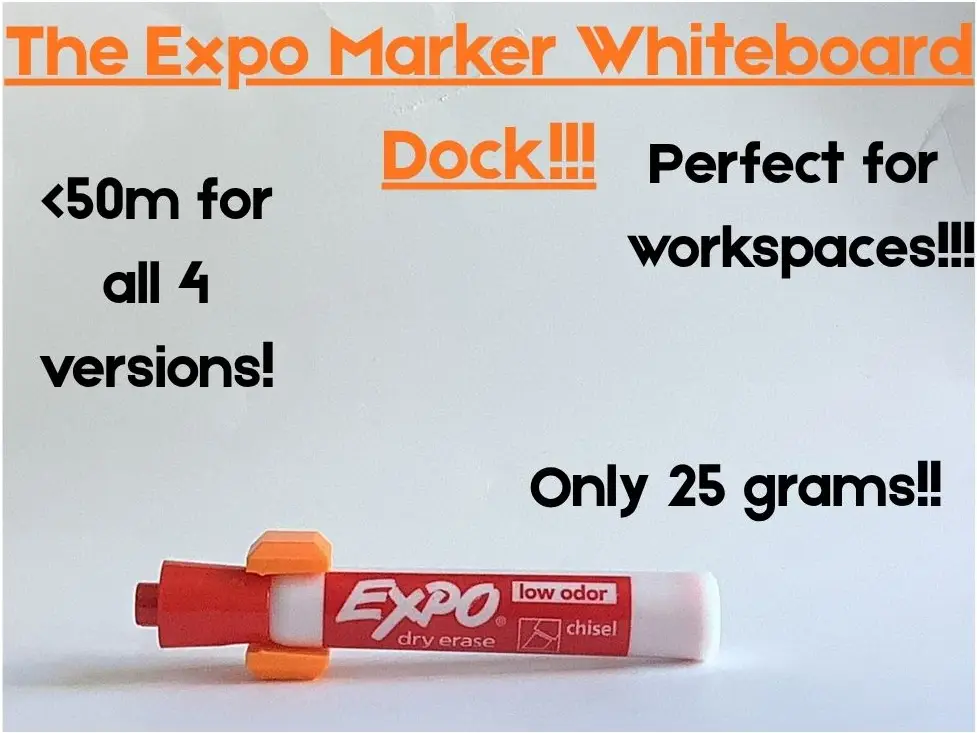
Magnetic Expo Marker Holder
por HR en MakerWorld
Have you ever used a expo marker on a whiteboard, finished and don't know where to put it!?!
MakerWorld entrega los archivos a usuarios con cuenta gratuita
Licencia
Solo uso personalStandard Digital File License
Licencia estándar de archivos digitales: solo uso personal. No se permite compartir, revender ni subir el archivo a otros sitios, ni vender las impresiones.
Al descargar aceptas respetar la licencia y dar crédito a HR.
Archivos (4)
- Single Expo Marker Holder.3mf 3MF · 32 KB
- Quadruple Expo Marker Holder.3mf 3MF · 36 KB
- Triple Expo Marker Holder.3mf 3MF · 36 KB
- Double Expo Marker Holder.3mf 3MF · 34 KB
- Categoría
- Hogar
- Formatos
- 3MF
- Descargas
- 0
- Publicado
Sobre este modelo
Have you ever used a expo marker on a whiteboard, finished and don't know where to put it!?!
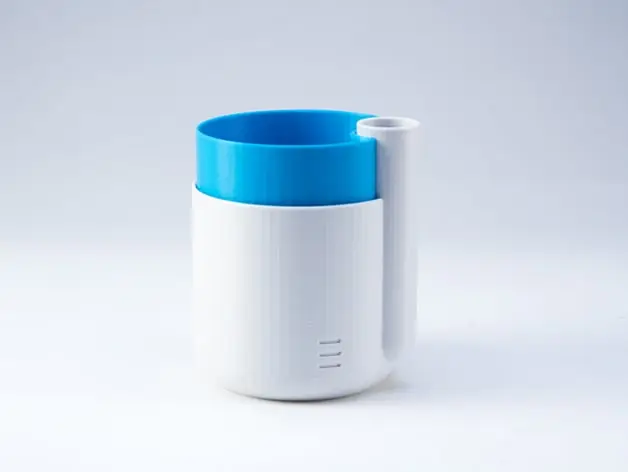
Well, I know most people in the world have thought this at least once. Instead of having to go to a store and buy a $5 box that barely holds the markers, you can print this spectacular Expo Marker Holder!! This model comes with 4 print profiles, one holds 1, one holds 2, one holds, 3, and one holds 4 (they are all labelled). IMPORTANT NOTE: These marker holders do not stick or stay on the wall/whiteboard by themselves, they will need tape or a magnet to hold them. If you want the tape/magnet to be flush with the print you must add a negative part in Bambu Lab Studio or any other slicer you use. The instructions for this will be included with the videos and photos of the model. This model was designed for expo markers so it may not necessarily work for other whiteboard maker brands, test it out and let me know in the comments so I can change the design to fit your marker.
3 simple steps to achieve success with my and other creators models,
- Prepare the Printer Bed - Clean the build plate thoroughly with isopropyl alcohol every 3-5 prints. - If your build plate has been having adhesion issues I would recommend giving it a good wash with some warm water and dish soap. - If none of these work or are working I would suggest using a glue stick and lightly covering the build plate to increase the adhesion.
- Download or Prepare the Model - If you are on Bambu Handy on a mobile device, you should first make sure your printer is on and there is nothing on the build plate, then click “Prepare to Print”, choose a print profile, click “Next”, then connect everything (ex. Filament), finally click “Print current plate”. - If you are on Makerworld then you should, click “Download 3mf” (you might have to click the dropdown and click something else if you have a different slicer), then go to Bambu Studio and click the button that looks like a cube with an addition sign (again this might vary depending on your slicer), this should take you to downloads where you can double click the model you just downloaded, click “Slice”, now all that you have to do is click “Print”. (this might be different depending on your slicer and how your printer works).
- Print - Once the print finishes, take it off the build plate carefully, trying not to touch the top or bottom (if it is double sided) and slowly bend the plate in different directions. This should loosen the print enough to remove it from the build plate. Remember to put the build plate back once you finish. - If this does not work you should use the Bambu Lab Scraper which should be a model already on you printer, (if you have a different brand printer I would suggest just printing a scraper model and using that) then using your scraper you should carefully at a flat angle remove the print off the build plate. WARNING: The Bambu Lab Scraper comes with a sharp blade and should not be handled by a kid, so if you are a kid please ask a parent to help you release the print from the build plate.
- Enjoy!! - There is minimal assembly for this model -If you want a magnet added to this model, you must use a tiny bit of superglue or any other plastic bonding agent, then press firmly and wait till the connection feels solid. Finally wait 24h (for superglue, check the packaging as this might vary) then use the model to hold expo markers!! WARNING: Superglue can be very dangerous, either when swallowed or when it comes in contact with any skin. Please ask an adult to do this portion or supervise you while you do it. Read the packaging on the superglue for more information. - For using tape to connect the model to your whiteboard, depending on your type of tape you should keep the surface dry, then stick and hold firmly till the connection feels solid, then use to stick this model to your whiteboard. WARNING: These instructions might not be correct and you should read the packaging before use any tape.
Descripción original del autor, publicada en MakerWorld.