
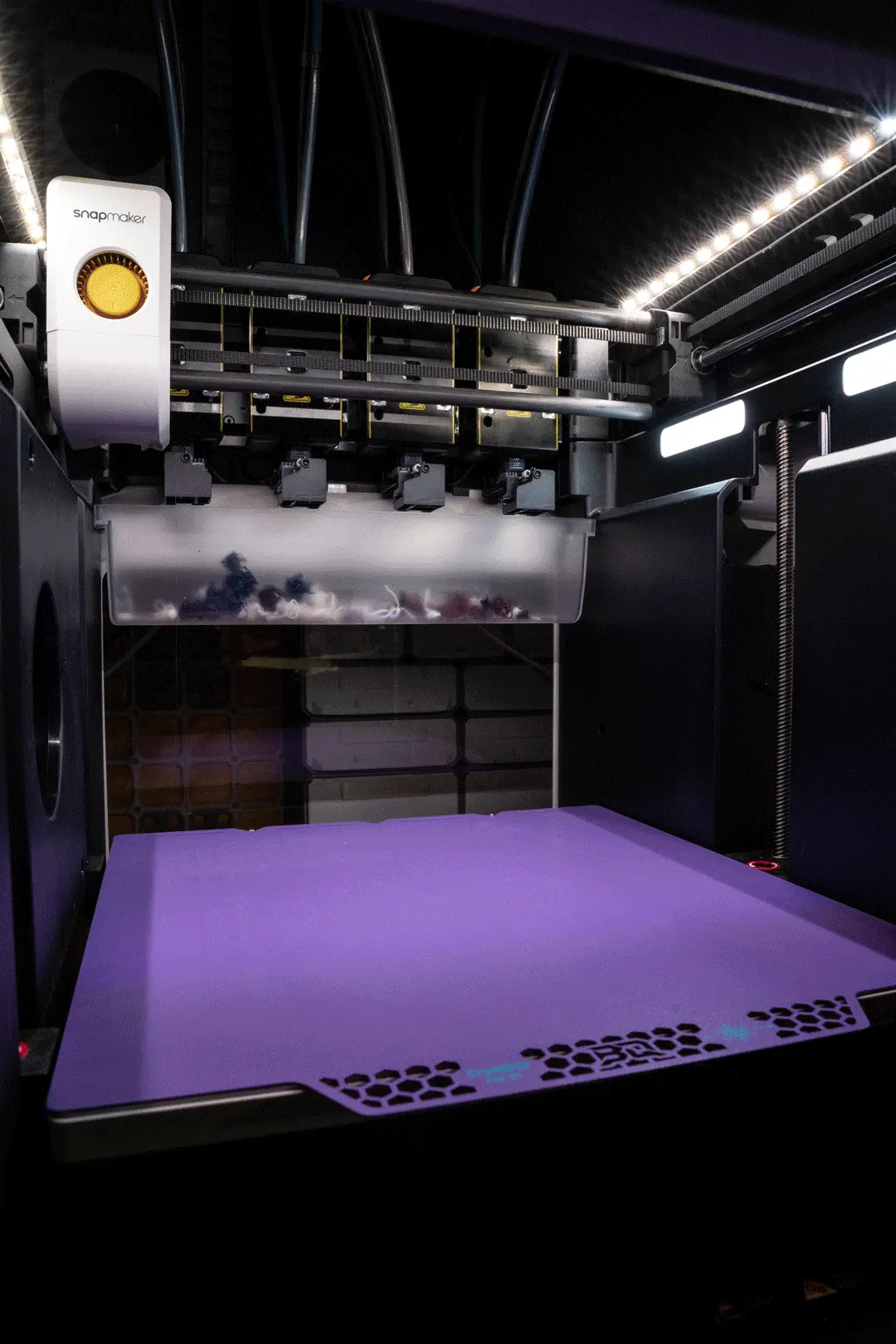
LED Top Panel - Snapmaker U1 LED Upgrade
LED Top Panel for Snapmaker U1 - Free
Thangs entrega los archivos a usuarios con cuenta gratuita
Licencia
Solo uso personalSin licencia indicada
El autor no indicó una licencia: todos los derechos le pertenecen. Úsalo solo para imprimir en casa y consulta al autor para cualquier otro uso.
Al descargar aceptas respetar la licencia y dar crédito a Kyle C.
Archivos (2)
- LEDTopPanel-SkylakeLabs-1.3mf 3MF · 207 KB
- SnapmakerU1-LEDTopPanel1.7.6.stl STL
- Categoría
- Para tu impresora
- Formatos
- 3MF, STL
- Descargas
- 15
- Publicado
Sobre este modelo
LED Top Panel for Snapmaker U1 - Free
This LED Top Panel replaces the stock Top Panel while remaining compatible with the original Top Cover. It adds integrated LED channels around the front and sides of the enclosure for 10 mm LED strips, creating a clean, built-in lighting solution without modifying the external cover.
The download includes the four-piece LED Top Panel Assembly and the separate Rear HUB Panel. For a DIY setup, install your own 10 mm LED strips and connect them to a suitable power source. A plug-and-play LED kit, LED controller PCB, and Top Cover splitter cable are also available from my website (https://skylakedigital.media/skylake-lighting-system).
Download the 3MF file to see the recommended print and support settings, including painted supports for the upper floating edge of the LED channels.
Recommended materials include PETG, ASA, ABS, and other filaments suitable for temperatures up to 60C. Polymaker HT-PLA-GF may also be used, preferably after annealing. Standard PLA is not recommended.
Installation
Before beginning, turn off and unplug the printer. See Snapmaker’s top-panel removal instructions (https://wiki.snapmaker.com/u1/u1_hub_board_step6_remove_the_top_cover1.png) for reference.
1. Remove the screws securing the toolhead USB cables, then disconnect all four toolhead USB cables. Release the PTFE tubes.
2. Remove the four silicone plugs and the four screws underneath, then remove the stock Top Panel.
3. If installing the optional Physical Sense cable, remove the side panel using Snapmaker’s side-panel removal instructions and connect the cable to the stock LED port.
4. Install the Rear HUB Panel, then reconnect the toolhead USB cables and secure them with the original screws.
5. Assemble the LED Top Panel Assembly. Install the LED strips and LED controller PCB, then connect the Top Cover splitter cable.
6. For instructions on keeping the LEDs on continuously and integrating them with WLED, see the code and setup guide on my website (https://skylakedigital.media/snapmaker-u1-installation).
Descripción original del autor, publicada en Thangs.



