
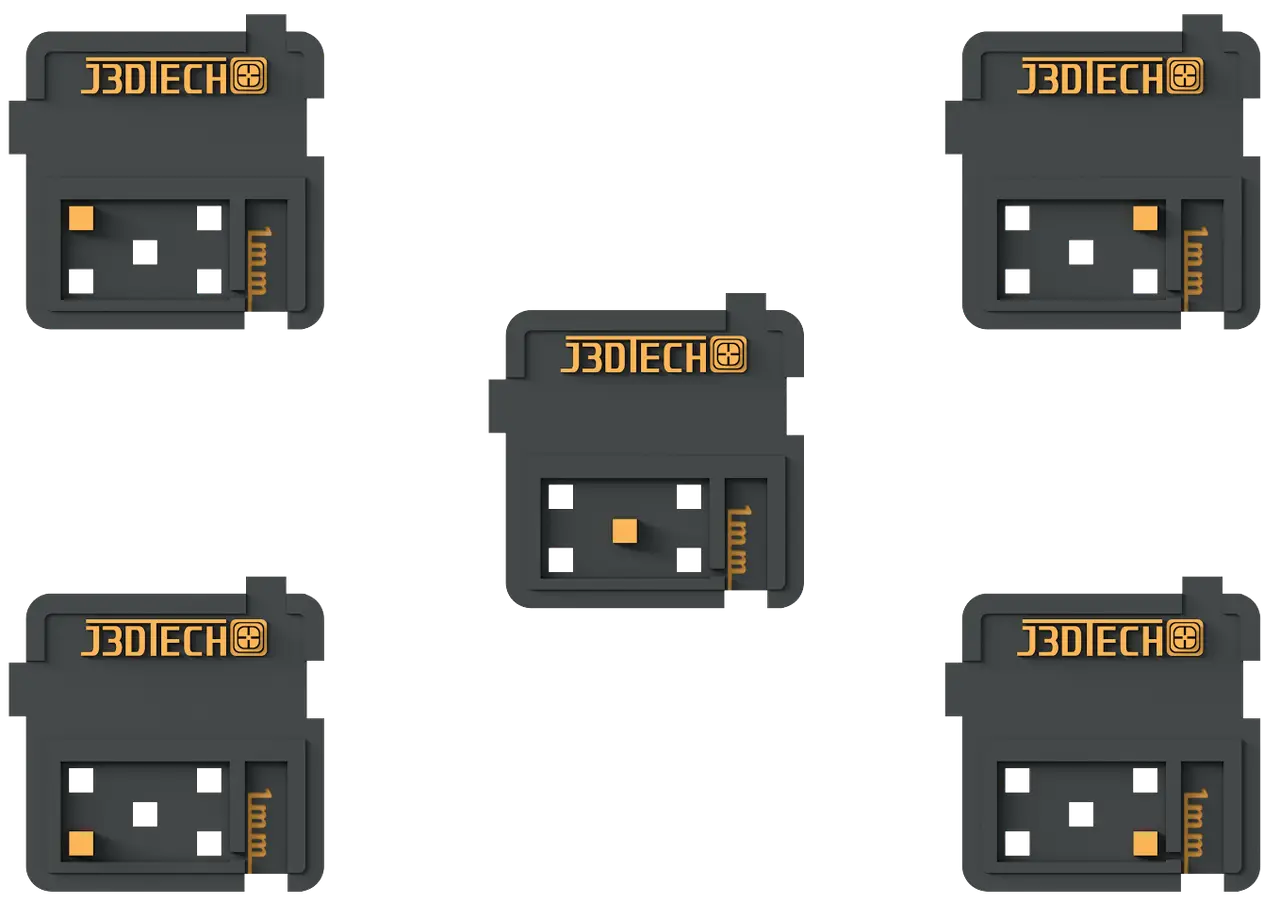
J3D Tech's Build Plate Calibration
This is a 5 part Calibration tool.
Cults3D entrega los archivos a usuarios con cuenta gratuita
Licencia
Uso comercial permitidoCC BY-ND 4.0 — Atribución, sin derivadas
Puedes imprimirlo y compartirlo sin cambios dando crédito; no se permite distribuir versiones modificadas.
Al descargar aceptas respetar la licencia y dar crédito a J3D-Tech.
Archivos (1)
- Build Plate Calibration.zip ZIP
- Categoría
- Para tu impresora
- Formatos
- ZIP
- Descargas
- 9,400
- Publicado
Sobre este modelo
This is a 5 part Calibration tool.
This suite of tests does the following!
Burn in layer calibration
Z-offset calibration
Build Plate Leveling
Follow this guide on how to use them!
https://docs.google.com/document/d/1aoMSE6GBGMcoYXNGfPP9s_Jg8vr1wQmmZuvqP3suago/edit?pli=1&tab=t.0#bookmark=kix.yoot7yil6fe7
There are 5 Build Plate Calibration(BPB) plates. Arrange 5 of them like a dice on your build plate. (Each plate has a symbol on it so you know where it goes, and where it came from during measuring.)
Burn in layer calibration
If all the parts print and hold to the build plate, and come off without much difficulty, you have a successful burn in exposure time. Add +4s for medium sized prints, add +8s for large size prints.
Build Plate Leveling
Use calipers to measure them or connect them side by side and do a fingernail check.
If they all print and are closest* to the same thickness, your Build Plate is level!
*0.15mm or less is acceptable for a difference in thickness.
Calibrate your Z-offset.
For this you NEED calipers, the (BPB) rafts should measure 1mm thick on the slot labeled 1mm. Measure them and find the average. Then simply adjust your Z-offset with the difference.
Example, if they measure 0.6mm, increase your z-offset by 0.4mm. Print again and they should now measure 1mm. You will no longer experience layer cruising!!!
For Normal layer calibration for both Dimensional accuracy AND Resin tensile strength!
See my guide on how to use Boxes of Calibration!
https://docs.google.com/document/d/1aoMSE6GBGMcoYXNGfPP9s_Jg8vr1wQmmZuvqP3suago/edit?pli=1&tab=t.0#bookmark=kix.cq1i76pon3wz
Descripción original del autor, publicada en Cults3D.



