
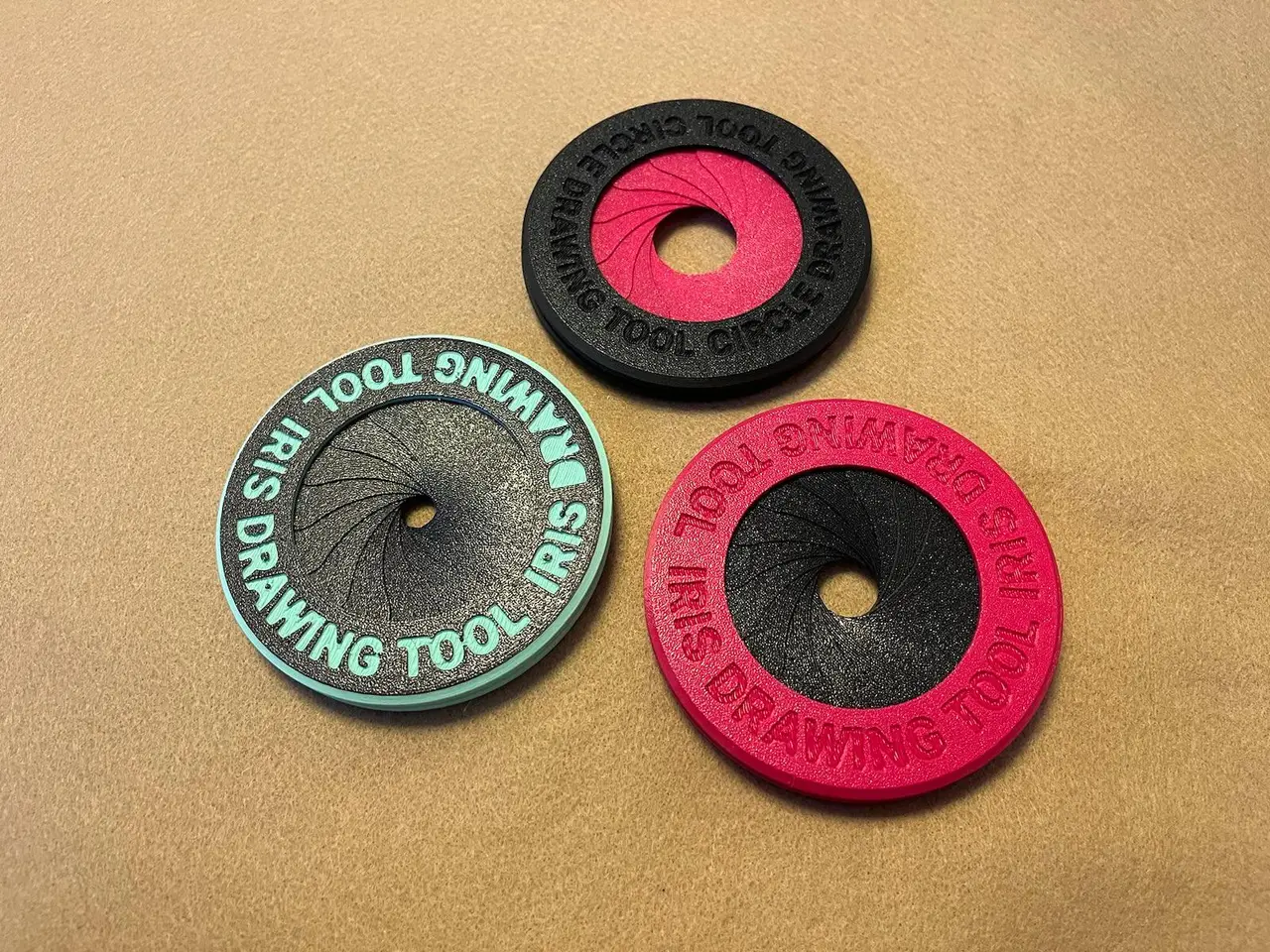
Iris Compass Circle Drawing (Easy to assemble)
por Ishdo en Printables
Handy gadget for drawing circles of different size. based on Makers Cabinet "IRIS".
Licencia
Uso comercial permitidoPuedes imprimirlo, modificarlo y venderlo dando crédito al autor.
Al descargar aceptas respetar la licencia y dar crédito a Ishdo.
Archivos (10)
- Leaf.stl STL · 39 KB
- Outer Ring.stl STL · 521 KB
- Inner Ring.stl STL · 629 KB
- Leaf LOOSE-FIT.stl STL · 39 KB
- Outer Ring NO-TEXT.stl STL · 211 KB
- Inner Ring NO-TEXT.stl STL · 323 KB
- Outer Ring NO-TEXT.step STEP · 267 KB
- Inner Ring NO-TEXT.step STEP · 396 KB
- 15 Leafs_0.6n_0.35mm_PLA_MK2.5S_30m.gcode GCODE · 1,1 MB
- Inner and Outer Ring_0.6n_0.2mm_PLA_MK2.5S_2h9m.gcode GCODE · 4,4 MB
- Categoría
- Herramientas
- Formatos
- STL, STEP, GCODE
- Descargas
- 11,271
- Publicado
Sobre este modelo
*Update: added STEP files & link to assembly jig. *Update: added STL files without text. I Saw Makers Cabinet's IRIS and had to have it, but the I found how much it costs and decided to design a 3d printable version. Maybe someday I'll buy the real one :). I Worked hard over multiple iterations to get this print to be as easy to assemble as possible, hope you find it to be as such. I Would love to get feedback in order to improve the design, so feel free to message me and or leave comments. Features: - Beautiful - Useful - Durable - Easy to use - Easy to print - Relatively easy to assemble
Print instructions: Rings: - 0.20mm layer height - 2 Perimeters - 50% Grid - No Supports - Optional color change starting on layer 3
Leafs: - 0.35mm layer height - Top & Bottom fill pattern Concentric - Printing all 15 at once is advised for better results (they got more time to cool between layers)
Assembly Instructions: Step one (parts): *outer ring oops
Step Two (Connecting the leafs): Take the Inner ring and start hooking the Eyes to the Pillars going CLOCKWISE *depending on print materials this step can go smoothly or not, don't hesitate to reprint the leaves for a better fit, it only takes 30 minutes :). Step Three (Positioning the leafs): After all the leafs are connected position them as shown in the picture, a small flat head screw driver can help. *this step may be frustrating but the worry were almost done. To make this easier “markury” made an assembly jig. Step Four (connecting the rings): Place the outer ring on top trying to get all the sliders into their slots. Make sure to align the three tabs on the inner ring with the openings on the outer ring before closing For some reason the text editor wont let me add more photos so the photo for stage four is above with the model pics. *if a few of the leafs aren't in place after you close just take a small flat head and move the until they snap into their slot.
Descripción original del autor, publicada en Printables.



