
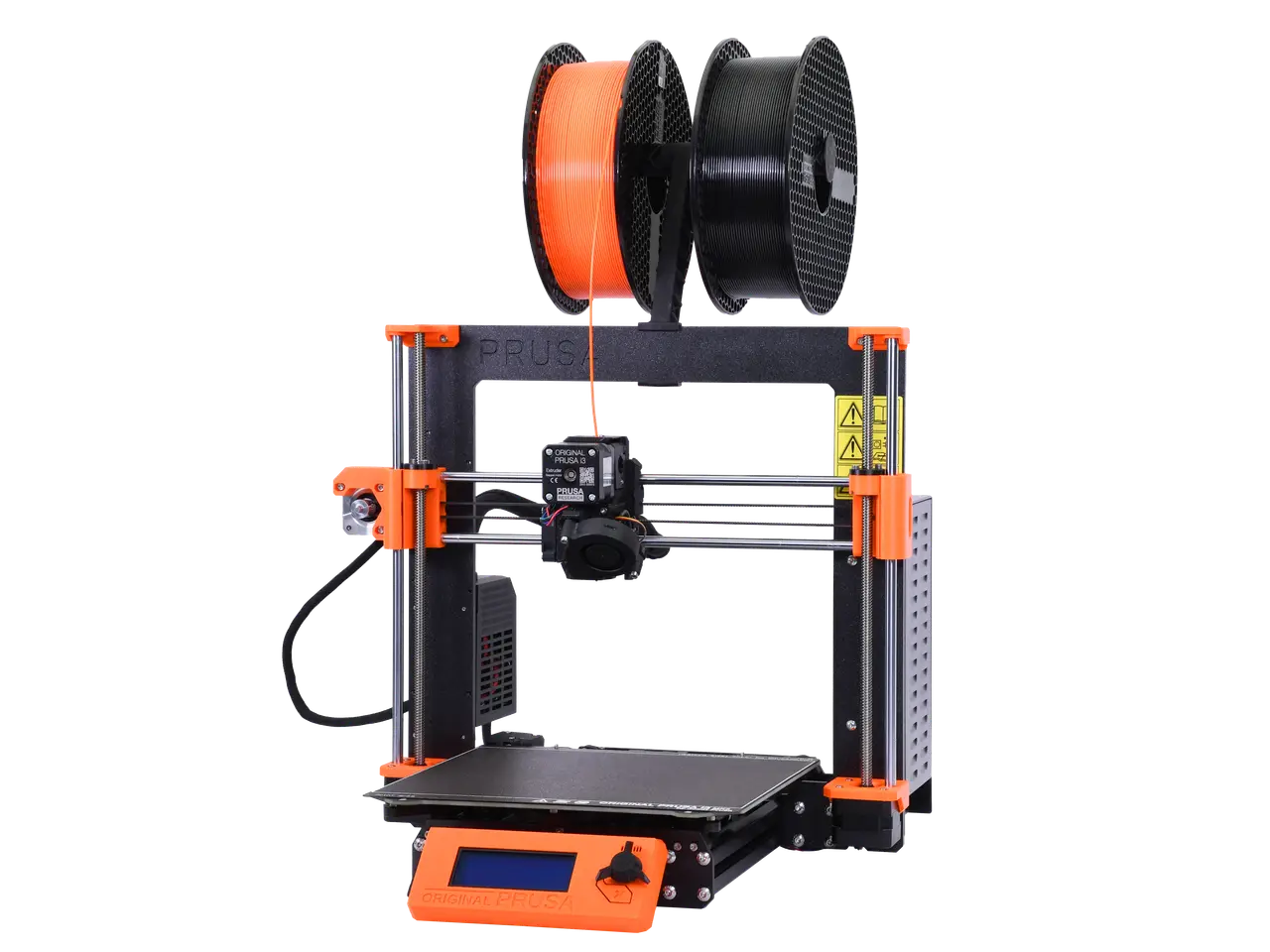
i3 MK3S+ printable parts
por Prusa Research en Printables
Original Prusa i3 MK3S+ printable parts
Licencia
Uso comercial permitidoPuedes usarlo, modificarlo y venderlo; si distribuyes versiones modificadas deben ir con la misma licencia y sus fuentes.
Al descargar aceptas respetar la licencia y dar crédito a Prusa Research.
Archivos (39)
- y-belt-idler.stl STL · 120 KB
- y-motor-holder.stl STL · 137 KB
- y-rod-holder.stl STL · 274 KB
- y-belt-holder.stl STL · 121 KB
- y-belt-tensioner.stl STL · 116 KB
- x-end-motor.stl STL · 1,4 MB
- x-end-idler.stl STL · 1007 KB
- z-axis-bottom.stl STL · 1,6 MB
- z-screw-cover.stl STL · 805 KB
- z-axis-top.stl STL · 510 KB
- extruder-body.stl STL · 1,0 MB
- adapter-printer.stl STL · 1,2 MB
- fs-lever.stl STL · 120 KB
- extruder-motor-plate.stl STL · 725 KB
- extruder-cover.stl STL · 382 KB
- extruder-idler.stl STL · 236 KB
- x-carriage.stl STL · 1,2 MB
- fs-cover.stl STL · 233 KB
- print-fan-support.stl STL · 84 KB
- fan-shroud.stl STL · 615 KB
- cable-holder.stl STL · 234 KB
- x-carriage-back.stl STL · 549 KB
- LCD-cover-ORIGINAL-MK3.stl STL · 662 KB
- LCD-knob.stl STL · 226 KB
- lcd-supports.stl STL · 290 KB
- heatbed-cable-cover-clip.stl STL · 262 KB
- heatbed-cable-cover.stl STL · 470 KB
- Einsy-doors.stl STL · 374 KB
- Einsy-hinges.stl STL · 163 KB
- Einsy-base.stl STL · 1,3 MB
- Extruder-cable-clip.stl STL · 137 KB
- Heatbed-cable-clip.stl STL · 243 KB
- psu-cover-DELTA.stl STL · 132 KB
- rpi-zero-frame.stl STL · 161 KB
- raspberry_cover.stl STL · 101 KB
- Prusa_Link_pliers.stl STL · 26 KB
- Spool-holder.stl STL · 504 KB
- PSU-cover-MK3.stl STL · 757 KB
- HowToPrintParts.pdf PDF · 292 KB
- Categoría
- Para tu impresora
- Formatos
- STL, PDF
- Descargas (todas las plataformas)
- 186,447
- Publicado
Sobre este modelo
All printable parts for your Original Prusa i3 MK3S+ Sorted by kit assembly manual chapters. You can use the file list and folder structure here to prepare parts in the same order as you will need them according to the guide.
Attention, y-rod-holder is present 4 times in the printer. If you plan to print the whole kit, print this part 4x. Look for a number in the brackets in the file description.
Print instructions PrusaSlicer's default PETG 0.2mm presets.
For fan-shroud part, we recommend Prusament ASA / PC-Blend with default settings and 5mm brim if necessary. The fan-shroud STL file includes an inner support rim that needs to be removed after printing. It can be easily removed with needle-nose pliers, a knife, or flush cutters together with the brim. Otherwise, it will block most of the air from coming out. See the corresponding assembly manual chapter to see what the part should look like after removing the inner support. ASA, PC Blend, PA or even ABS, as well as other high-temperature materials are only suitable for experienced users, and being from different manufacturers, its properties may vary greatly. PLA or PET-G is a no-go for fan-shroud because of its low temperature resistance.
We recommend using black filament to print all MK3S+ extruder parts. If you want different colour, you can use it, but the FS-lever part should be definitely dark (black) and the other parts surrounding the IR-Sensor as well. In case you use any lighter colour for the FS-lever it might not trigger the sensor.
Descripción original del autor, publicada en Printables.



