
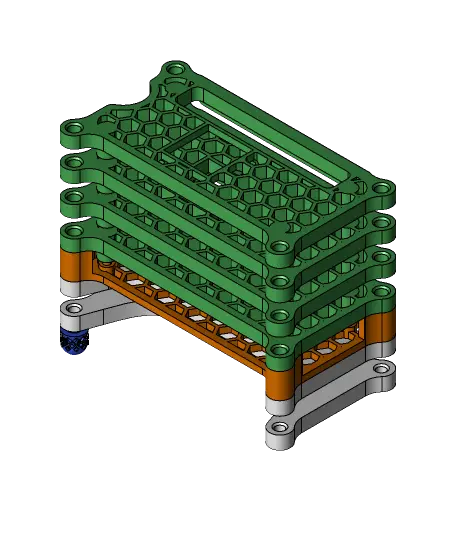
Honeycomb Raspberry Pi Zero 2 W Case with Optional Extrusion Mount
Model originally uploaded to Thingiverse at https://www.thingiverse.com/thing:5173506.
Thangs entrega los archivos a usuarios con cuenta gratuita
Licencia
Revisa las condicionesLICENSE
El autor usa su propia licencia. Revisa sus condiciones en la página original antes de compartir, modificar o vender.
Al descargar aceptas respetar la licencia y dar crédito a nghtshd.
Archivos (17)
- PiZero2Honeycomb.step STEP · 4,9 MB
- bottom-p.stl STL · 339 KB
- bottom.stl STL · 370 KB
- foot-pin.stl STL · 308 KB
- foot.stl STL · 2,0 MB
- mount.stl STL · 146 KB
- offset-mount.stl STL · 179 KB
- pin.stl STL · 113 KB
- shim.stl STL · 65 KB
- top-0.stl STL · 332 KB
- top-0p.stl STL · 395 KB
- top-1.stl STL · 321 KB
- top-1p.stl STL · 389 KB
- top-2.stl STL · 326 KB
- top-2p.stl STL · 389 KB
- top-3.stl STL · 316 KB
- top-3p.stl STL · 389 KB
- Categoría
- Tecnología
- Formatos
- STEP, STL
- Descargas
- 37
- Publicado
Sobre este modelo
Model originally uploaded to Thingiverse at https://www.thingiverse.com/thing:5173506. Honeycomb Raspberry Pi Zero 2 W Case with Optional Extrusion Mount
This design is based on my case for the original Pi Zero. This case is slightly thinner than the original and is recessed more on the port access side. The bottom also has the honeycomb design for better cooling all around, The cutout for a heat sink has been resized and shifted for the new SoC (I'm using a heatsink I bought for my RPi 4 on my Zero 2 with this case).The GPIO access slot is a bit larger for easier access and the finger cutout for SD card access was extended to the bottom piece and mount.
Needs 4 M3 screws If using the extrusion mount or foot, you will need16 mm screws.
STEP file included.
Descripción original del autor, publicada en Thangs.



