
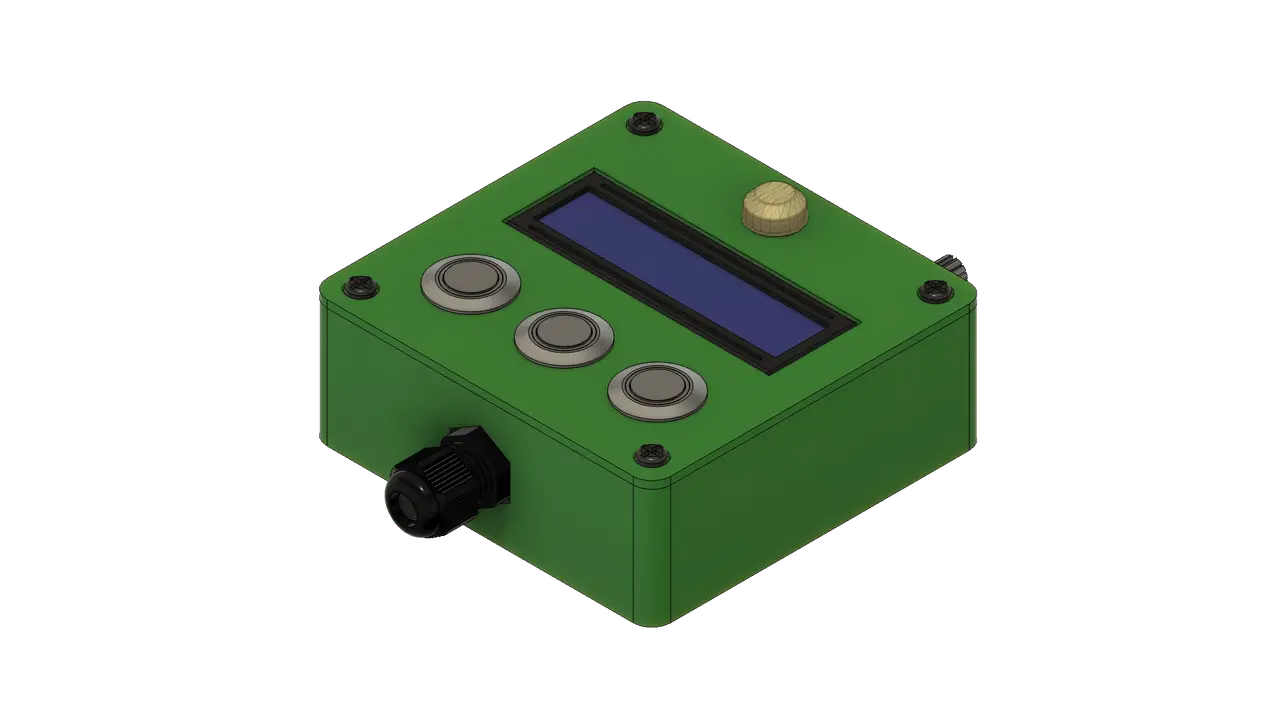
Home Power Monitor LCD Control Unit
por Scott Gibb en Printables
Case and removable lid for a Raspberry Pi Home Power Monitor LCD, buttons and PIR control panel.
Licencia
Uso comercial permitidoPuedes imprimirlo, modificarlo y venderlo dando crédito al autor.
Al descargar aceptas respetar la licencia y dar crédito a Scott Gibb.
Archivos (8)
- home-power-monitor-lcd-control-unit-v22-assembly.step STEP · 4,9 MB
- home-power-monitor-lcd-control-unit-v22-assembly.stl STL · 10,3 MB
- home-power-monitor-lcd-control-unit-v22-case.stl STL · 116 KB
- home-power-monitor-lcd-control-unit-v22-lid.stl STL · 93 KB
- home-power-monitor-lcd-control-unit-v22.f3d F3D · 768 KB
- home-power-monitor-lcd-control-unit-v22-case.gcode GCODE · 2,9 MB
- home-power-monitor-lcd-control-unit-v22-lid.gcode GCODE · 683 KB
- home-power-monitor-lcd-control-unit-v22-drawing.pdf PDF · 269 KB
- Categoría
- Tecnología
- Formatos
- STEP, STL, F3D, GCODE, PDF
- Descargas
- 0
- Publicado
Sobre este modelo
Home Power Monitor LCD Control Unit A case and removable front lid for the 16×2 LCD control panel used in my Home Power Monitor project. The panel combines a display, three menu buttons, a contrast potentiometer and an AM312 PIR sensor. The Raspberry Pi runs the monitoring software; the meter and isolation circuitry are housed separately. The enclosure has internal LCD mounting points, a cable-gland opening, a potentiometer opening and a front panel with cut-outs for the display, three buttons and PIR sensor. Four M3 screws secure the lid into threaded inserts. Files Print one case and one lid. The assembly STL contains reference hardware and is supplied for viewing. The editable Fusion archive, STEP assembly, exploded drawing and assembly animation show the complete arrangement. Parts Part Quantity Notes
Printed case 1 92 × 90 × 32 mm bounding size
Printed lid 1 92 × 90 × 2 mm bounding size
16×2 LCD module 1 Match the mounting pattern in the CAD
AM312 mini PIR sensor 1 Front-panel sensor
B10K potentiometer 1 Contrast adjustment; side opening
Panel pushbutton 3 CAD reference: Phobya power switch 16 black
M12 cable gland 1 Cable entry
M3 × 6 mm screws 8 Four lid and four LCD mounting screws
M3 threaded inserts 4 CAD reference M3*6*5
M3 male-to-female standoffs 4 CAD reference 20 mm + 6 mm
M3 nylon nuts 4 LCD mounting
Control circuitry, connectors and cable As required See hardware repository and supplied build photos
Counts and sizes come from the supplied CAD and drawing. Purchased parts are reference components; check the dimensions of your own LCD, switches and sensor against the editable CAD. Assembly Fit the four threaded inserts into the case. Mount the LCD using the four standoffs, nylon nuts and mounting screws shown in the drawing. Fit the cable gland and contrast potentiometer, then mount the three buttons and PIR sensor in the lid. Connect the control circuitry using the hardware schematics and harness documentation, and secure the lid with four M3 screws. Project links Home Power Monitor hardware and wiring Home Power Monitor software Technical drawing Download the drawing PDF from Other Files. The exploded drawing is also shown below. Exploded view Assembly animation supplied as LCD Screen v23; CAD export v22.
Descripción original del autor, publicada en Printables.



