Hiking and Cycling Map Generator | TrailPrint3D
por EmGi en MakerWorld
IMPORTANT CHANGES! (24 April 2026). Makerworld no longer allows to upload .py files. I created a website from where you can download the latest version for free without having to create a account: TrailPrint3D.com
MakerWorld entrega los archivos a usuarios con cuenta gratuita
Licencia
Uso comercial permitidoPuedes imprimirlo, modificarlo y venderlo dando crédito al autor.
Al descargar aceptas respetar la licencia y dar crédito a EmGi.
Archivos (29)
- 100HexStandHigh.stl STL · 7 KB
- 100HexStandLow.stl STL · 7 KB
- 100HexStandMedium.stl STL · 7 KB
- 100SquareStandHigh.stl STL · 3 KB
- 100SquareStandLow.stl STL · 3 KB
- 100SquareStandMedium.stl STL · 3 KB
- LConnector0mm.stl STL · 12 KB
- LConnector1mm.stl STL · 12 KB
- LConnector2mm.stl STL · 12 KB
- LConnector3mm.stl STL · 12 KB
- LConnector4mm.stl STL · 12 KB
- LConnector5mm.stl STL · 12 KB
- LConnector6mm.stl STL · 12 KB
- LConnector7mm.stl STL · 12 KB
- LConnector8mm.stl STL · 12 KB
- LConnector9mm.stl STL · 12 KB
- LConnector10mm.stl STL · 12 KB
- MConnector1mm.stl STL · 12 KB
- MConnector2mm.stl STL · 12 KB
- MConnector3mm.stl STL · 12 KB
- MConnector4mm.stl STL · 12 KB
- MConnector5mm.stl STL · 12 KB
- MConnector0mm.stl STL · 12 KB
- sConnector_0mm.stl STL · 10 KB
- sConnector_1mm.stl STL · 9 KB
- sConnector_2mm.stl STL · 9 KB
- sConnector_3mm.stl STL · 9 KB
- sConnector_4mm.stl STL · 9 KB
- sConnector_5mm.stl STL · 9 KB
- Categoría
- Figuras y arte
- Formatos
- STL
- Descargas
- 8,271
- Publicado
Sobre este modelo
IMPORTANT CHANGES! (24 April 2026) Makerworld no longer allows to upload .py files. I created a website from where you can download the latest version for free without having to create a account: TrailPrint3D.com
Boost MeSupport my work by Boosting this Model
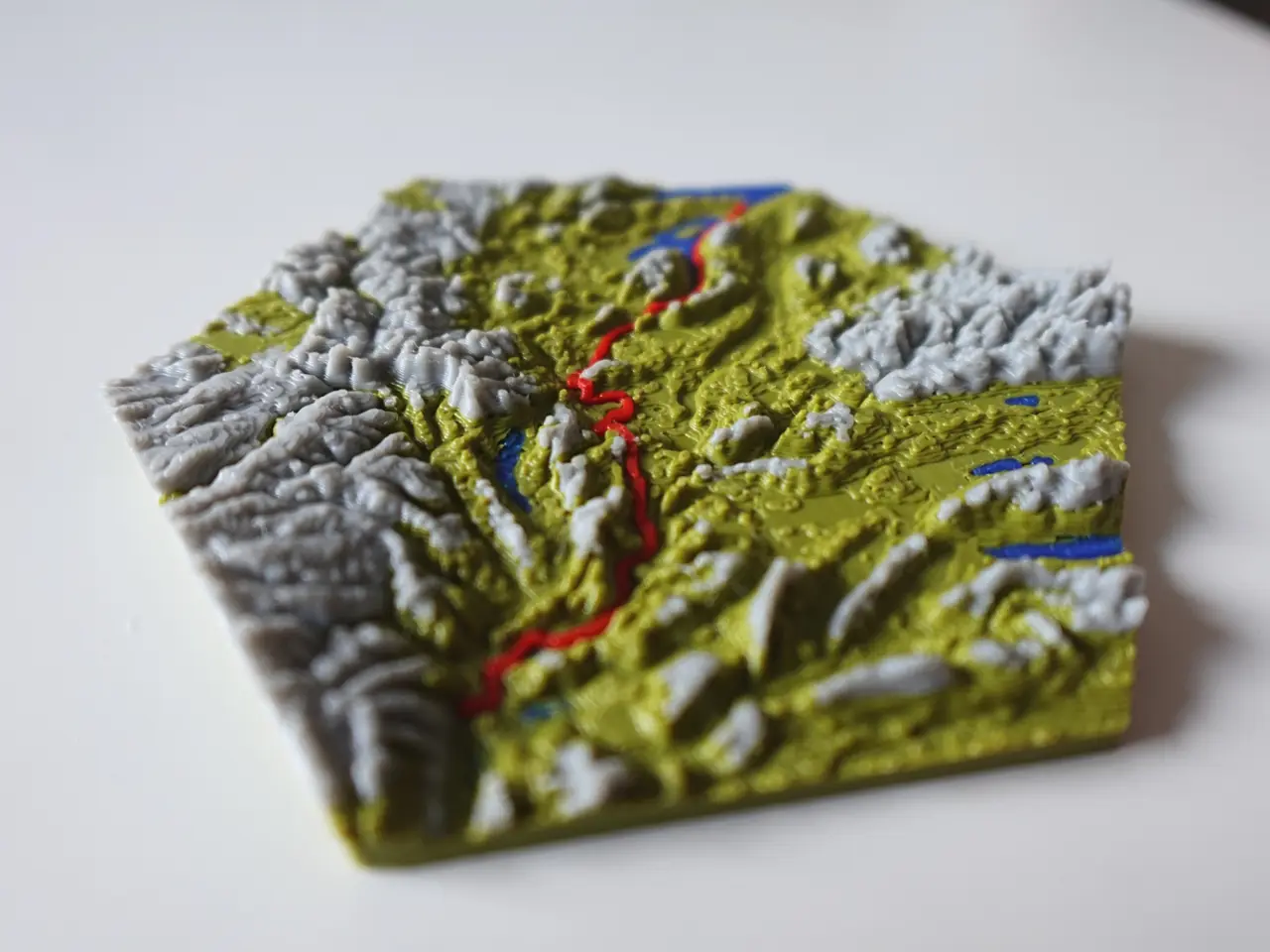
INTRODUCTION This is a Addon for Blender that allows you to create Miniature Maps of your adventures from just the GPX file that you can download from Komoot, strava, garmin or other tracking apps!
SUPPORT MY WORK
- PATREON
- Buy me a Coffee
Get Help and share your Creations on my Discord server: Join Discord
HOW TO INSTALL
- Please Watch the Video on Top first as it contains a full Installation Guide and Addon Tutorial
- Download the latest Blender version from https://www.blender.org/download/
- Download the Addon (.zip file) from https://trailprint3d.com
- Open Blender, and go to Edit → Preferences
- Go to the Addons tab, Click the top right Arrow and then “Install From Disk”
- Select the .zip file file you downloaded from TrailPrint3D.com
- Close the popup window
- If the sidebar is not showing, Press “N”
- If “TrailPrint3D” is displayed there, the installation was a success
PARAMETERS
- Generate Button: Generates the Map with your Current set parameters
- File Path: The .GPX file you want to import. Click the little folder to open a File Explorer
- Export Path: The Folder the STL files will be saved
- Name: The name of the save file. Keep it blank to use the name of the file
- Shape: The shape of the Map
- Object size: The size of the Map in mm
- Resolution: The “Quality” of the map. Higher = Better quality but also longer Generating times. i reccomend a maximum of 6 or 7 ( 7 takes up to 10 minutes).
- Elevation scale: Multiplier to the elevation. Use it to make flat maps more interesting or to flatten down steep landscapes
- Path thickness: the thickness of the path
- SingleColorMode Trail: Creates a cutout of the Trail in the map and the Trail as a part that can be printed separately
- Path scale: The size of the path compared to the map. If your object size is 100 and Path scale is 0.5, then the path is about 50mm big. if pathScale is 0.75 its about 75mm big.
Advanced Parameters (In the Advanced Tab)
Descripción original del autor, publicada en MakerWorld.