Hexasort - A Board Game Piece Organiser
por Thomas Donoclift en MyMiniFactory
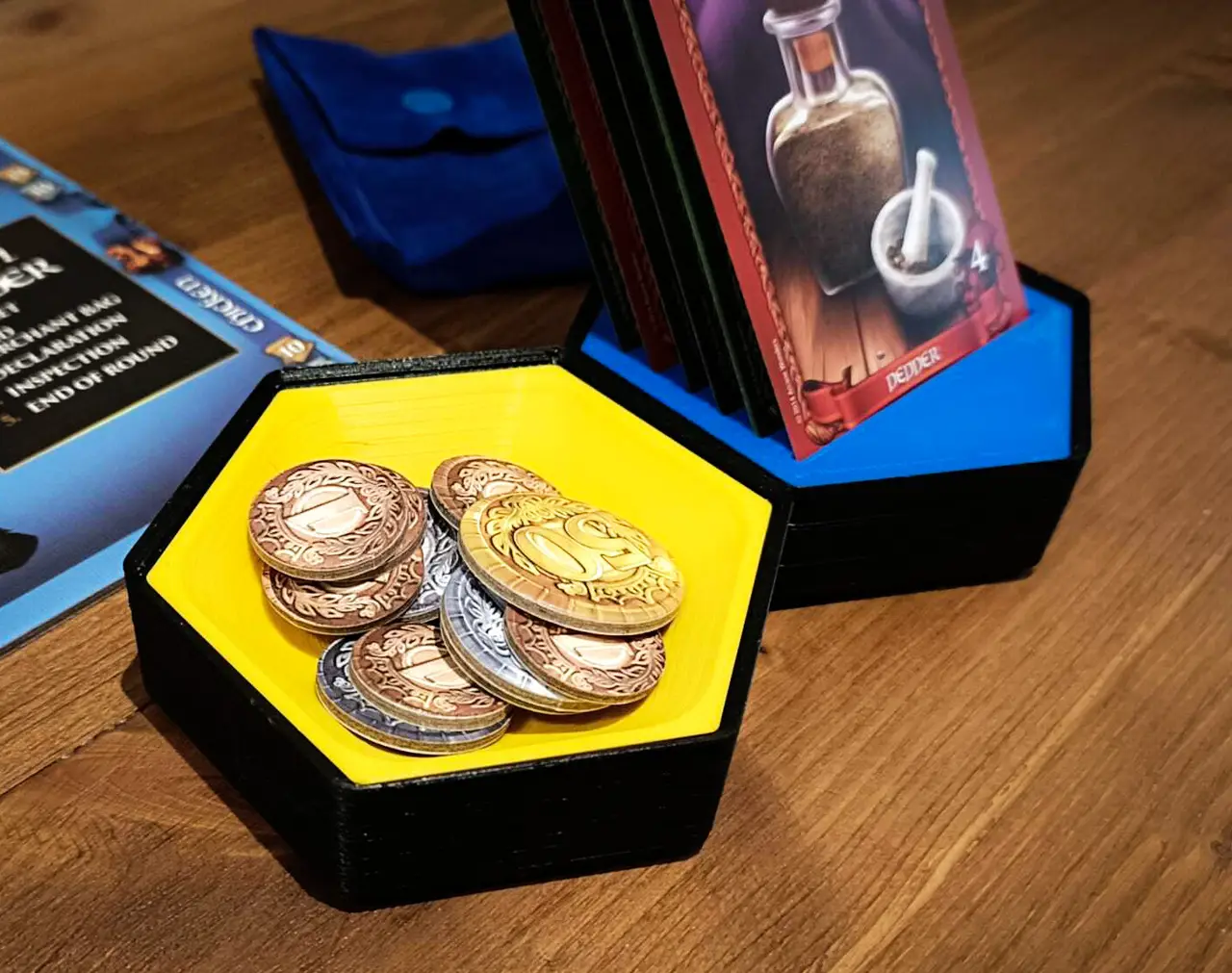
Tidy up those loose board game components or organise your play area. The hex tiles have a range of different inserts to meet your needs, as well as being stackable and magnetic. The Hexasort comes in three sizes, Small (60 mm edge to edge), Medium (80 mm edge to edge), and Large (100 mm edge to edg
Licencia
Solo uso personalCC BY-NC-SA 4.0 — Atribución, no comercial, compartir igual
Uso personal dando crédito; sin fines comerciales y las modificaciones con la misma licencia.
Al descargar aceptas respetar la licencia y dar crédito a Thomas Donoclift.
Archivos (22)
- Large_Base.stl STL
- Large_Card_Tray.stl STL
- Large_Double_Tray_C2C.stl STL
- Large_Double_Tray_E2E.stl STL
- Large_Half_n_Half_Tray.stl STL
- Large_Single_Tray.stl STL
- Large_Triple_Tray_C2C.stl STL
- Large_Triple_Tray_E2E.stl STL
- Medium_Base.stl STL
- Medium_Card_Tray.stl STL
- Medium_Double_Tray_C2C.stl STL
- Medium_Double_Tray_E2E.stl STL
- Medium_Half_n_Half_Tray.stl STL
- Medium_Single_Tray.stl STL
- Medium_Triple_Tray_C2C.stl STL
- Medium_Triple_Tray_E2E.stl STL
- Small_Base.stl STL
- Small_Double_Tray_C2C.stl STL
- Small_Double_Tray_E2E.stl STL
- Small_Singe_Tray.stl STL
- Small_Triple_Tray_C2C.stl STL
- Small_Triple_Tray_E2E.stl STL
- Categoría
- Miniaturas
- Formatos
- STL
- Descargas
- 112
- Publicado
Sobre este modelo
Tidy up those loose board game components or organise your play area. The hex tiles have a range of different inserts to meet your needs, as well as being stackable and magnetic. The Hexasort comes in three sizes, Small (60 mm edge to edge), Medium (80 mm edge to edge), and Large (100 mm edge to edge). For each size, there is a “Base” that holds 6 optional magnets. All three sizes use the same size magnets, which is 10 mm x 3 mm. Each size has several inserts that can be chosen, depending on the needs of the user. Due to the size of the Small, there are no card inserts as the cards would have to be very small to fit.
Printing The Hexasort does not require supports to print using an FDM printer, however, depending on your printer model, setup, and printing preferences, you may wish to use supports for the overhangs on the magnet holding holes. I have printed several models with supports on and off, and it made no difference. I Recommend a resolution of 0.2 mm and an infill of 15%.
Assembly Guide Magnets can be press fitted into the base but they are totally optional. Glue for the magnets is also optional, the friction fit of the magnets is enough to hold them firmly in place. The magnets should be orientated with alternating poles, i.e. N-S-N-S-N-S as in the image above. Once the magnets are inserted, you can now glue in the insert of your choice.
Pro-tip: If you’re having trouble inserting the magnets, use a pair of long nose pliers. Open the jaws of the pliers and attach a magnet to one of the jaws. Keeping the pliers open, line up the magnet with the hole and squeeze the pliers closed. It’s a good idea to place something soft between the 3D print and the plier jaws to prevent scratches and damage to the model.
If you like this model, please consider donating some beer money - Every little helps :)
Descripción original del autor, publicada en MyMiniFactory.