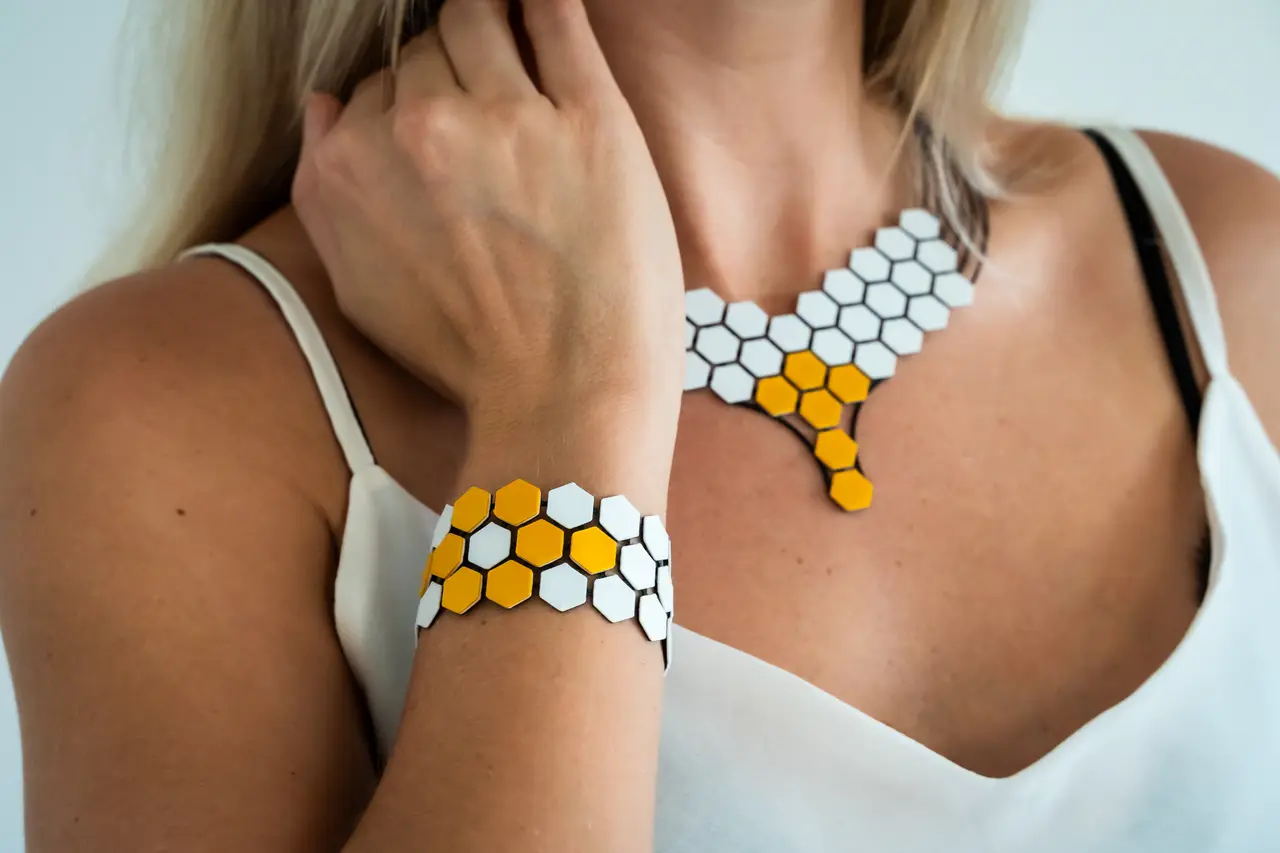
Hexagon Jewelry
por Drop.3D en Printables
Some 3D printed jewelry using a flexbile fabric which is made out of a TPU-PLA-composite.
Licencia
Solo uso personalCC BY-NC-SA 4.0 — Atribución, no comercial, compartir igual
Uso personal dando crédito; sin fines comerciales y las modificaciones con la misma licencia.
Al descargar aceptas respetar la licencia y dar crédito a Drop.3D.
Archivos (4)
- Categoría
- Moda y joyería
- Formatos
- 3MF
- Descargas
- 1,711
- Publicado
Sobre este modelo
Introduction When I was experimenting with a combination of TPU and PLA, I came up with the idea of printing a kind of fabric and making jewelry out of it. TPU is used here to ensure high flexibility. The PLA is supposed to add some colors and to make the whole thing look good. The clasp is very simple and could be optimized. You might want to do a test print here first. To print TPU and PLA with one extruder, I use similar slicer settings as for my wallet, where I combined TPU with PETG. Printing You can either use the already sliced files (*_PS.3mf) or follow this guide to printing the part with only one extruder. If you have multiple extruders, you can omit or adjust a few of these steps: - Load the 3mf-file in PrusaSlicer - Go to ‘Print Settings’ → ‘Multiple Extruders’ → Disable ‘Wipe tower’ - Go to 'Printer Settings' → 'General' → ‘Capabilities’ and set Extruders to 2 - Go to 'Printer Settings' → 'Custom G-code' → scroll down to ‘Tool change G-code’: Add M600 - Select the layer height, filament and extruders as shown in the picture: - Optional: Add a 2 mm high slab at a z-position of 1.7 mm and enable ironing to smooth the surface of the PLA only (right click the part → ‘Add modifier’ → ‘Slab’) - Slice the part → At the height 0.8 mm (layer 4) click the ‘+’-button and change to extruder 2: - At the height 1.4 mm (layer 7) right click the ‘+’-button and add a color change using extruder 2:
I chose the generic FLEX and PLA profiles as filament profiles. Of course you can also choose your own profiles. In the end it should look something like this: Done!
Descripción original del autor, publicada en Printables.