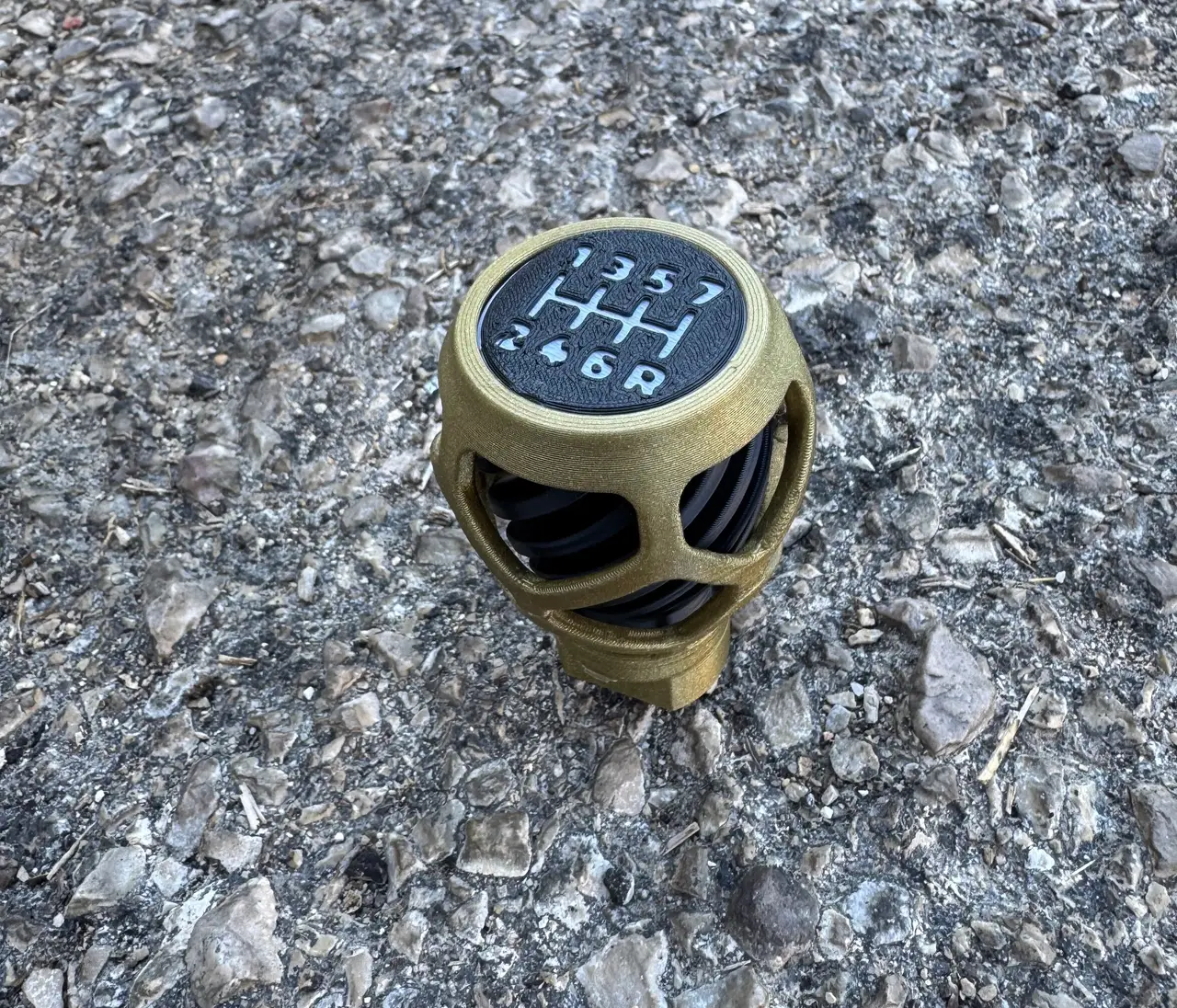
Helix Cage – Organic Lattice Shift Knob for Thrustmaster TH8S
por FunkyPenguinNoodle en Printables
Organic lattice cage over a twisted helical core for the TH8S. Two-colour look without an MMU. 7+R or blank cap.
Licencia
Solo uso personalCC BY-NC 4.0 — Atribución, no comercial
Puedes imprimirlo y modificarlo para uso personal dando crédito. No se permite vender las impresiones.
Al descargar aceptas respetar la licencia y dar crédito a FunkyPenguinNoodle.
Archivos (12)
- 4_Cap_Blank.3mf 3MF · 130 KB
- 4_Cap_Blank.stl STL · 283 KB
- 4_Cap_7R.3mf 3MF · 158 KB
- 4_Cap_Blank.step STEP · 21 KB
- 3_Core.3mf 3MF · 1,5 MB
- 4_Cap_7R.stl STL · 417 KB
- 4_Cap_7R.step STEP · 2,7 MB
- 3_Core.stl STL · 5,2 MB
- 1-2_Shells.3mf 3MF · 5,8 MB
- 3_Core.step STEP · 8,4 MB
- 1_Lower_Shell.stl STL · 12,4 MB
- 2_Upper_Shell.stl STL · 16,0 MB
- Categoría
- Repuestos
- Formatos
- 3MF, STL, STEP
- Descargas
- 19
- Publicado
Sobre este modelo
An open, organic lattice cage wrapped around a twisted helical core, so the core seems to spin through the windows from every angle. It has four printed parts, needs no supports, and gives a two-colour look on a single-colour printer. It's built around Thrustmaster's official Design piece, so it screws straight onto the official TH8S adapter. Highlights - Official fit: built on the TH8S Design piece and mounts on the official adapter.
- Two colours, no MMU: shells in one colour, core and cap in another. The numbers come from one filament change.
- No rattle: the upper shell clamps the cap down, and the two shells lock together with 3 pins and a press-fit seam.
- Removable: nothing is glued to the adapter, so you can unscrew the whole knob at any time.
- No supports: the window edges are angled on the inside so the overhangs print clean.
- Make it yours: a blank cap and STEP files are included.
- Real-car size: 48 mm wide and 61 mm tall. Most car shift knobs are 46–51 mm wide.
What you need - The 4 printed parts: - 1 Lower shell
- 2 Upper shell
- 3 Core
- 4 Cap: 7+R or blank
- The official TH8S adapter from Thrustmaster: https://www.printables.com/model/1825116. Print it with Thrustmaster's settings (100 % infill). It isn't included here.
- A little CA (super) glue.
- A pencil.
Printing The files are already turned the right way up. Load them as they are; no supports needed. - 1 Lower shell: upright, 20 % infill. A brim is optional; it helps on a bad day.
- 2 Upper shell: upside down, 20 % infill.
- 3 Core: upside down, 25 % infill. The extra infill adds a little weight.
- 4 Cap: face down. For coloured numbers, change filament at the 1.0 mm layer.
General settings: 0.4 mm nozzle, 0.2 mm layers, PLA. 3MF files: - They already contain the infill per part, the brim and the filament change.
- In PrusaSlicer, choose Open as project to keep them. Open as a project to retain the prepared settings, then select your printer and filament profiles and check the settings before slicing.
- If you use the STLs or another slicer, set these by hand.
Coloured numbers: - The numbers are cut 0.8 mm deep into the face of the cap.
- With 0.2 mm layers, put the filament change at the 1.0 mm layer, which is the first layer above 0.8 mm.
- The cap in the photos is black with white numbers.
Assembly Important: don't glue anything to the adapter. The knob is meant to unscrew whole. Step 1 – Fit the official adapter Mount the adapter on the TH8S lever as shown in Thrustmaster's PDF. It fits two ways, 180° apart; either is fine. Step 2 – Glue the core into the lower shell (on the table) - Do this on the table, not on the shifter.
- Put 4–6 small drops of CA glue on the angled ring near the bottom of the core.
- Drop the core into the lower shell and press it down so the ring sits in the shell's funnel.
- Wipe off any glue that runs down. The bottom face must stay clean.
- Let it set.
The lower shell can't be fitted once the core is screwed on, and doing this on the table keeps glue away from the adapter. Step 3 – Screw it onto the adapter Screw the core and lower shell onto the adapter clockwise, by hand, until the core sits down on the adapter block. Don't use glue here. Step 4 – Line up the cap and glue it - With the knob screwed on, push the cap's pin into the hole.
Descripción original del autor, publicada en Printables.