
Hard drive rack 2.5 inch x 5
por CJ en Thingiverse
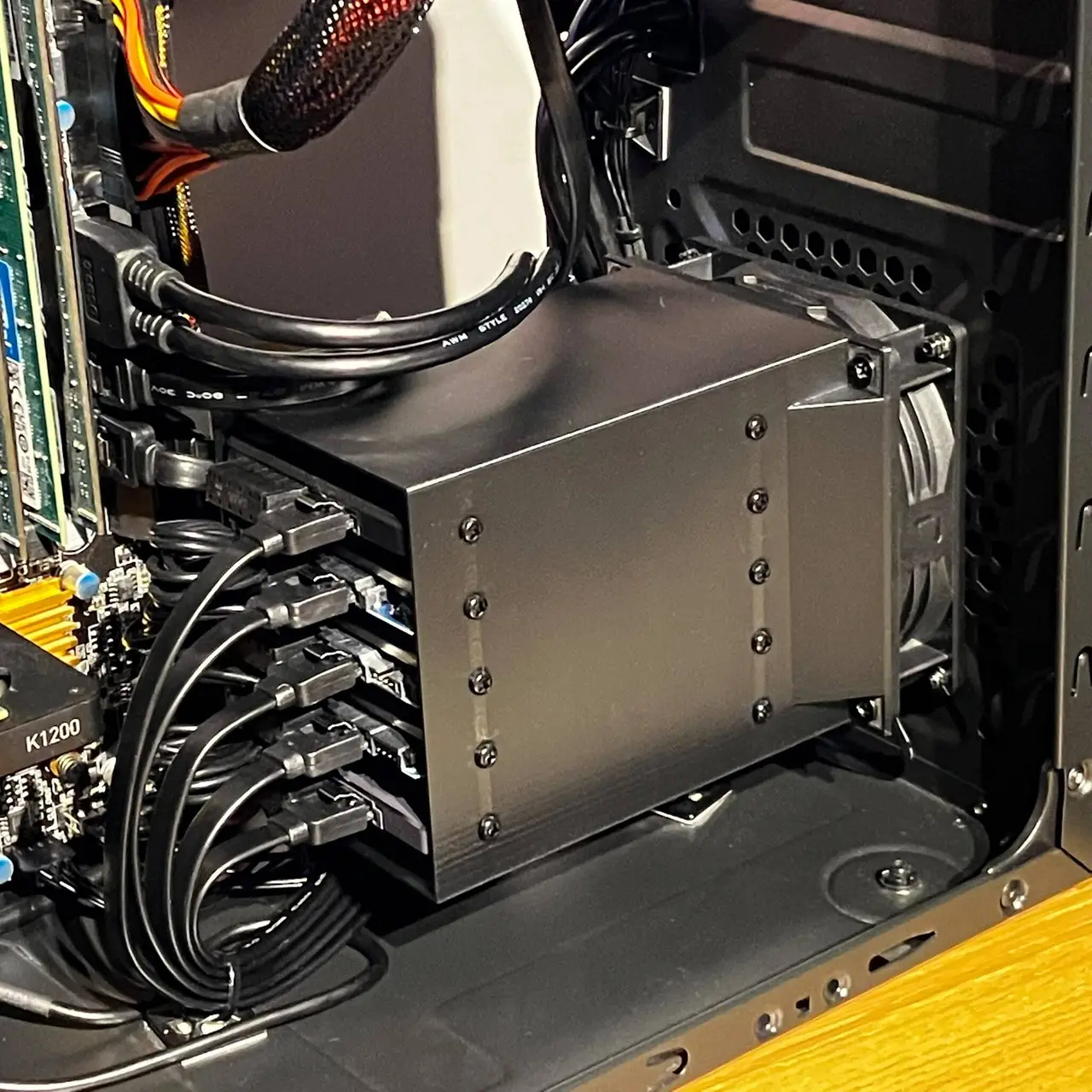
WORK IN PROGRESS. After feedback ill be updating this model with a V2 in the near future. This 3D-printable rack mounts directly onto a 92mm case fan and securely holds up to five 2.5" HDDs or SSDs. The integrated duct design channels 100% of the fan's airflow directly over the hard drives to...
Licencia
Solo uso personalCC BY-NC-ND 4.0 — Atribución, no comercial, sin derivadas
Solo para uso personal, sin modificarlo y dando crédito. No se permite vender ni redistribuir cambios.
Al descargar aceptas respetar la licencia y dar crédito a CJ.
Archivos (4)
- Categoría
- Tecnología
- Formatos
- STL
- Descargas
- 224
- Publicado
Sobre este modelo
WORK IN PROGRESS. After feedback ill be updating this model with a V2 in the near future. This 3D-printable rack mounts directly onto a 92mm case fan and securely holds up to five 2.5" HDDs or SSDs. The integrated duct design channels 100% of the fan's airflow directly over the hard drives to ensure optimal cooling. Despite featuring thin 1mm walls to save material and print time, the structure is thoroughly tested and robust enough to easily support the weight of five fully loaded drives. Cable Compatibility Note: Because the drives are closely stacked, standard power cables may not fit. It is highly recommended to use a slim, multi-plug splitter. Recommended Cable: "15 Pin SATA Cables Power Splitter 1 to 5 Adapter for HDD SSD" (Available on Amazon for roughly £6 / $8 / €7). Installation Instructions: - Insert the drives: Slide up to five 2.5" drives into the rack and secure them in place with screws. - Mount the fan to the rack: Attach your 92mm fan to the rack using standard self-tapping PC case fan screws. Double-check that the airflow is pointing in the correct direction! - Mount to the case: Secure the combined fan and drive assembly directly to the front of your PC case.
Descripción original del autor, publicada en Thingiverse.



