
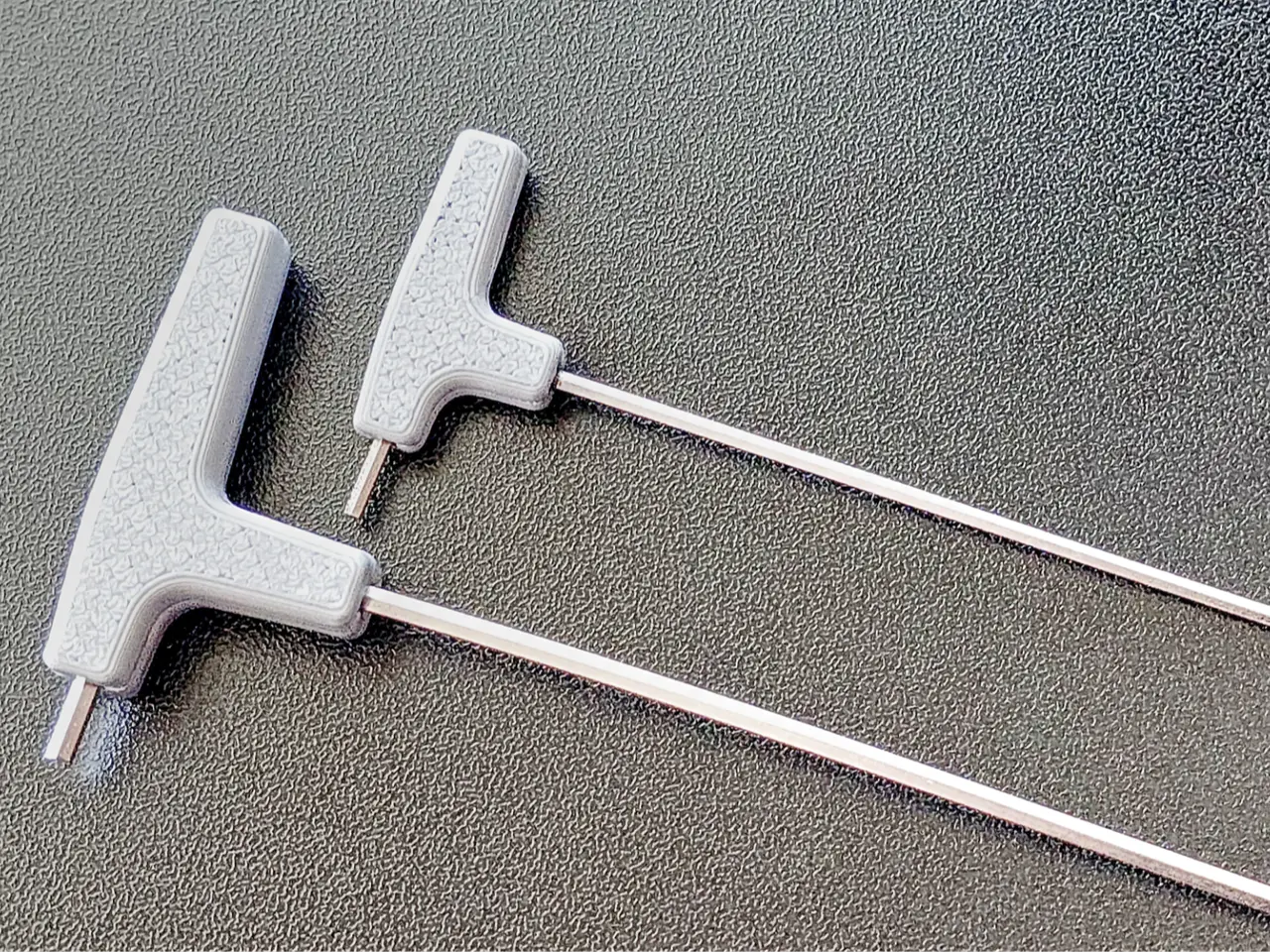
Handles for Bambu Lab X1 and P1 hexagonal keys
por Jorge Rui en MakerWorld
Update: The Handles for the Bambu Lab H2D Hexagonal Keys, is also available. Check out my new Buildplate Plier — a quick print with ready-to-use profiles for everyone:
MakerWorld entrega los archivos a usuarios con cuenta gratuita
Licencia
Solo uso personalStandard Digital File License
Licencia estándar de archivos digitales: solo uso personal. No se permite compartir, revender ni subir el archivo a otros sitios, ni vender las impresiones.
Al descargar aceptas respetar la licencia y dar crédito a Jorge Rui.
Archivos (1)
- Handles for Simples hexagonal Keys.3mf 3MF · 1,3 MB
- Categoría
- Para tu impresora
- Formatos
- 3MF
- Descargas
- 54,236
- Publicado
Sobre este modelo
Update: The Handles for the Bambu Lab H2D Hexagonal Keys, is also available.
Check out my new Buildplate Plier — a quick print with ready-to-use profiles for everyone:
- AMS users: multi-color and even multi-material options.
- Single spool users: simple one-material profiles.
It’s a handy tool to safely remove those stubborn parts that refuse to come off the build plate the usual way — without the risk of damaging it, unlike metal spatulas or regular pliers. Grab does difficult to remove parts without damaging your fingers or Build-plate with metallic tools Introduction and context A few weeks ago, someone asked me if it was possible to buy the hexagonal keys that come with the Bambu Lab A1, because the X1 and P1 models are provided with simple keys.
At the time, I said this would be an easy problem to solve, either by contacting the company or by having someone make handles to adapt to those keys. So, Here they are, along with the respective module for the UMSS, as well as other modules that I’ve made available in the meantime. I hope you like them, more modules are on the way...
UMSS - This keys and cleaning needles
UMSS - On box with some X1 and P1 specific parts and generic tools and boxes.
Now also available in a module for use with the Rack4All Storage System. This system allows the inclusion of Gridfinity modules in its drawers. The Rack4All Storage System drawers come in three variants:
- Simple
- Gridfinity
- Hybrid
This way you can choose what you want, being integrated into an ecosystem that covers practically all aspects of your 3D printing needs, when it comes to tools and accessories. X1 and P1 Hexagonal keys with handle module with pockets for temporary bolt storage
Printing and assembling For this project you can find 2 options:
- Without Glue
Please read the text inside the profile for information and contextualization about this solution
Print and assembly procedure. If you want to go this route. Verify the perpendicularity of the key, if they are bent use the pliers to flex them a little
The printer will pause 2 times: 1st time, insert the smaller key 2th time, insert the larger key
2. With Glue
- In the handle for the hexagonal key, there are two things you should keep in mind: 1. Use the small stud as a centering object to help with the gluing of the halves. This will help keep the two halves aligned, and it may also help them stay in position while the glue sets.. Test this, before applying the glue
2. The two parts should be glued with a few drops of super glue (don’t overdo it) – 3 or 4 drops should be enough."
Stud for centering and halves
Assembling the pin and preparing for glue
Material to print, Just don't use Matte PLA, or TPU
Remark
Regarding some comments about key fitting, I must say that the observed clearance is functional and intentionally a little higher. There's a reason for this clearance; many keys, when used, bend, and even new keys can have some flex. As such, the key can behave like a spring when being inserted during the printing process, and this could cause it to pop out... This is not the ideal situation. This only applies to the profile where the keys are glued during printing, and not to the profile where the two halves of the print are glued together afterwards... In that case, and if you still think the clearance is too much, you can apply a little glue between the key and the handle. Ideally, the glue should be an epoxy adhesive, such as Araldite or an equivalent (two-part glue - adhesive and hardener).
Change Log (21-09-2024) - First Release (23-09-2024) - Changed the way the parts were aligned
Descripción original del autor, publicada en MakerWorld.



