
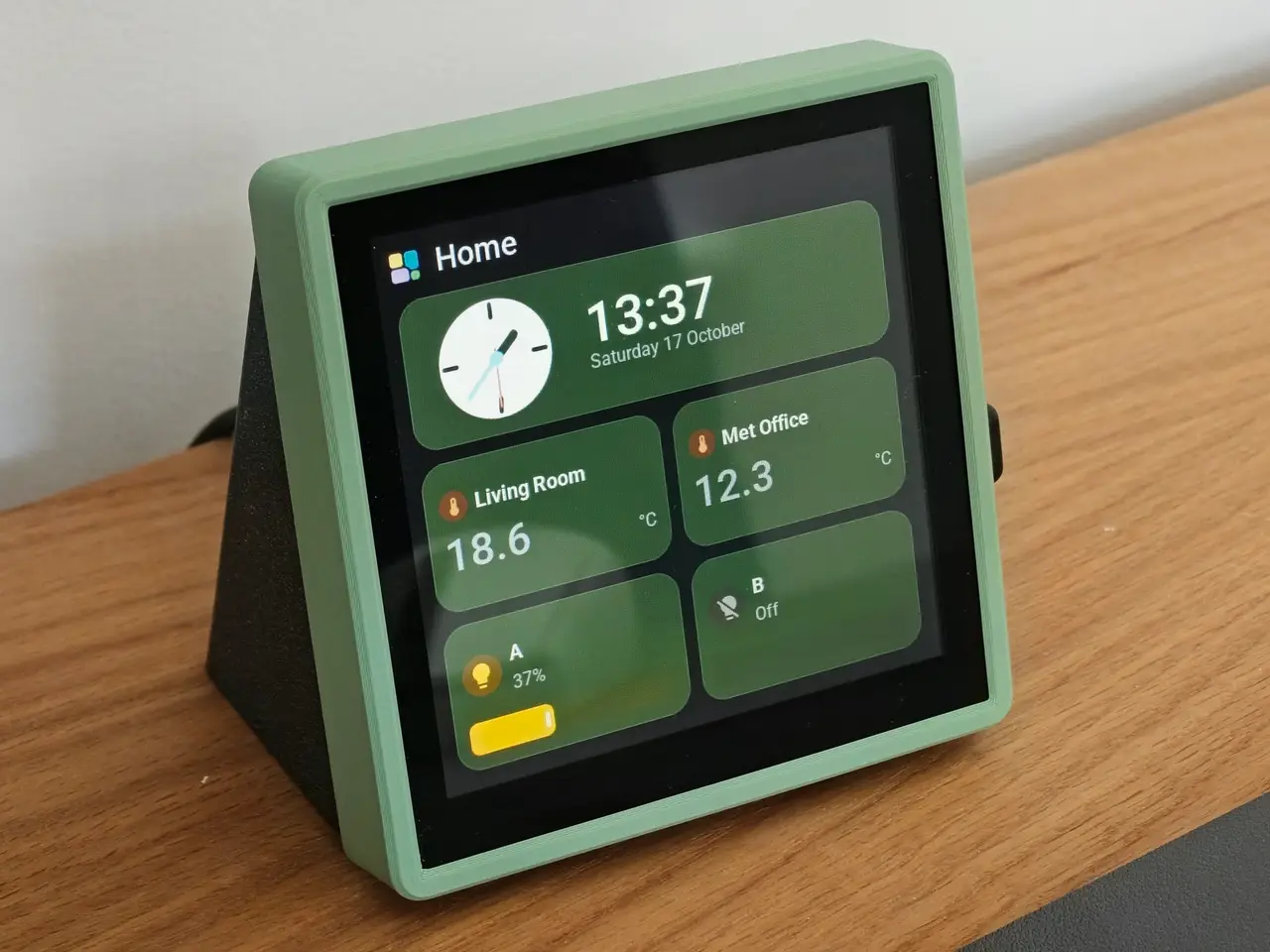
Guition 4 inch Screen Frame and Stand (ESP32-S3-4848S040)
por MegaAndy en Printables
A frame and stand enclosure for the Guition ESP32-S3-4848S040 screen
Licencia
Solo uso personalCC BY-NC 4.0 — Atribución, no comercial
Puedes imprimirlo y modificarlo para uso personal dando crédito. No se permite vender las impresiones.
Al descargar aceptas respetar la licencia y dar crédito a MegaAndy.
Archivos (6)
- Categoría
- Tecnología
- Formatos
- STL
- Descargas
- 169
- Publicado
Sobre este modelo
Version 2 update: Version 2 of the frame has some notches to click the frame into the rear section. This is a snug fit that snaps into place and is difficult to remove it again but will pull apart without damaging. Version 2 of the rear/stand is angled 2 degrees lower and has a recess that works for putting in 2mm rubber feet. There is also thicker section at the bottom that if using 100% infill, will put some more weight at the bottom. With rubber feet it slides back less when touching it but if pressed at the top of the screen is more likely to tip slightly instead of slide. If you only want to have the improved frame that clicks into place, you can still use this with the version 1 rear. Also added are versions without side holes for USB. Only use these if powering from the rear of the panel.
A frame and stand for the 4 Inch Guition ESP32 4848S040 screen. There are some other designs out there but my aim with this was to cover the silver sides of the screen to match the aesthetics of the room and to fit together with no additional parts or teardown required. The two parts just fit together with friction on the printed tabs. It fits together with little effort and comes apart with little effort but should not come apart unintentionally. I have not found it necessary but it could use blue tack or glue if it needs to be more solidly attached. This relates to Version 1 only The two parts snap together and can be difficult to pull apart so feed the cable through first. I have put holes in the stand to feed through a USB cable. I used a right angle USB C cable to tuck back into the stand and come out the back. The screen used is: https://www.aliexpress.com/item/1005008214679682.html?spm=a2g0o.order_list.order_list_main.26.7eef1802VAZ8Bs The software pictured is Tessera by MaxGramser: https://github.com/MaxGramser/homeassistant_espscreen
Filament used in photo is Prusament PLA Pistachio Green and Fillamentum PLA Vertigo Galaxy
Print settings: Printed on 0.4mm nozzle, 0.2mm layer height, standard settings. no need for any supports. Files are pre rotated to print. For Version 2, you can print at 100% infill to put more weight at the bottom.
Descripción original del autor, publicada en Printables.



