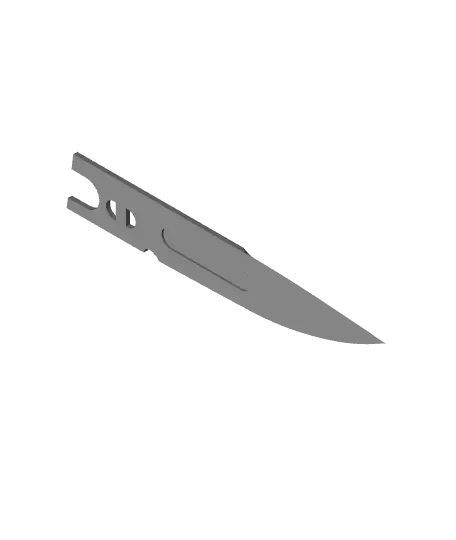
Gravity Knife
I would recommend printing both halves of the blade, the blade pins and blade insert at 0.1mm layer height and everything else can be printed at 0.2mm.
Thangs entrega los archivos a usuarios con cuenta gratuita
Licencia
Solo uso personalCC BY-NC-SA 4.0 — Atribución, no comercial, compartir igual
Uso personal dando crédito; sin fines comerciales y las modificaciones con la misma licencia.
Al descargar aceptas respetar la licencia y dar crédito a Ogami Z.
Archivos (12)
- Back pin 1.obj OBJ · 913 KB
- Back Pin 2.obj OBJ · 541 KB
- Blade A.obj OBJ · 207 KB
- Blade B.obj OBJ · 205 KB
- Blade Insert.obj OBJ · 74 KB
- Blade Pin x2.obj OBJ · 318 KB
- Handle.obj OBJ · 547 KB
- Latch.obj OBJ · 2,4 MB
- DropPoint Whole.obj OBJ · 1,8 MB
- Tanto A.obj OBJ · 83 KB
- Tanto B.obj OBJ · 83 KB
- Tanto Whole.obj OBJ · 468 KB
- Categoría
- Cosplay y props
- Formatos
- OBJ
- Descargas
- 329
- Publicado
Sobre este modelo
I would recommend printing both halves of the blade, the blade pins and blade insert at 0.1mm layer height and everything else can be printed at 0.2mm.
All of the files are orientated for the best results.
Video of how it works:
https://www.youtube.com/shorts/Dh6n3iah2aM
Assembly
Attach the latch to the handle with the both the back pins gluing the back pins together Put the blade together by gluing both halves with the blade insert to help align them Test the tolerances between the blade and the handle first before gluing the blade pins on.( if you need, sand the blade down a tiny bit for a nicer fit.) Finally glue the blade pins onto the blade, putting them through the track in the handle.
Descripción original del autor, publicada en Thangs.