
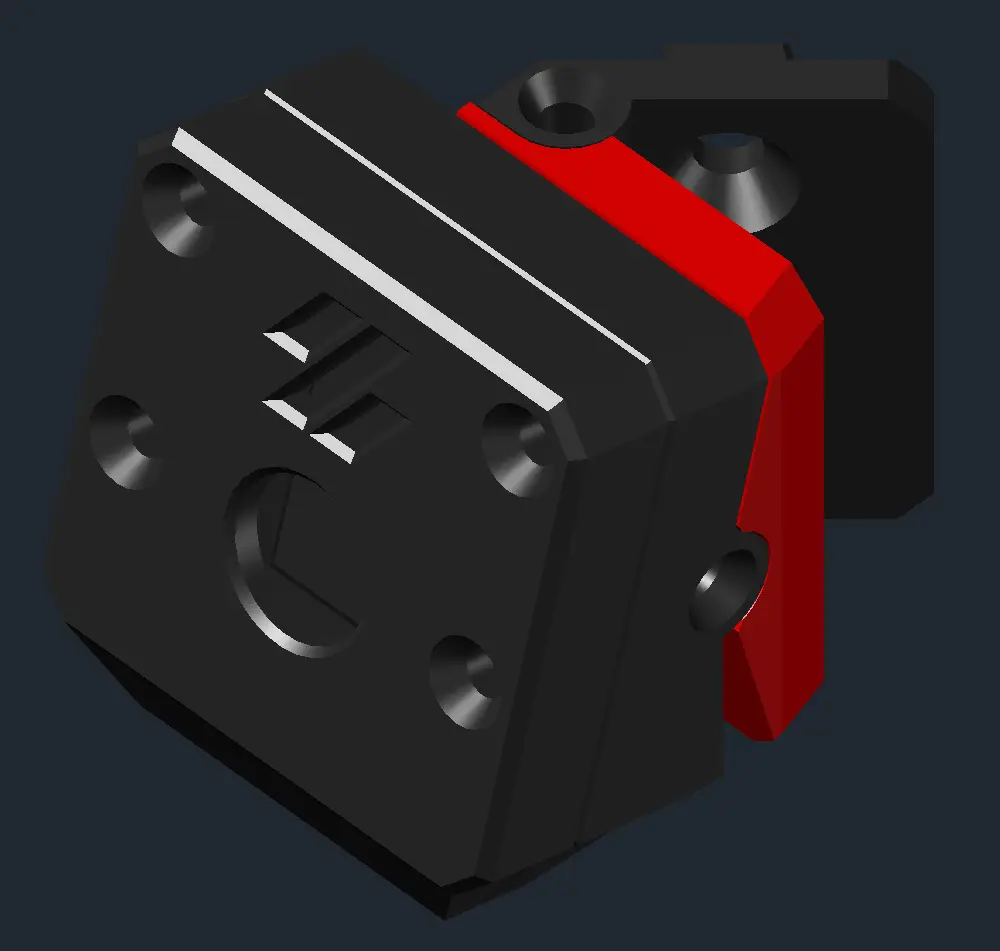
GLaDOS Cam
por ProtaDec en Printables
The ultimate Pi Camera mount for 2020 extrusions, intended for Voron 2.4 It reminds me of GLaDOS.
Licencia
Uso comercial permitidoPuedes usarlo, modificarlo y venderlo; si distribuyes versiones modificadas deben ir con la misma licencia y sus fuentes.
Al descargar aceptas respetar la licencia y dar crédito a ProtaDec.
Archivos (11)
- Monochrome_Assembly.stl STL · 458 KB
- Housing_Front.stl STL · 174 KB
- Housing_Back.stl STL · 240 KB
- [a]_Hinge_Piece.stl STL · 129 KB
- Extrusion_Mount.stl STL · 140 KB
- Z_Belt_Guard.stl STL · 361 KB
- Z_Belt_Guard_RailClearance.stl STL · 350 KB
- Extrusion_Mount.stl STL · 514 KB
- Hinge_Piece.stl STL · 358 KB
- Front_Housing.stl STL · 184 KB
- Back_Housing.stl STL · 512 KB
- Categoría
- Para tu impresora
- Formatos
- STL
- Descargas
- 1,303
- Publicado
Sobre este modelo
WARNING: I did my best to not make the Stealthburner bump into it at max travel points, feedback on this is highly appreciated. WARNING: IRL pictures of the new version are missing. Will update. _____________________________________________________________________________________________________________ NEW OPTION! Back gantry extrusion mount by GAB-3D
_____________________________________________________________________________________________________________ Introduction: Minimal setup for surveillance of any printer using a 2020 extrusion as frame. It has adjustable angles of 15° vertical and 45° horizontal. I made this for my VORON 2.4. ______________________________________________________________________________________________________________ HARDWAREQ.ty FHCM2x10[mm] flat head screws for the camera housing and arm asembly.4x FHCM2x8[mm] flat head screw to fix the arm to the frame.4x M3 Hammer Head T-nut to fix the arm and z belt guard to the frame.5x Foam Tape to protect the ribbon cable.- SHCM3x6[mm] socket head screws to fix the Z belt guard.3x ________________________________________________________________________________________________________________ Slicing Instructions Material: Required ABS/ASA or better Layer Height: 0.2 [mm] ____________________________________________________________________________________________________________ - Removing supports: - Assembly: - Assemble as shown in the pictures. Do not overtighten, or you'll shred the holes.
- Prepare the M3 bolts and the T-Nuts Before fixing the arm to the frame. BE CAREFUL of WHERE you fix it. I recommend you do this after homing your printer, if equipped with a flying gantry. - Take your ribbon cable and protect it with some sort of tape. I used KAPTON along the whole ribbon and foam tape on the exposed part going to the camera.
---FOR VORON 2.4: Try to insert it through the deck panel directly, or via one of the Z belt holes. If you can't, try to make your way in by using some sort of spacing tool. If you still can't, use the spacing tool to insert some sandpaper between the estrusion and deck panel, and make some space. Then carefully insert the cable into the Z belt guard and fix it in place.--- ________________________________________________________________________________________________________________ Adjusting & Testing: - Angle the camera and tighten screews if needed, check that your cable is not too tense, check your camera view and adjust height if needed, then set the focus with the provided Pi cam tool.
[MISSING PICTURE] - DONE!
______________________________________________________________________________________________________________ Feel free to post your makes, feedback is highly appreciated.
Descripción original del autor, publicada en Printables.



