
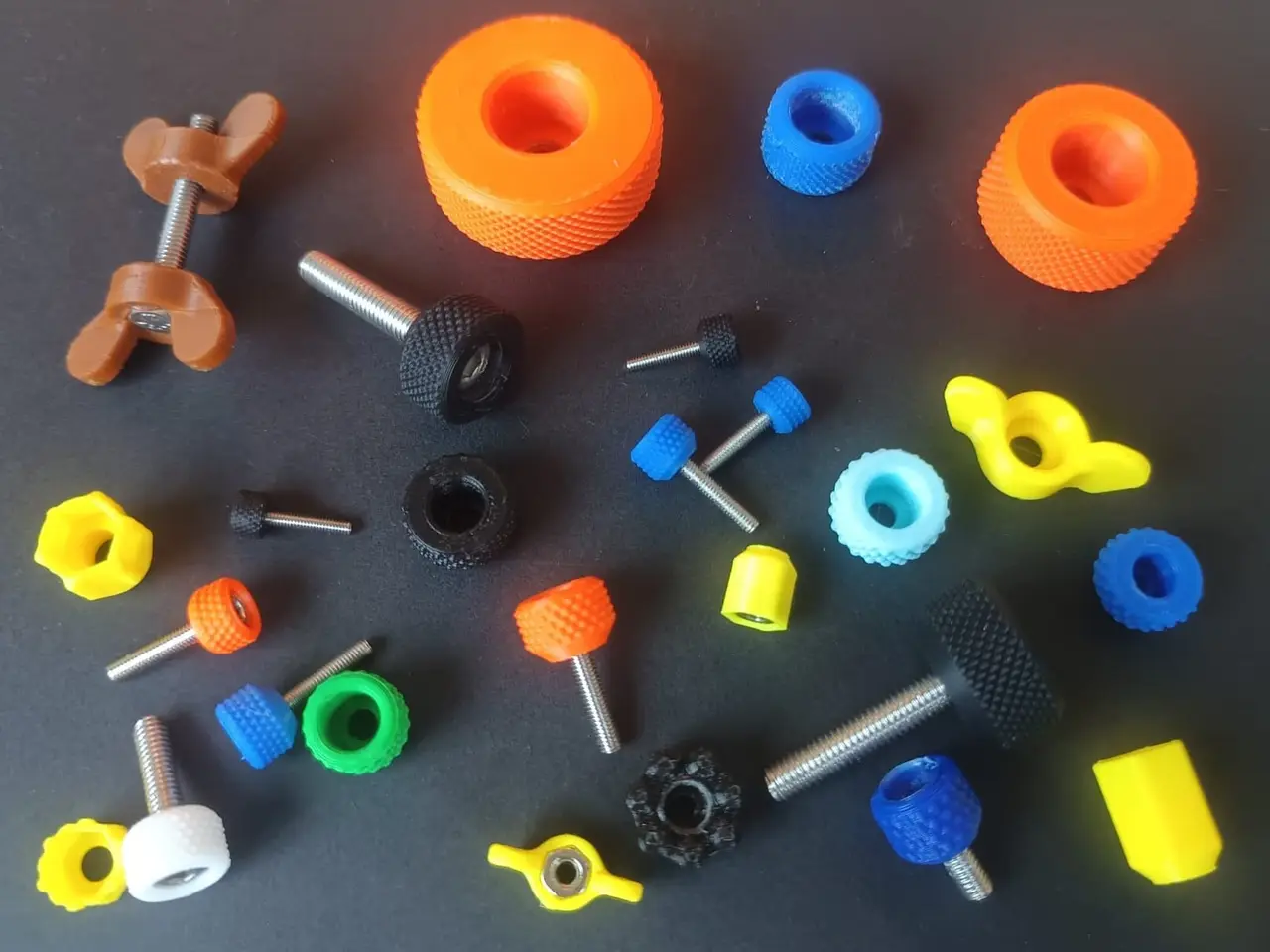
Fully parametric knob generator
por Rémi Rafael en Thingiverse
This is a parametric generator for the knobs I designed over the years. It lets you make a knob for almost any bolt or nut in the 5 styles I previously published: knurled, wing, lobed, sleeve and tabbed. A few years ago I released two collections of knobs for metric screws (thing:7316340 and...
Licencia
Uso comercial permitidoCC BY-SA 4.0 — Atribución, compartir igual
Puedes usarlo y modificarlo dando crédito; las versiones modificadas deben compartirse con la misma licencia.
Al descargar aceptas respetar la licencia y dar crédito a Rémi Rafael.
Archivos (3)
- Categoría
- Herramientas
- Formatos
- RAR, SCAD
- Descargas
- 8
- Publicado
Sobre este modelo
This is a parametric generator for the knobs I designed over the years. It lets you make a knob for almost any bolt or nut in the 5 styles I previously published: knurled, wing, lobed, sleeve and tabbed. A few years ago I released two collections of knobs for metric screws (thing:7316340 and thing:5532943). I use them in my designs to adjust screws without needing tools. They came in several sizes, but they could not cover every bolt dimension or every printer's tolerance. Here the same geometries are coded into a customizable OpenSCAD file. You can make knobs for metric (M2 to M12) or imperial (#2 to 1/2 inch) bolts and nuts, adapt the fit to your printer, and adjust the dimensions for more grip or more compactness. If you are not familiar with customizable OpenSCAD files, you can check this tutorial: https://www.instructables.com/Learn-How-to-Use-Customizable-3D-Models-With-OpenS/ The parameters are organised in 3 tabs, depending on how much control you need: 1 - Basic: the knob style, the thread size (metric or imperial), what goes in the knob (cylinder head, hex head or square head bolt, hex or square nut), the knob size (S, M or L) and the fit (tight or loose). These settings reproduce my previous collections and should cover most needs. 2 - Main dimensions in mm: outer diameter, height, bore diameter, head pocket size and bore height. Leave a value at 0 to keep it automatic; a value you type replaces only that one. Use them if your bolt is not standard (the default sizes are in the table picture), to fine tune the fit, or to get a special knob size. Note that head_size is the size of the pocket: measure your head or nut and add a small clearance. 3 - Advanced: the shape details of each style (knurl, wings, lobes, tabs, chamfers...). The illustrations show what each one does: main dimensions in blue, advanced details in orange. There are two OpenSCAD file versions. One uses an old openSCAD release to be compatible with the thingiverse customizer. The second uses a newer version to be more efficient and better handle the fillets. If you use it locally on you computer you are advised to download the newer version. There are also dedicated .scad files for each knob types. If you already know what type you need using it will drastically limit the number of parameters you are exposed to. Print with the pocket facing up; no support is needed. for M2 to M4 sizes, 3 walls and 20% infill work well. For gigger knobs you may want denser parameters. If you need it, all the standard metric knob types are uploaded in a compressed file (190 stl files...). Disclaimer: I used the AI assistant Vector (based on Claude Opus) to help translate my original SolidWorks designs into customizable OpenSCAD code.
Descripción original del autor, publicada en Thingiverse.



