
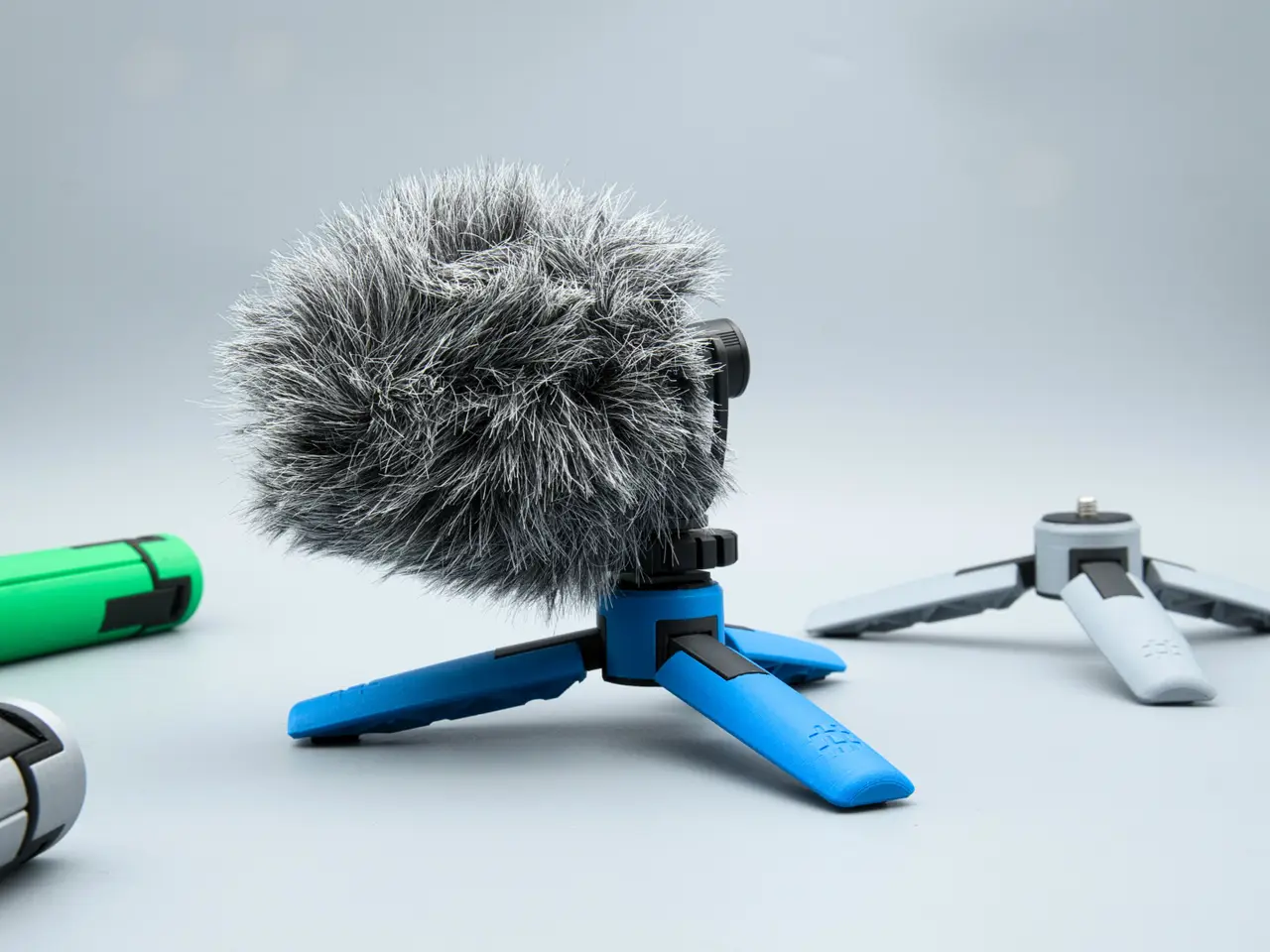
Folding Tripod (two sizes)
por Linus3d en Printables
Portable and versatile 3d printed tripod
Licencia
Solo uso personalCC BY-NC 4.0 — Atribución, no comercial
Puedes imprimirlo y modificarlo para uso personal dando crédito. No se permite vender las impresiones.
Al descargar aceptas respetar la licencia y dar crédito a Linus3d.
Archivos (20)
- TPU_pad.stl STL · 113 KB
- Cover.stl STL · 1021 KB
- Center.stl STL · 617 KB
- Stud.stl STL · 49 KB
- Leg.stl STL · 416 KB
- Leg_Bolt.stl STL · 835 KB
- Pad.stl STL · 205 KB
- TPU_pad.stl STL · 113 KB
- Cover.stl STL · 1021 KB
- Center.stl STL · 617 KB
- Stud.stl STL · 49 KB
- Leg_small.stl STL · 410 KB
- Leg_Small_Bolt.stl STL · 1,0 MB
- Pad.stl STL · 205 KB
- Linus3d_mini_Tripod_pp.3mf 3MF · 1,1 MB
- Linus3d_Tripod_pp.3mf 3MF · 960 KB
- Leg_high_tolerance.stl STL · 771 KB
- Leg_Bolt_high_tolerance.stl STL · 834 KB
- Leg_small_high_tolerance.stl STL · 944 KB
- Leg_Small_Bolt_high_tolerance.stl STL · 1,0 MB
- Categoría
- Tecnología
- Formatos
- STL, 3MF
- Descargas
- 506
- Publicado
Sobre este modelo
Introduction
I often look at certain objects and think to myself, “I could 3D print that.” However, after starting the design, I quickly realize that it might be more challenging than expected. This is one of those projects. To ensure these tripods don’t fall apart, I decided to combine traditional hardware with 3D printing.
You have two leg options to choose from: 70mm and 110mm.
In my opinion, the 70mm option is superior in almost every aspect. It easily supports a load of 1 kg. The legs are shorter, making them more compact and aesthetically pleasing in my view. The 110mm is better suited for larger and lighter items due to its wider stance.
Instructions and features are provided in the video, as well as in the written instructions below (the video is more thorough).
My print profile uses two colors and 0.16mm layers for added detail.
I offer a fantastic kit on my website that includes all the hardware needed for this build, making your life super easy. It also greatly supports my work. Thank you! ✌
Happy printing and great success! Message me with any questions!
Required Components - M2x5mm Flat Head Screw 6 PCS - M3x5mm Flat Head Screw 1 PCS - M3 17mm Dowel Pin 3 PCS - 1/4 20, 7/8 Bolt 1 PCS - 1/4 20, Nyloc Nut 1 PCS
Tools used for assembly: - 3/16 hex Screwdriver (I just used a metric one) - Phillips screwdriver - Plastic Glue
Assembly
Support placement for Center & Hinge Studs (PLA, 1st color). Support placement for Cover & Legs (PLA, 2nd color)
- Install ¼ in bolt and nut into the center piece - Attach the legs to the studs using an M2 screw - Push the legs into the center and slide in the dowel pins (make sure they are centered) - Add cover using three M2 screws - Add glue into the holes for the magnets and push them into the legs (check the polarity) - The other leg receives the M3 screw. Adjust its depth to get good magnetization and alignment - Glue in the TPU foot pads - Glue in the TPU foot pads
Designed by linus3d My website: https://linus3d.de/
Descripción original del autor, publicada en Printables.



