
Flow & Extrusion Multiplier Test for PrusaSlicer – Hexagon Pads | HexCalibr
por Teo en Printables
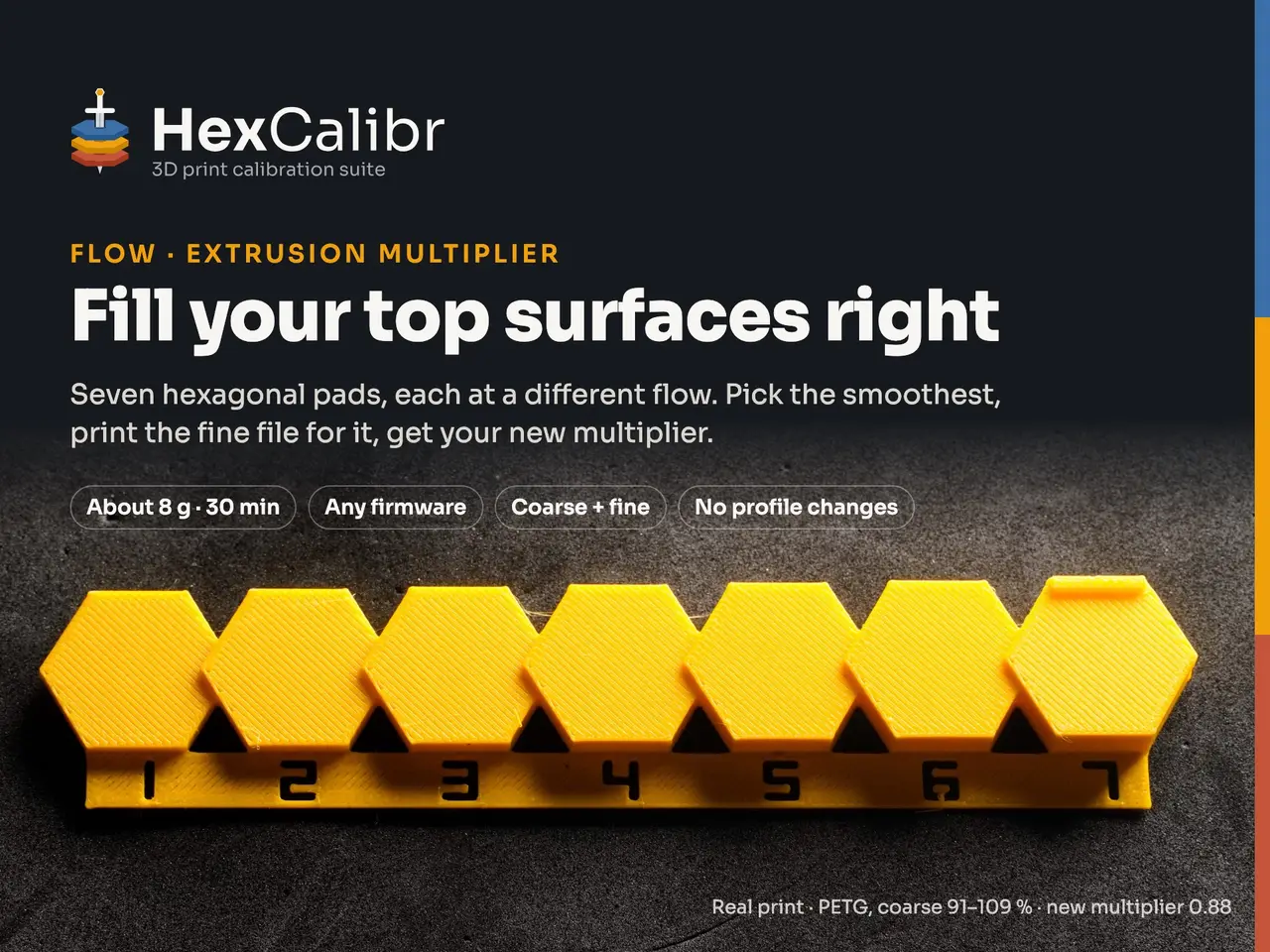
Seven hexagon pads, each at its own flow: pick the smoothest top, print the fine file, get your new multiplier.
Licencia
Uso comercial permitidoCC BY-SA 4.0 — Atribución, compartir igual
Puedes usarlo y modificarlo dando crédito; las versiones modificadas deben compartirse con la misma licencia.
Al descargar aceptas respetar la licencia y dar crédito a Teo.
Archivos (8)
- Categoría
- Para tu impresora
- Formatos
- 3MF
- Descargas
- 50
- Publicado
Sobre este modelo
Seven hexagonal pads in a staircase, each top printed at its own flow. Pick the smoothest one, print the fine file for it, and the guide gives you the new extrusion multiplier. No profile edits: the file sets the flow and the speed of every pad, then puts them back to 100 %. Step-by-step guide Photos of too little, right and too much, plus a selector that names the fine file and works out the new value: hexcalibr.ui4.eu/flow.html What it does The pads rise one step each, and the top of every pad is printed at a different flow: 91, 94, 97, 100, 103, 106 and 109 % on the coarse file. The file sends a flow factor (M221) at the layer where each top begins, and a speed factor (M220) so every pad prints at 60 mm/s with the lines running the same way. Hold a light low across the tops: too little leaves dark grooves, too much makes lines stand up as ridges. Then the fine file for your best pad prints seven more pads, 1 % apart. Why HexCalibr - No profile edits. Your printer, print and filament profiles stay as they are; flow and speed go back to 100 % at the end, with a message on the screen.
- Same top on every pad. Same speed, same direction of the lines, four top layers over real sparse infill: the only thing that changes is the flow.
- Two prints, one number. Coarse finds the zone (3 % steps), fine pins it down (1 %), and the selector in the guide does the maths.
Which file to download - First: flow_coarse_91-109.3mf.
- Then: the one fine file for your best coarse pad: flow_fine_88-94, 91-97, 94-100, 97-103, 100-106, 103-109 or 106-112 (.3mf). The guide's selector names it.
- IDEX and multi-tool: assign the object to the tool you calibrate (right-click › Change extruder).
Quick steps - Write down the extrusion multiplier in your filament profile.
- Download the coarse file (not "Download all" as a ZIP) and open it in PrusaSlicer 2.9 with File › Open project, never Import. Slice and print.
- Look at the middle of each top with a low, raking light. Tick the best pad in the guide: it names the fine file.
- Print the fine file, tick its best pad, type your multiplier: the guide gives the new value. Save it in the filament preset.
A real result PETG on a RatRig V-Core 4 IDEX (RatOS, T0), multiplier 0.85 in the profile. Coarse: pads 1 to 3 showed grooves, pad 5 (103 %) looked best. Fine flow_fine_100-106: pad 5 (104 %), so 0.85 × 1.04 = 0.88. Check print flow_fine_97-103 with 0.88 saved: pad 4 (100 %) is the best, as it should be. The lines are still there under a fingernail: that is the shape of each printed line, not a flow error. Share your Make Printed it? Post a Make with a photo of the pads under raking light, and say which pad you picked and your new multiplier. Makes help other people read their own pads. Watch the trailer
License and credits CC BY-SA 4.0. HexCalibr by Matteo Beretta. If you share or remix it, credit "HexCalibr by Matteo Beretta", link back to this page, and keep the same license. The HexCalibr name and logo are not covered by the license: please give modified versions a different name. The official, always-updated files are on this page. Original design; the reading of top surfaces follows Ellis' Print Tuning Guide (see License and credits). Not affiliated with or endorsed by Prusa Research, Rat Rig, the Klipper or Marlin projects, or any other brand named here. All trademarks belong to their owners. Version 0.6 · made for PrusaSlicer 2.9 (2.7 minimum). 🇮🇹 Italiano Sette pad esagonali a scala, ognuno con la faccia superiore stampata a un flusso diverso: scegli il più liscio, stampa il file fine per quel pad e la guida ti dà il nuovo moltiplicatore di estrusione. Nessuna modifica ai profili. Apri il file con File › Apri progetto. Guida completa in italiano, con il selettore: hexcalibr.ui4.eu/it/flow.html
Descripción original del autor, publicada en Printables.



