
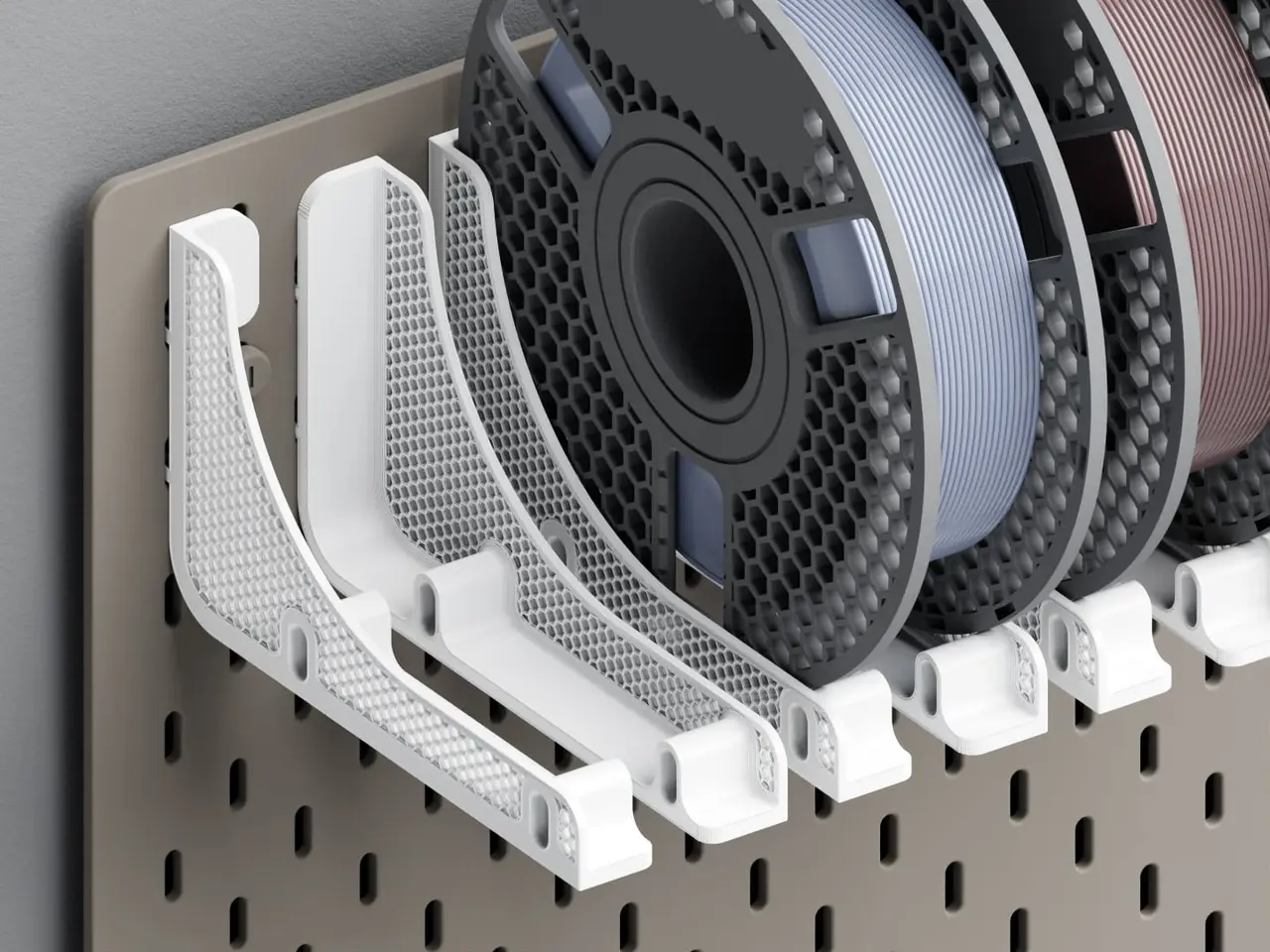
Filament Spool Holder for IKEA SKADIS
por Alec Singh en Thingiverse
This set of holders for filament spools can be mounted to the popular IKEA SKADIS pegboard. In order to hold one spool there are always a left and a right part which belong together. By selecting the appropiate distance (=holes) between the parts it can be adapted to spools of different width: - 0..
Licencia
Solo uso personalCC BY-NC-SA 4.0 — Atribución, no comercial, compartir igual
Uso personal dando crédito; sin fines comerciales y las modificaciones con la misma licencia.
Al descargar aceptas respetar la licencia y dar crédito a Alec Singh.
Archivos (30)
- 220110_filament-spool-holder_CR_2.stl STL · 161 KB
- 220110_filament-spool-holder_CL_2.stl STL · 160 KB
- 220110_filament-spool-holder_BR.3mf 3MF · 367 KB
- 220110_filament-spool-holder_AR.3mf 3MF · 379 KB
- 220110_filament-spool-holder_BL.3mf 3MF · 364 KB
- 220110_filament-spool-holder_BL_2.stl STL · 161 KB
- 220110_filament-spool-holder_CL.3mf 3MF · 366 KB
- 220110_filament-spool-holder_BR_2.stl STL · 161 KB
- 220110_filament-spool-holder_AR_2.stl STL · 161 KB
- 220110_filament-spool-holder_CL_1.stl STL · 1,5 MB
- 220110_filament-spool-holder_CR.3mf 3MF · 366 KB
- 220110_filament-spool-holder_BL_1.stl STL · 1,5 MB
- 220110_filament-spool-holder_AL.3mf 3MF · 377 KB
- 220110_filament-spool-holder_AL_1.stl STL · 1,6 MB
- 220110_filament-spool-holder_AL_2.stl STL · 161 KB
- 220110_filament-spool-holder_AR_1.stl STL · 1,6 MB
- 220110_filament-spool-holder_CR_1.stl STL · 1,5 MB
- 220110_filament-spool-holder_BR_1.stl STL · 1,5 MB
- 220119_filament-spool-holder_DL.3mf 3MF · 365 KB
- 220119_filament-spool-holder_EL_2.stl STL · 161 KB
- 220119_filament-spool-holder_ER_2.stl STL · 161 KB
- 220119_filament-spool-holder_ER.3mf 3MF · 374 KB
- 220119_filament-spool-holder_DR.3mf 3MF · 368 KB
- 220119_filament-spool-holder_DL_2.stl STL · 161 KB
- 220119_filament-spool-holder_EL_1.stl STL · 1,6 MB
- 220119_filament-spool-holder_EL.3mf 3MF · 372 KB
- 220119_filament-spool-holder_DR_2.stl STL · 161 KB
- 220119_filament-spool-holder_DR_1.stl STL · 1,5 MB
- 220119_filament-spool-holder_ER_1.stl STL · 1,6 MB
- 220119_filament-spool-holder_DL_1.stl STL · 1,5 MB
- Categoría
- Para tu impresora
- Formatos
- STL, 3MF
- Descargas (todas las plataformas)
- 37,249
- Publicado
También en
Sobre este modelo
This set of holders for filament spools can be mounted to the popular IKEA SKADIS pegboard. In order to hold one spool there are always a left and a right part which belong together. By selecting the appropiate distance (=holes) between the parts it can be adapted to spools of different width: - 0: 4 - 5,7 cm - 1: 6 - 8 cm - 2: 8 - 9,8 cm
Due to the alternating and pattern of the mounting holes you should pay attention to the required parts (also to the corners). The second image above should give you a basic idea on the layout and where to use which part (note that you can always interchange holders to have space for wider spools). For every holder there's also a second part included (the infill area visible to the side). It's kept seperate so that you can customize the infill pattern to your needs. Combine the parts in your slicer or use the included 3mf-files (setup for a Prusa MK3S in PrusaSlicer with mostly default settings). For the *_2.stl chose no top and bottom layers. UPDATE 20.01.2022: Added parts DL/DR and EL/ER as an alternative for AL/AR, if the mounting screws for the SKADIS board are sitting on the top or bottom row.
Descripción original del autor, publicada en Thingiverse.



