
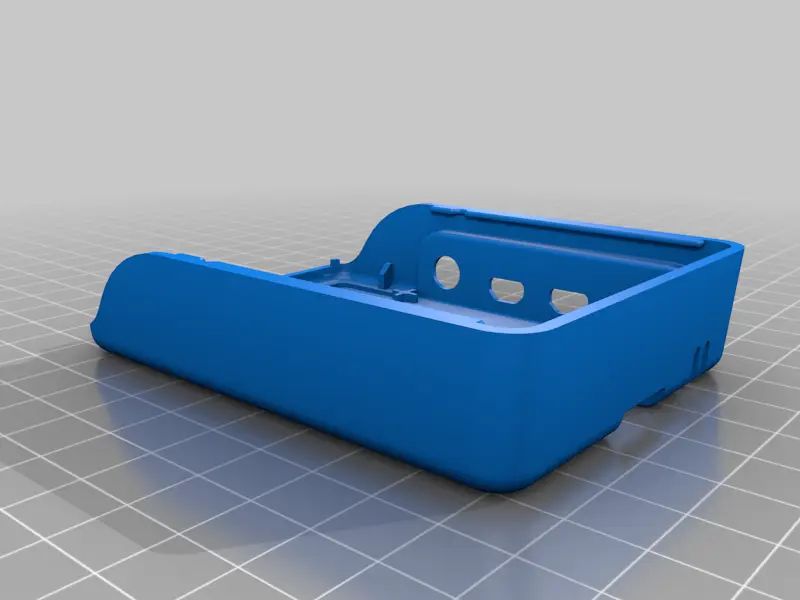
Ender 3 Raspberry Pi 2/3/4 mount with buck converter mount and toolbox
por - - en Thingiverse
What to print - If you have a Raspberry Pi 2 or 3 you need to print: "PiCase_v1.1.stl" and "PiCaseSleeve.stl" - If you have a Raspberry Pi 4 you need to print: "Pi4CaseBottom_v1.1.stl" and "Pi4CaseTop_v1.1.stl" - If you need a mount for any other Pi variant, check out the remixes - If you want to...
Licencia
Uso comercial permitidoPuedes imprimirlo, modificarlo y venderlo dando crédito al autor.
Al descargar aceptas respetar la licencia y dar crédito a - -.
Archivos (9)
- Categoría
- Para tu impresora
- Formatos
- STL, 123DX
- Descargas
- 61,082
- Publicado
Sobre este modelo
What to print - If you have a Raspberry Pi 2 or 3 you need to print: "PiCase_v1.1.stl" and "PiCaseSleeve.stl"
- If you have a Raspberry Pi 4 you need to print: "Pi4CaseBottom_v1.1.stl" and "Pi4CaseTop_v1.1.stl"
- If you need a mount for any other Pi variant, check out the remixes
- If you want to use your printers PSU to power the Pi you will need to print: "lm2596sCase.stl" and "lm2596sCover.stl"
- The box is completely optional.
Guides howchoo made some nice guides for this thing. Installing the buck converter https://howchoo.com/g/zjm0zjnlndq/how-to-power-a-raspberry-pi-from-your-3d-printer Installing the Raspberry Pi to your printer https://howchoo.com/g/ntg5yzg1odk/using-octoprint-with-the-creality-ender-3-3d-printer A general Octoprint guide featuring this thing https://www.youtube.com/watch?v=1RuasPvZhx0 Things you might need - Raspberry Pi - Short mini-USB to usb cable (https://www.amazon.de/dp/B006WAG97A) - XT-60 Y-Splitter cable (optional https://www.amazon.de/dp/B07PQ4P5HH) - Instead of using actual t-nuts you can also use standard m3 hex-nuts using this thing https://www.thingiverse.com/thing:1073567
Changelog 2019-08-27: Updated description and added photos and guides of thingiverse user howchoo. Thank you very much for letting me link them here. 2019-08-23: Testprinted the Pi4Case and found a flaw. Fixed that and uploaded Pi4Case_v1.1 which fits (Tested by howchoo) 2019-08-21: Added a beta case for the Pi 4. It is based on the Raspberry Pi 4 Case - Slider Case" by dtnavida. I only added the mounting plate, holes for a 40mm fan & same ventilation slots. 2018-05-03: Removed a notch at the PiCase that would not let the sleeve fit onto it. (Workaround: Use a side cutter zu remove a bit of the sleeve or the notch)
Descripción original del autor, publicada en Thingiverse.



