
Ender 3 Pro V-Slot covers
por Stefano Franzin en Thingiverse
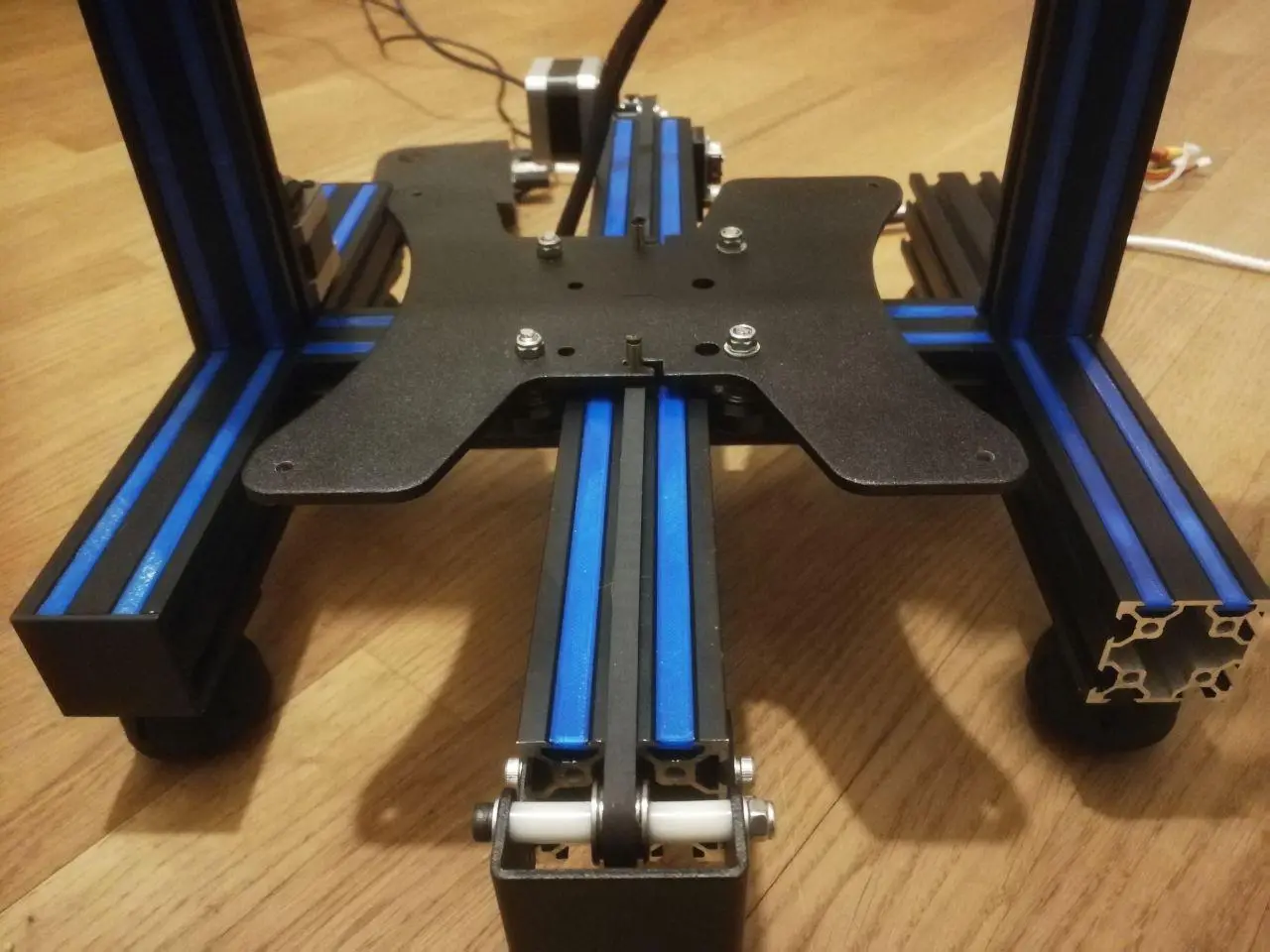
Why I needed some way to prevent dust from depositing within the v-slots. The original profile fits the slots perfectly! However, I needed more sizes. The following combination should be enough to cover most of the top-facing and front-facing slots of a Ender 3 Pro. How it works Measure twice!...
Licencia
Uso comercial permitidoPuedes imprimirlo, modificarlo y venderlo dando crédito al autor.
Al descargar aceptas respetar la licencia y dar crédito a Stefano Franzin.
Archivos (9)
- slot_cover_positions.pdf PDF · 153 KB
- slot_cover_143mm_original.stl STL · 604 KB
- slot_cover_165mm.stl STL · 15 KB
- slot_cover_165mm_top_holes.stl STL · 67 KB
- slot_cover_105mm.stl STL · 15 KB
- slot_cover_200mm.stl STL · 15 KB
- slot_cover_175mm.stl STL · 15 KB
- 400mm_for_led_v1.stl STL · 16 KB
- 400mm_for_led_v2.stl STL · 20 KB
- Categoría
- Para tu impresora
- Formatos
- PDF, STL
- Descargas
- 182,636
- Publicado
Sobre este modelo
Why I needed some way to prevent dust from depositing within the v-slots. The original profile fits the slots perfectly! However, I needed more sizes. The following combination should be enough to cover most of the top-facing and front-facing slots of a Ender 3 Pro. How it works Measure twice! Those measures fit an Ender 3 Pro. Add supports for the top_screws part. The rest doesn't require any. Print flat with the widest part at the bottom. Insert in the extrusion with the widest part at the bottom. Files included: please see attached pdf for which parts and positions. Should you need more sizes, you can take one and stretch it in one dimension in your slicer. - slot_cover_200mm - slot_cover_175mm - slot_cover_165mm_top_holes - slot_cover_165mm - slot_cover_143mm (the original version) - slot_cover_105mm (fitting those parts might require unscrewing of the original assembly, so take this into consideration) - 400mm for led (two versions, possibly used if you want to mount some led behind it)
For instance, that's what I used: Top frame: - 2x 165mm, top holes (top) - 4x 165mm (front+back)
Vertical frames: - 8x 200mm (front only). Please note that I don't have the psu mounted on the frame, so you'll need new versions with holes for mounting the psu on a stock Ender3.
Y support frame: - 4x 175mm (top, or 2x if you have a not-pro version)
Center frame (internal): - 4x 105mm (top)
Frame wings: - 8x 143mm (top)
Furthermore, as pointed out by Handy in comments, if you flip the covers around and slide them just behind the track, you can even fill all the channels that the wheels roll on. Ender Pro V2 and other versions Sizes seem to be slightly off for the latest version of the Ender 3 Pro / V2. Please double check before printing. Make sure you are fitting the covers with the wider side towards the inside of the aluminium extrusion. In case a different size is needed, you can stretch a single dimension on any of the pieces without holes, directly in your Slicer. e.g. for Ender Pro V2, you can scale one of the pieces to 133mm-135mm directly in your Slicer. The 175mm parts should be scaled 170.5mm. Print settings Make sure you enabled printing of thin features (e.g. Print Thin Walls, in Cura), when printing the ones with holes on top. Add supports for the top_screws part. The rest doesn't require any. Print flat with the widest part at the bottom.
Descripción original del autor, publicada en Thingiverse.



