
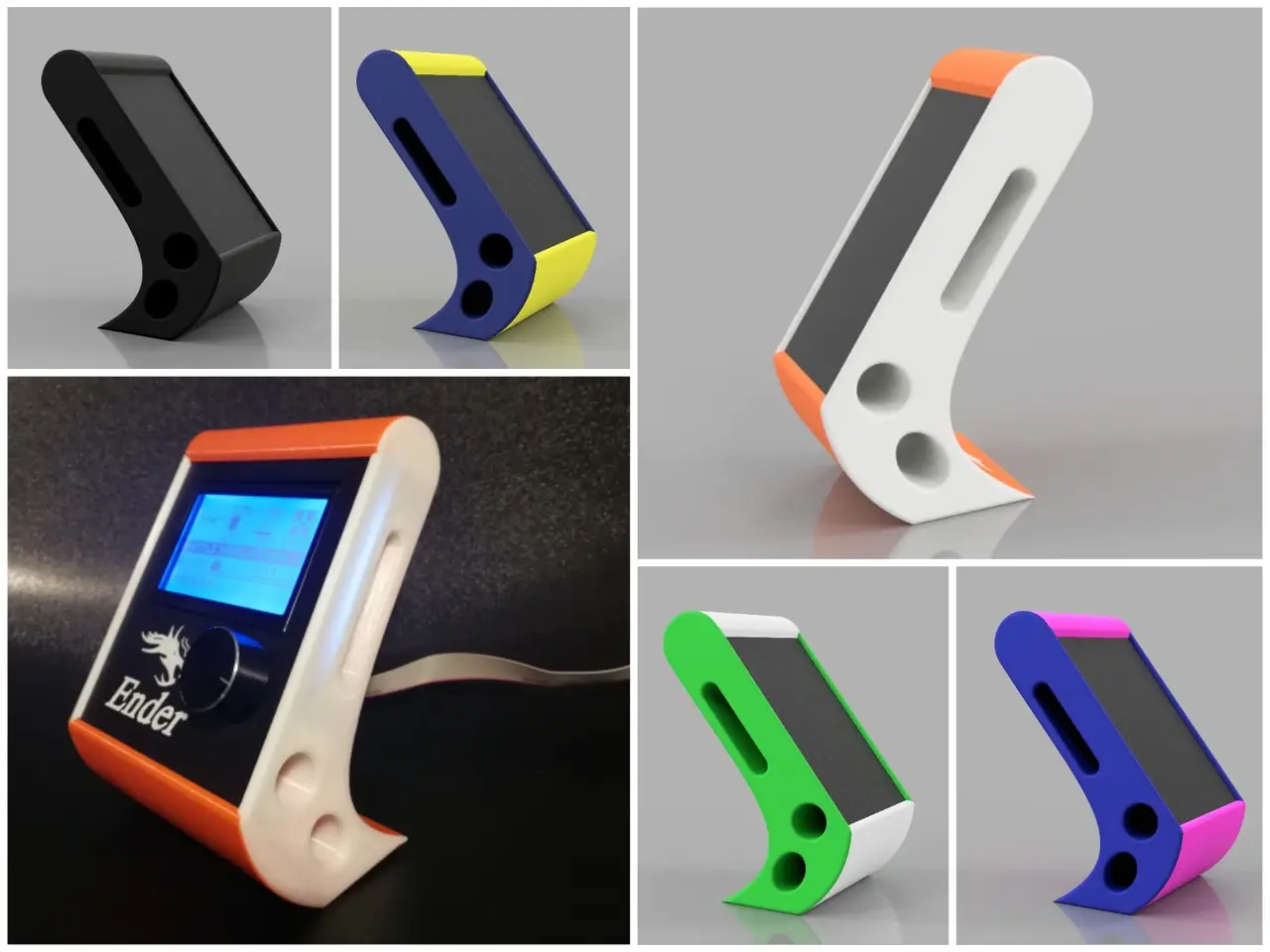
Ender-3 LCD Display Stand
por Marius JS en Thingiverse
Ender-3 Display Stand As I prefer the printer electronics not beeing baked in the IKEA LACK cupboard, I relocated mainboard, power supply and display outside the LACK using a long ribbon cable. My first try designing a display stand ended in something like a brick (can be seen in my other designs)..
Licencia
Solo uso personalCC BY-NC-SA 4.0 — Atribución, no comercial, compartir igual
Uso personal dando crédito; sin fines comerciales y las modificaciones con la misma licencia.
Al descargar aceptas respetar la licencia y dar crédito a Marius JS.
Archivos (4)
- Categoría
- Para tu impresora
- Formatos
- STL
- Descargas
- 18,988
- Publicado
Sobre este modelo
Ender-3 Display Stand As I prefer the printer electronics not beeing baked in the IKEA LACK cupboard, I relocated mainboard, power supply and display outside the LACK using a long ribbon cable. My first try designing a display stand ended in something like a brick (can be seen in my other designs) This cover here is slim, looks better and can be assembled without glue or screws. !! PLEASE NOTE: For fitting in the intentionally slim design, the plug of the original display cable might be too tall (see chapter post-printing below). Before printing (and commenting) please check, whether this is the case. If so a buying a smaller plug or an extension cable with small plugs (see example Link below) will solve the issue. ORDER OF ASSEMBLY: 1.) Slide in display (with attached cable) in the main frame 2.) put loose cable end through the holes 3.) install cable plug from the inside (if it is too loose a drop of glue will help) 4.) slide in the left side (the one with the tubes) starting with the upper tube; the cable is intended to fit between the tubes and the backside of the main frame (min. 2 mm space) 5.) install the right side starting from the upper part. --> The quality of fit is depending on printer precision; if the fit is too tight use a knife to remove potentially overextruded corners. --> Is works well together with the beeper silencer: https://www.thingiverse.com/thing:2943218
Descripción original del autor, publicada en Thingiverse.



