
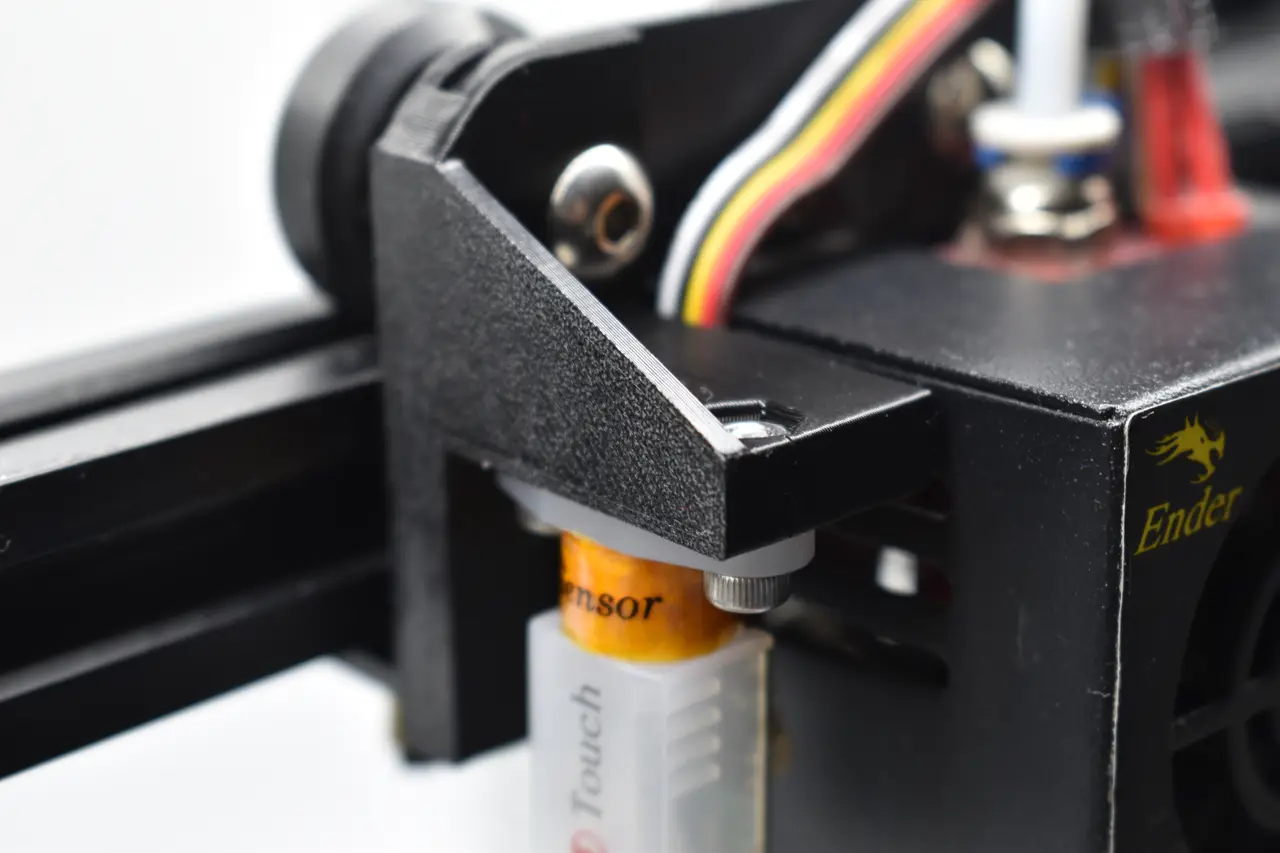
Ender 3 BLTouch Mount
por Ludvig Broomé en Printables
Fits the BLTouch and 3DTouch for Ender 3 or Ender 3 PRO
Licencia
Solo uso personalCC BY-NC-SA 4.0 — Atribución, no comercial, compartir igual
Uso personal dando crédito; sin fines comerciales y las modificaciones con la misma licencia.
Al descargar aceptas respetar la licencia y dar crédito a Ludvig Broomé.
Archivos (3)
- Categoría
- Para tu impresora
- Formatos
- STL, STP
- Descargas
- 3,231
- Publicado
Sobre este modelo
Special features - The Extruder Fan Cover can be removed independently (no need to also remove the BLTouch mount), thus maintaining the probe Z offset - Optimized cable placement. - Small and sturdy design.
Updates 3 February 2023 - Lowered the mount by 1.5 mm for more optimal BL-Touch height Part list - BLTouch-Mount (1x) - M3n nut (2x) - M3x8 screw or longer (2x)
Assembly instructions Step 1 Nut insertion - Insert the two M3n nuts in the BLTouch-Mount. - Pull the nuts with a screw to ensure proper insertion.
Step 2 Ender 3 preparation - Using a wrench and an allen key, unscrew the top left screw enough to slide the BLTouch-Mount in.
Step 3 Mount installation - Install the BLTouch-Mount by sliding it in to place. - Secure it in place by tightening the previously untightened screw.
Step 4 BLTouch preparation - Slide the BLTouch wire through the slot in the picture. - Align the holes on the BLTouch with the ones on the mount.
Step 5 BLTouch installation - Secure the BLTouch with the two M3x8 screws. - If you encounter any extruder-wobble, adjust the eccentric nut on the bottom wheel with a wrench.
Step 5 Probe offset - Change the probe X offset to -44.0. - Change the probe Y offset to -5.0. - The offsets can also be applied in the printer's configuration.h file (marlin).
Please post a make if you liked the model!
Descripción original del autor, publicada en Printables.



