
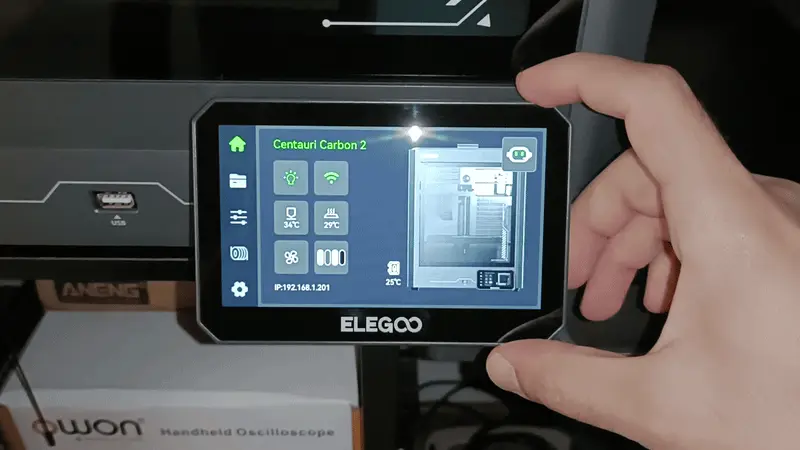
Elegoo Centauri Carbon 2 tiltable screen mount
por Random Hacks en Thingiverse
This mount allows you to tilt the CC2 screen up and down, as well as a few degrees from side to side. Instructions Print the two parts. I used PLA, but PETG may provide better durability. Attach the mounting bracket to the LCD backplate: Lay the 3d printed LCD backplate flat on a table and align...
Licencia
Solo uso personalCC BY-NC 4.0 — Atribución, no comercial
Puedes imprimirlo y modificarlo para uso personal dando crédito. No se permite vender las impresiones.
Al descargar aceptas respetar la licencia y dar crédito a Random Hacks.
- Categoría
- Para tu impresora
- Formatos
- 3MF
- Descargas
- 3
- Publicado
Sobre este modelo
This mount allows you to tilt the CC2 screen up and down, as well as a few degrees from side to side.
Instructions Print the two parts. I used PLA, but PETG may provide better durability. Attach the mounting bracket to the LCD backplate: Lay the 3d printed LCD backplate flat on a table and align the mounting bracket on top of it. Press straight down firmly with the palm of your hand until the ball snaps into place. You may need to apply some body weight to get it to snap in. The fit is intentionally tight to prevent the screen from moving on its own while the printer is operating. Remove the original screen assembly: Turn off the printer. Slide the screen upward, then pull it out slightly. Disconnect the flat cable by pressing the sides of the connector and gently pulling the cable out. Replace the LCD backplate: Remove the six Phillips-head screws securing the original LCD backplate. Replace it with the new 3d printed assembly and tighten the screws. Reinstall the screen: Reconnect the flat cable to the screen, making sure it is properly seated in the connector. Slide the new mount back into the printer, pushing it all the way down. Make sure the flat cable is centered in the slot and has enough clearance to move freely without getting pinched. Disclaimer The flat cable is not designed to withstand repeated bending. Repeatedly bending it may damage the internal traces, causing the LCD to lose its connection to the mainboard. Use this mount at your own risk. I am not responsible for any damage that may occur to your printer as a result of installing or using this modification. Clearance considerations: If the edge of the screen is not parallel to the door, the door may hit it when opening or closing. The maximum downward tilt is limited by the surface on which the printer sits. If the screen does not extend beyond the edge of that surface, its downward movement may be restricted. Found this 3D file useful? You can support my work by making a purchase through one of the affiliate links below. You can buy anything you like from the store after opening the link, it doesn't have to be the products linked here. I receive a small commission from eligible purchases, at no extra cost to you. Thank you! Amazon: https://amzn.to/4ym4rce AliExpress: https://s.click.aliexpress.com/e/_c4SxCwcl This 3MF was created with the Elegoo Centauri Carbon 2 profile in Elegoo Slicer (OrcaSlicer). If you're using a different slicer, import the 3MF as a model only to avoid incompatible settings.
Descripción original del autor, publicada en Thingiverse.



