
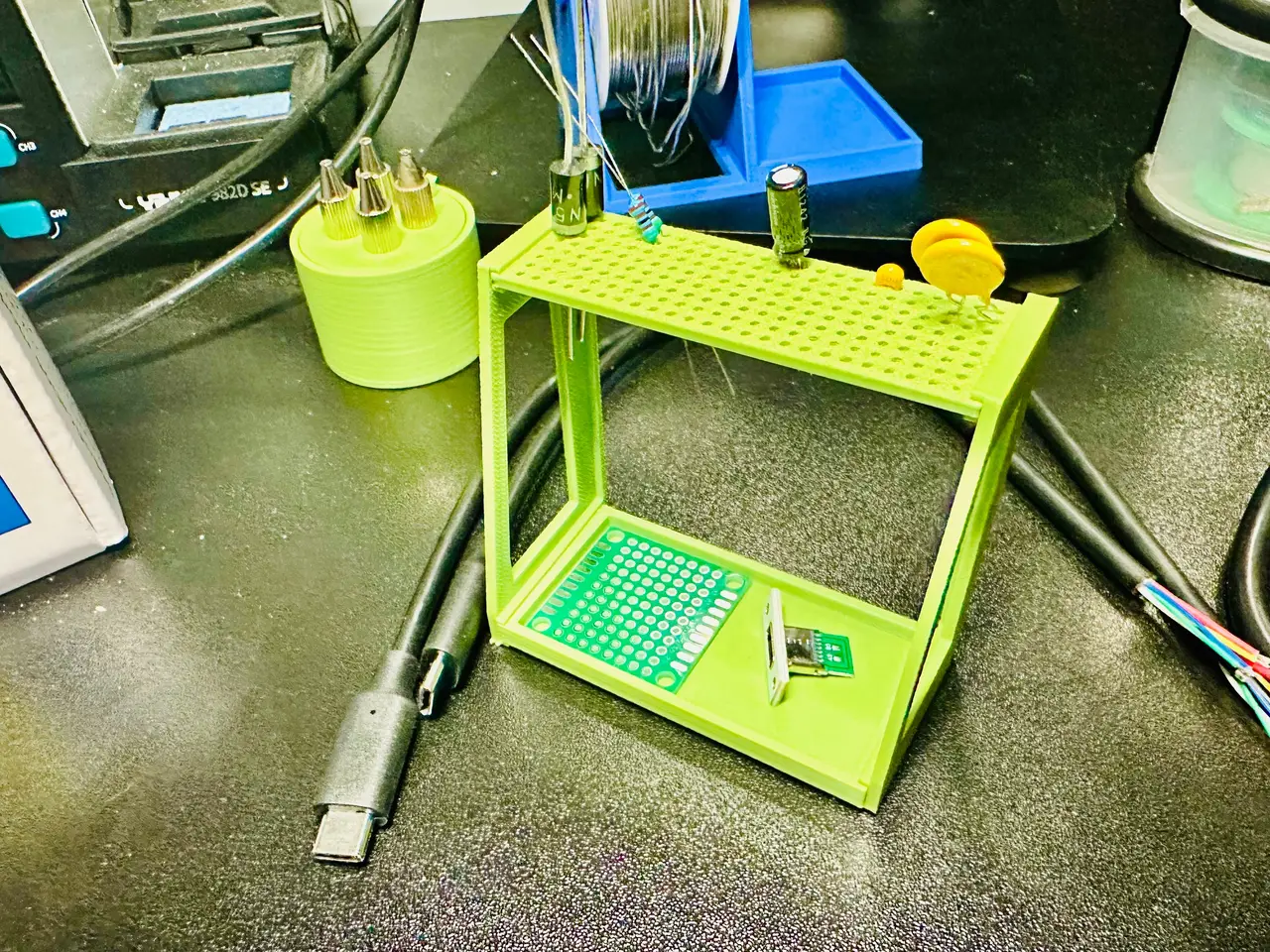
Electronics Component Rack & Tray
por Nathaniel Blank en Thingiverse
I like to organize the components before I start a project and have them readily accessible when I need them. By creating this small rack, I'm able to organize them by type. It also makes it easier to grab the component and go. The holes are large enough to allow a thick diode leg but small enough..
Licencia
Uso comercial permitidoCC BY-SA 4.0 — Atribución, compartir igual
Puedes usarlo y modificarlo dando crédito; las versiones modificadas deben compartirse con la misma licencia.
Al descargar aceptas respetar la licencia y dar crédito a Nathaniel Blank.
- Categoría
- Herramientas
- Formatos
- 3MF, STL
- Descargas
- 1
- Publicado
Sobre este modelo
I like to organize the components before I start a project and have them readily accessible when I need them. By creating this small rack, I'm able to organize them by type. It also makes it easier to grab the component and go. The holes are large enough to allow a thick diode leg but small enough to not let a resistor or smaller diode fall through. The spacing between the holes is exactly the same as a standard perfboard. This way components with legs side by side (at whatever distance between) will sit perfectly without bending them. It's raised up high enough that the ends will not interfere with the bottom tray which I use for larger components. I'm designing and building a USB-C power distribution circuit and this is perfect for it but will work for most projects. I designed a workbench organizer with a compartment designed specifically for this component rack (seen in the last photo). It can be downloaded here: https://www.thingiverse.com/thing:7423185 To keep from needing supports, the model prints flat and the panels snap together. It can take a bit of force but that's normal. When printing tiny holes, specific slicer settings are needed. I highly recommend downloading and using the ComponentRackandTray.gcode.3mf file. If that doesn't work, I've included the .stl file. It wouldn't hurt to start with a full calibration on your printer then adjust the following settings: - XY Hole Compensation: +0.10 - Wall Printing Order: change from Inner/Outer to Outer/Inner - Outer Wall Speed: reduce by 20% (I use Anycubic so I reduced it to 7) Optional: Reduce First Layer Line Width
Descripción original del autor, publicada en Thingiverse.



