
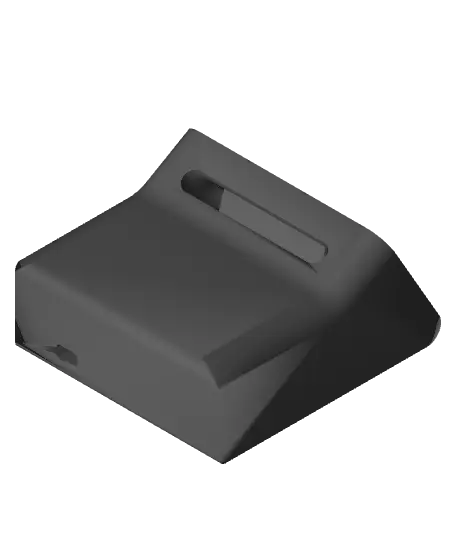
Dual MagSafe iPhone Standby Mode Dock Parametric
Based off of Scott Yu-Jan's design: https://makerworld.com/en/models/615378#profileId-538769
Thangs entrega los archivos a usuarios con cuenta gratuita
Licencia
Solo uso personalSin licencia indicada
El autor no indicó una licencia: todos los derechos le pertenecen. Úsalo solo para imprimir en casa y consulta al autor para cualquier otro uso.
Al descargar aceptas respetar la licencia y dar crédito a McQueen Z.
Archivos (4)
- stopper.3mf 3MF · 60 KB
- clicker.3mf 3MF · 221 KB
- dock.3mf 3MF · 294 KB
- iPhone 14 Standby v6.f3d F3D
- Categoría
- Tecnología
- Formatos
- 3MF, F3D
- Descargas
- 160
- Publicado
Sobre este modelo
Based off of Scott Yu-Jan's design: https://makerworld.com/en/models/615378#profileId-538769
**Important Notes: Measure your Magsafe charger and adjust the dimentions in Fusion accordingly. I used knock-off Magsafe chargers (do not recomend, they get really hot) and based dimentions around those.
Phone dimentions are based off of an iPhone 14 with a case so adjust those as well. **
Made for iPhone 14 with a thin case. Fusion files included with parametric dimentions to allow you to make it fit your own phone.
I thought it was rather restrictive to only have an Apple Watch charger in the rear since it can only charge the Apple Watch. So I made the rear a bit longer and was able to fit another full Magsafe charger in the back. Charge another phone, Airpods, Magsafe battery pack, etc.
Printing Instructions: 1. Orient all parts as shown in the later images 2. Main dock requires support, set support angle to 60 degrees and use tree supports. Make sure supports are not being added to the recesses for rubber feet of the main dock. 3. “stopper” part should be scaled down to around 95% or else it will be a tight fit.
Assembly: 1. Install the front Magsafe charger in the usual method, the fit might be loose so either adjust the dimentions in Fusion or use some double-sided tape to secure the charger. 2. Insert the Magsafe charger into the rear compartment with the wire facing towards the front. 3. Once the rear charger is all the way inserted, push it backwards to secure it in place. Insert the “stopper” into the gap at the front of the rear charger hole to secure the rear charger. 4. Thread the cable thru the provided hole out the back.
Descripción original del autor, publicada en Thangs.



