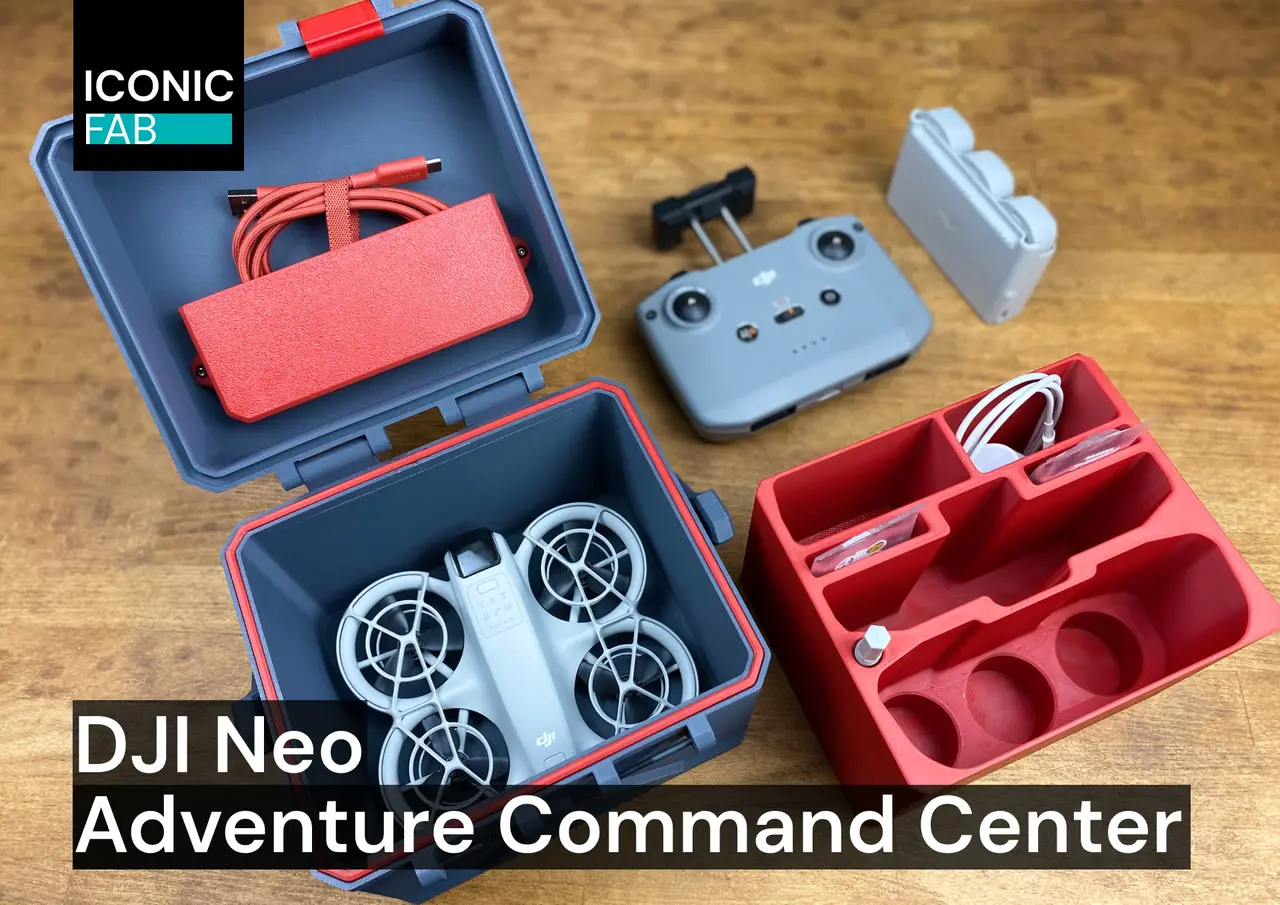
DJI Neo Adventure Command Center — transport box, storage crate
por Iconic FAB en Printables
The ultimate DJI Neo drone transport crate - engineered to protect and organize your complete kit for any adventure
Licencia
Solo uso personalCC BY-NC-SA 4.0 — Atribución, no comercial, compartir igual
Uso personal dando crédito; sin fines comerciales y las modificaciones con la misma licencia.
Al descargar aceptas respetar la licencia y dar crédito a Iconic FAB.
Archivos (7)
- Categoría
- Organización
- Formatos
- STL
- Descargas
- 1,140
- Publicado
Sobre este modelo
About DJI Neo Adventure Command Center
Introducing the DJI Neo Adventure Command Center: a rugged, all-in-one transport solution engineered for drone pilots who refuse to compromise. This shockproof transport vault not only houses your DJI Neo but also shields your complete aerial toolkit. From spare batteries to essential tools, every component finds its home in precise compartments, ensuring your gear stays mission-ready for any adventure. Whether you're conquering peaks, traversing wastelands, or exploring cityscapes, this bastion safeguards your gear against the harshest conditions. Engineered with user-friendliness as a priority, it effortlessly converts from secure storage to a portable command center in moments. Don't just store your drone – elevate your entire experience with a case that's as sophisticated as the technology it carries. Ready to elevate your drone experience to the next level? Discover the DJI Neo Adventure Command Center — PRO version, engineered for the most discerning drone enthusiasts. Upgrade to the PRO version and unlock exclusive features: - Convenient carrying handle for effortless transport - Additional accessory pocket for expanded storage - Versatile top lids with flat and helipad style options
Bill of Materials and Sourcing guide PartSize / StandardQTYSource M3 bolts (for hinges and latches)M3x40 SHCS6Buy here M3 bolts (for handle)M3x20 SHCS2Buy here M3 nuts (for handle)M32Buy here
Printed Parts PartsQTY DJI Neo Adventure Command Center — printed parts6
Video showcase
Print guidelines Here are print guidelines for you to follow in order to have decent success with printing parts: 3d printing processFDM (fused deposition modeling) Infill typeSupport cubic, Honeycomb [1] or Grid MaterialPLA, PLA-CF, ASA, ASA-CF, ABS, ABS+, ABS-CF Infill percentage25% - 40% [1] Layer heightRecommended: 0.2mm Wall countRecommended: 4 Solid top/bottom layersRecommended: 5 Extrusion widthForced 0.4mm
Side notes to the print guidelines
[1] To ensure reasonable combination of print speed, filament usage and structural integrity of the parts slice all parts with Support cubic infill with 25% percentage. Honeycomb or Grid infill with 40% infill percentage is highly recommended for Latches. A wall count of 4 is an absolute must to ensure the structural integrity and long life span of the parts. File naming convention Printed parts use this naming convention: Primary colorThese files will have nothing at the start of the filename.
Example: lid_x1.stl Accent colorFiles have “[a]” to the front of any STL file that is intended to be printed with accent color.
Example: [a]_seal_x1.stl Count of partsFiles have “x1” to “x2” at the end of any STL file. The number represents the count of identical parts to be printed.
Example: latch_x2 (In this case you will need to print 2 identical parts). Change log DateChanges 15.11.2024Updated BOM and sourcing guide chapter 29.10.2024Initial version (Rev1)
Descripción original del autor, publicada en Printables.