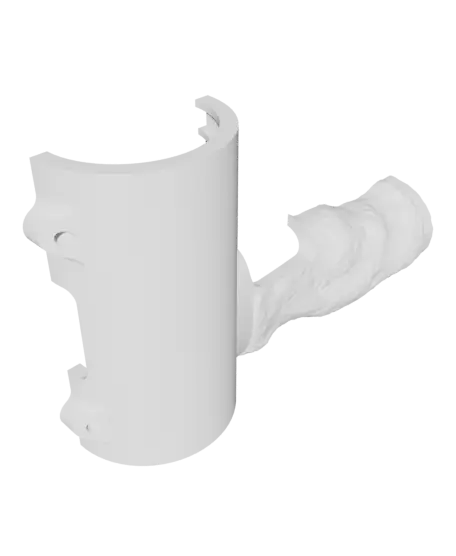
DeWalt Drill Shell with 3D Scanned Grip
https://linktr.ee/blake3dcake
Thangs entrega los archivos a usuarios con cuenta gratuita
Licencia
Solo uso personalSin licencia indicada
El autor no indicó una licencia: todos los derechos le pertenecen. Úsalo solo para imprimir en casa y consulta al autor para cualquier otro uso.
Al descargar aceptas respetar la licencia y dar crédito a Blake H.
Archivos (4)
- BatterySlot.obj OBJ · 285 KB
- BatterySlotCover.obj OBJ · 112 KB
- DrillHalf1.obj OBJ · 1,5 MB
- DrillHalf2.obj OBJ · 1,5 MB
- Categoría
- Repuestos
- Formatos
- OBJ
- Descargas
- 12
- Publicado
Sobre este modelo
https://linktr.ee/blake3dcake
One of my drill broke so I decided to fix it.. kind of! lol
This is not the most useful model in the world but I do think it serves as a really good example of what's possible with 3d scanning.
My Scanning Method:
I used Play Doh to create a simple sculpt of my grip. Next I downloaded the free Kiri Engine app and took 70 photos of the sculpt. I put the sculpt on a sander and rotated it a few degrees at a time. My phone was placed stationary on a tripod looking down down at the sculpt. Once I had taken about 25 pictures or so I reduced the height of the shot to get a different angle of the model. Having 3 different angles seemed to work quite nicely. Next I imported the model into fusion 360 and converted the mesh into a solid object using the mesh tools (specifically mesh, modify, convert mesh). After that all that was left was cleanup. I included the f3d file so you can see how that was done.
I have been using 3d scanning more and more in my workflow.. It is surprisingly easy and accurate!
The Scanning App: https://play.google.com/store/apps/details?id=com.kiriengine.app&hl=en_US&gl=US
The Drill: https://amzn.to/48GRxJQ
Uses m3 brass inserts and screws
Descripción original del autor, publicada en Thangs.