DaveMakes Modular Building Set – Basic Modules
por DaveMakesStuff en Thangs
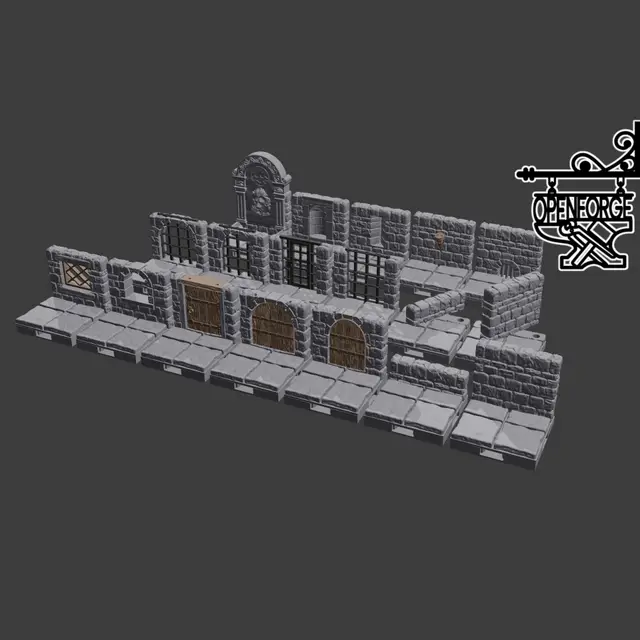
The DaveMakes Modular Building Set includes a range of modules that you can use to build everything from customized dollhouses to tabletop gaming architecture and terrain. Access compatible modules here (https://than.gs/c/383034).
Thangs entrega los archivos a usuarios con cuenta gratuita
Licencia
Solo uso personalCC BY-NC-SA 4.0 — Atribución, no comercial, compartir igual
Uso personal dando crédito; sin fines comerciales y las modificaciones con la misma licencia.
Al descargar aceptas respetar la licencia y dar crédito a DaveMakesStuff.
Archivos (59)
- Subfloor - 2x2.stl STL · 400 KB
- Subfloor - 4x4.stl STL · 1,5 MB
- Subfloor - 4x6.stl STL · 2,2 MB
- Subfloor - 6x6.stl STL · 3,3 MB
- Subfloor - 6x8.stl STL · 4,5 MB
- Subfloor - 8x8.stl STL · 6,0 MB
- Floor 1x1.stl STL · 45 KB
- Floor 1x2.stl STL · 78 KB
- Floor 1x3.stl STL · 111 KB
- Floor 1x4.stl STL · 144 KB
- Floor 1x5.stl STL · 176 KB
- Floor 1x6.stl STL · 209 KB
- Floor 1x7.stl STL · 242 KB
- Floor 1x8.stl STL · 275 KB
- Floor 2x2.stl STL · 141 KB
- Floor 2x3.stl STL · 205 KB
- Floor 2x4.stl STL · 268 KB
- Floor 2x6.stl STL · 394 KB
- Floor 2x8.stl STL · 521 KB
- Floor 4x4.stl STL · 516 KB
- Floor 4x6.stl STL · 765 KB
- Floor 4x8.stl STL · 1013 KB
- Floor 6x6.stl STL · 1,1 MB
- Floor 6x8.stl STL · 1,5 MB
- Floor 8x8.stl STL · 2,0 MB
- Checker Board 1x1 a.stl STL · 21 KB
- Checker Board 1x1 b.stl STL · 21 KB
- Checker Board 2x2 a.stl STL · 79 KB
- Checker Board 2x2 b.stl STL · 79 KB
- Checker Board 2x4 a.stl STL · 157 KB
- Checker Board 2x4 b.stl STL · 157 KB
- Checker Board 4x4 a.stl STL · 309 KB
- Checker Board 4x4 b.stl STL · 309 KB
- Checker Board 4x6 a.stl STL · 461 KB
- Checker Board 4x6 b.stl STL · 461 KB
- Checker Board 6x6 a.stl STL · 689 KB
- Checker Board 6x6 b.stl STL · 689 KB
- Checker Board 6x8 a.stl STL · 916 KB
- Checker Board 6x8 b.stl STL · 916 KB
- Checker Board 8x8 a.stl STL · 1,2 MB
- Checker Board 8x8 b.stl STL · 1,2 MB
- Anchor Column 1 Tab.stl STL · 30 KB
- Anchor Column 2 Tabs Adjacent.stl STL · 32 KB
- Anchor Column 2 Tabs Opposite.stl STL · 32 KB
- Anchor Column 3 Tabs.stl STL · 35 KB
- Anchor Column 4 Tabs (Universal).stl STL · 38 KB
- Floating Column 1 Tab.stl STL · 16 KB
- Floating Column 2 Tabs Adjacent.stl STL · 24 KB
- Floating Column 2 Tabs Opposite.stl STL · 24 KB
- Floating Column 3 Tabs.stl STL · 33 KB
- Floating Column 4 Tabs (Universal).stl STL · 42 KB
- Wall - Basic Full Thickness 1.stl STL · 52 KB
- Wall - Basic Full Thickness 2.stl STL · 52 KB
- Wall - Basic Full Thickness 3.stl STL · 52 KB
- Wall - Basic Full Thickness 4.stl STL · 52 KB
- Wall - Basic Full Thickness 5.stl STL · 52 KB
- Wall - Basic Full Thickness 6.stl STL · 52 KB
- Wall - Basic Full Thickness 7.stl STL · 52 KB
- Wall - Basic Full Thickness 8.stl STL · 52 KB
- Categoría
- Miniaturas
- Formatos
- STL
- Descargas
- 106
- Publicado
Sobre este modelo
The DaveMakes Modular Building Set includes a range of modules that you can use to build everything from customized dollhouses to tabletop gaming architecture and terrain. Access compatible modules here (https://than.gs/c/383034).
Stay tuned for more expansion sets!
This download includes the basic pieces to get started building. See print and assembly details below and in this video (https://youtu.be/UiALH64cnOY).
These models are scaled at 1:50. Files can be scaled in your slicer to print at whatever scale you need. Simply take 50 and divide by your target scale to get the factor to use in your slicer. For example, if you want to print models at 1:100 scale divide 50 by 100 to get .5. Scale your models in the slicer by a factor of .5
Remember that as you scale the print down, the fit between pieces will become tighter. You can offset this by reducing your flow rate a bit.
Assembly:
This section describes specific consideration for printing the pieces included in this download. You can also view printing and assembly instructions here (https://youtu.be/UiALH64cnOY).
In general, you will assemble in this order: subfloor, floor, columns and then walls.
Subfloors:
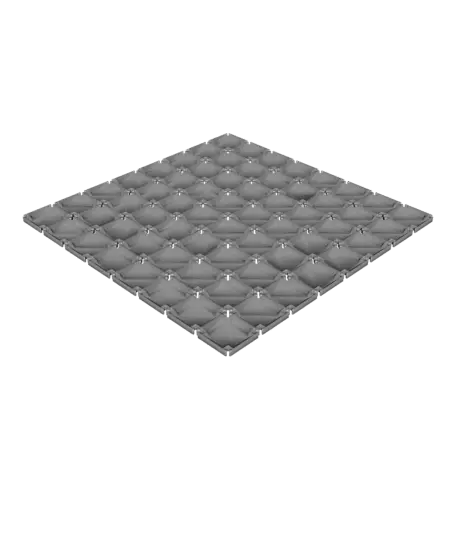
These pieces provide the overall structure and support for your building or terrain. They have inset areas to allow placement of different textured ground and floor tiles, and tabs to hold the columns used for building walls. Select the size you need and print flat on your build plate.
Floors:
Floor sections sit on top of the subfloor and are held down by placement of the walls later. This download includes two types of floor patterns, standard and “Checker Board.” The “Checker Board” files are designed for dual color printing by merging the “a” and “b” version of your selected dimensions. Floor tiles have breakaway tabs in the corners and along the sides to allow insertion of columns. Print the floors as orientated in the download with the top of the floor on the build plate. You can change the bottom layer patterns to achieve different floor textures.
Columns:
Columns insert into the subfloor and provide support for the walls. You can build anything using the “Anchor Column 4 Tabs (Universal)” columns, but if you would like the visible sides to be smooth you can select one of the other configurations. The end of the column with 4 tabs inserts in the subfloor. “Floating Columns” sit on top of the floor and are for situations where you don’t need the column to insert all the way into the subfloor. Printing the columns in “spiralized” or “vase” mode is the best way to get a smooth surface to make assembly easy.
Walls:
Walls are provided in sizes 1 to 8, corresponding to the number of tiles it will cover. Print in standard mode with infill in the orientation provided.
Descripción original del autor, publicada en Thangs.