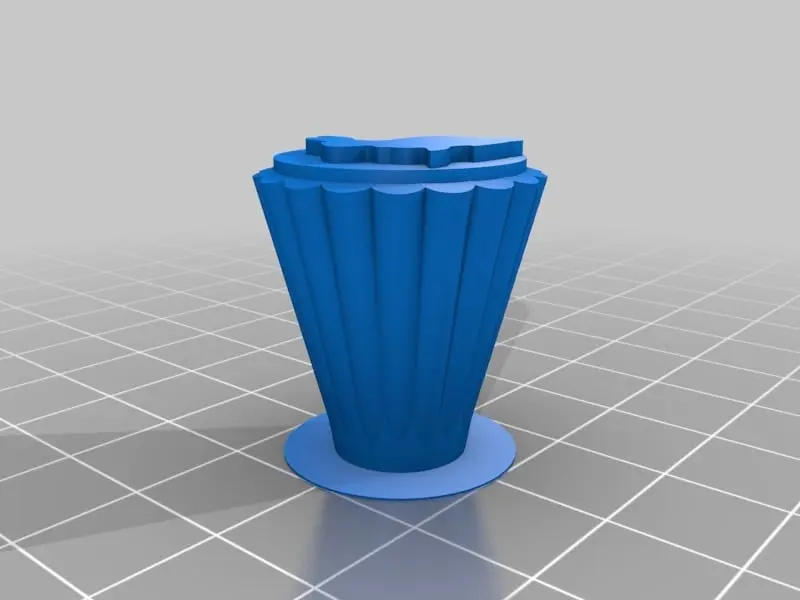
Customizable Locking Pencil Box Set
por Bob Hamlet en Thingiverse
9/24/13 Update: I added an extra routine to the picture module to slice it up in 2 x nozzle widths. This allows the lid to be printed at less than 100% infill without hurting the lithophane. I think it also looks better with all the lines running the same way. Talk about useful! You can make this...
Licencia
Uso comercial permitidoCC BY-SA 4.0 — Atribución, compartir igual
Puedes usarlo y modificarlo dando crédito; las versiones modificadas deben compartirse con la misma licencia.
Al descargar aceptas respetar la licencia y dar crédito a Bob Hamlet.
Archivos (10)
- New_backtoschool_key_V1.1.stl STL · 682 KB
- test_case.stl STL · 1,7 MB
- test_key.stl STL · 624 KB
- New_backtoschool_body_V1.1.stl STL · 2,8 MB
- test_latch.stl STL · 3,2 MB
- New_backtoschool_latch_dualstrusion_V1.1.stl STL · 2,1 MB
- New_backtoschool_lid-dualstrusion_V1.3.stl STL · 7,9 MB
- New_backtoschool_lid_V1.3.stl STL · 10,0 MB
- New_backtoschool_ruler_V1.3.stl STL · 2,1 MB
- Back_to_school_v2.1.scad SCAD · 35 KB
- Categoría
- Educación
- Formatos
- STL, SCAD
- Descargas
- 15,538
- Publicado
Sobre este modelo
9/24/13 Update: I added an extra routine to the picture module to slice it up in 2 x nozzle widths. This allows the lid to be printed at less than 100% infill without hurting the lithophane. I think it also looks better with all the lines running the same way. Talk about useful! You can make this pencil box set in whatever configuration you need. You can personalize it with your favorite photo, quote, and even put your name on it. When you have all your supplies stored inside, lock the box with your unique pencil topper key. You can rest easy knowing your things are protected in your one of a kind locking pencil box. You need a ruler? How long? What about a protractor? Do you need metric or imperial units? Don't fret, because you can choose the best fit for your needs. It is possibly the most customizable thing on thingiverse, so if you don't have patience for slow OpenSCAD, "don't come around here no more!" You can use the example STL files, but your kids probably will not be very amused! Pieces you get: 1 body with customizable size and dividers. 1 ruler with customizable configuration and decorations. 1 pencil topper with customizable logo that acts as a key for the box. 1 lid with captured latch mechanisim 1 lid without latch (for dualstrusion) 1 latch (for dualstrusion) Please read the instructions for specific part customizing tips, or use the customizer text with each setting. I think it is pretty straight forward. Continue below for the custom features of the customizer user interface. Thanks for using my creation, it was a lot of work! Customizer user interface challenges and solutions: You cannot change default rotation during the customization, you only get one chance at getting it right. I used rotate and translate to reorient the parts for different viewing angles. Check out the assembly of all parts in the "Slicing and printing" tab! Export multiple STL. The theory behind the "part" parameter is a good one. You choose to view and customize each part, then customizer exports them all. The problem is, if you set up custom views (see above), customizer will export a lot of unprintable garbage. You also must have the part parameter visible to the user for this function to work. I overcame this by using the customizer tabs to set up and display custom views. The part parameter is in the printer platform setup tab. It just controls the views there, so you can see the orientation with the build plate. When you create your thing, the display_tab parameter goes to the default setting (mine is ""). This triggers the export part module, which cycles through only the parts I want exported. This is a big .scad file with lots of modules. I could not avoid using some hull() and minkowski() functions, despite the warnings on the best practices page. I used a default value for $fn on applicable modules, then when the export part module is called, it is overwritten with a larger value. I used a custom polygon shape to mask the corners of the drawing canvas, so the design will not extend past the round key. I also added a custom shape to the same routine that makes the MakerBot logo! I found that if you have a variable parameter used for text input that contains an underscore like "key_text", the customizer version of Write.scad will not handle it. Use one word variables instead like "keytext". Sometimes when you edit a thing that is a work in progress, the check box gets magically unchecked. I overcome this by checking! User MichaelAtOz pointed out a customizer error when the display tabs are not in full view. I wrote in an error check for this situation to alert the user to click the arrows and try again. Please download my script, and use parts of it to make your customizable things easier to use! Bob
Descripción original del autor, publicada en Thingiverse.