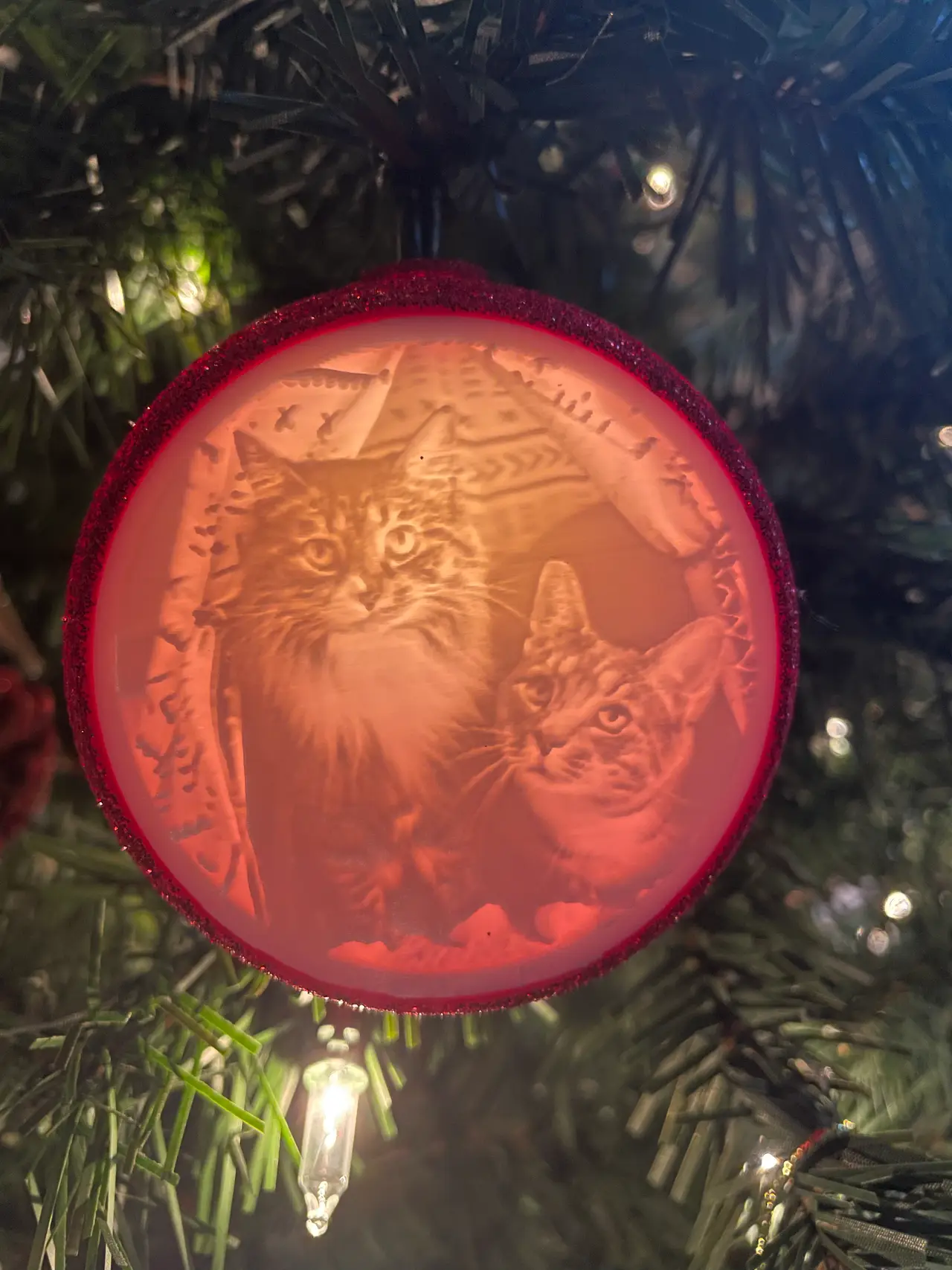
Custom Lithophane Christmas Tree Ornament
por Cody Huber en Printables
Double sided lithophane Christmas tree ornament!
Licencia
Uso comercial permitidoCC BY-SA 4.0 — Atribución, compartir igual
Puedes usarlo y modificarlo dando crédito; las versiones modificadas deben compartirse con la misma licencia.
Al descargar aceptas respetar la licencia y dar crédito a Cody Huber.
Archivos (3)
- Categoría
- Figuras y arte
- Formatos
- STL
- Descargas
- 713
- Publicado
Sobre este modelo
Update 12/2/23 - Updated the anchor model with tighter tolerances. Results my vary depending on printer so scale as needed. - Added a blank Lithophane that can be used instead of a second image if you don't want the ornament to be double sided! Can be printed flat.
This is a very simple double sided Lithophane ornament using one of the lights from your tree! The ornament spins easily and there is a spot for a picture on both sides. Or you can leave the back open/print a blank Lithophane if you only want one image. Print Settings Ornament/Anchor - I printed these at .2 layer height - The bottom half of the ornament may need a tiny bit of support as there's an overhang where the Lithophane sits. It's less than a gram of filament but you may be able to get away without it depending on your printer. - The top half of the ornament will print perfectly without supports. - Once printed, just put one of the lights from your tree through the hole and then secure it with the anchor.
Lithophane - The Lithophane's can be created here https://lithophanemaker.com/Lithophane%20Tag.html - Upload an image and generate the Lithophane using the settings below - The Lithophane must be printed vertically on its edge as shown in the model images. - Any lighter colored filament should work but white will work best. I used normal white PLA - I printed mine at .15 layer height, 100% infill, 4 walls, and a wall speed of about 30mm/s with a large brim to help with adhesion. You can go even lower and slower for better quality/adhesion. - If you're having issues with adhesion you can also add a bit of support. - Once printed, they should press fit right into the ornament. If they are a bit loose just add some glue.
Settings for creating the Lithophane
Descripción original del autor, publicada en Printables.