
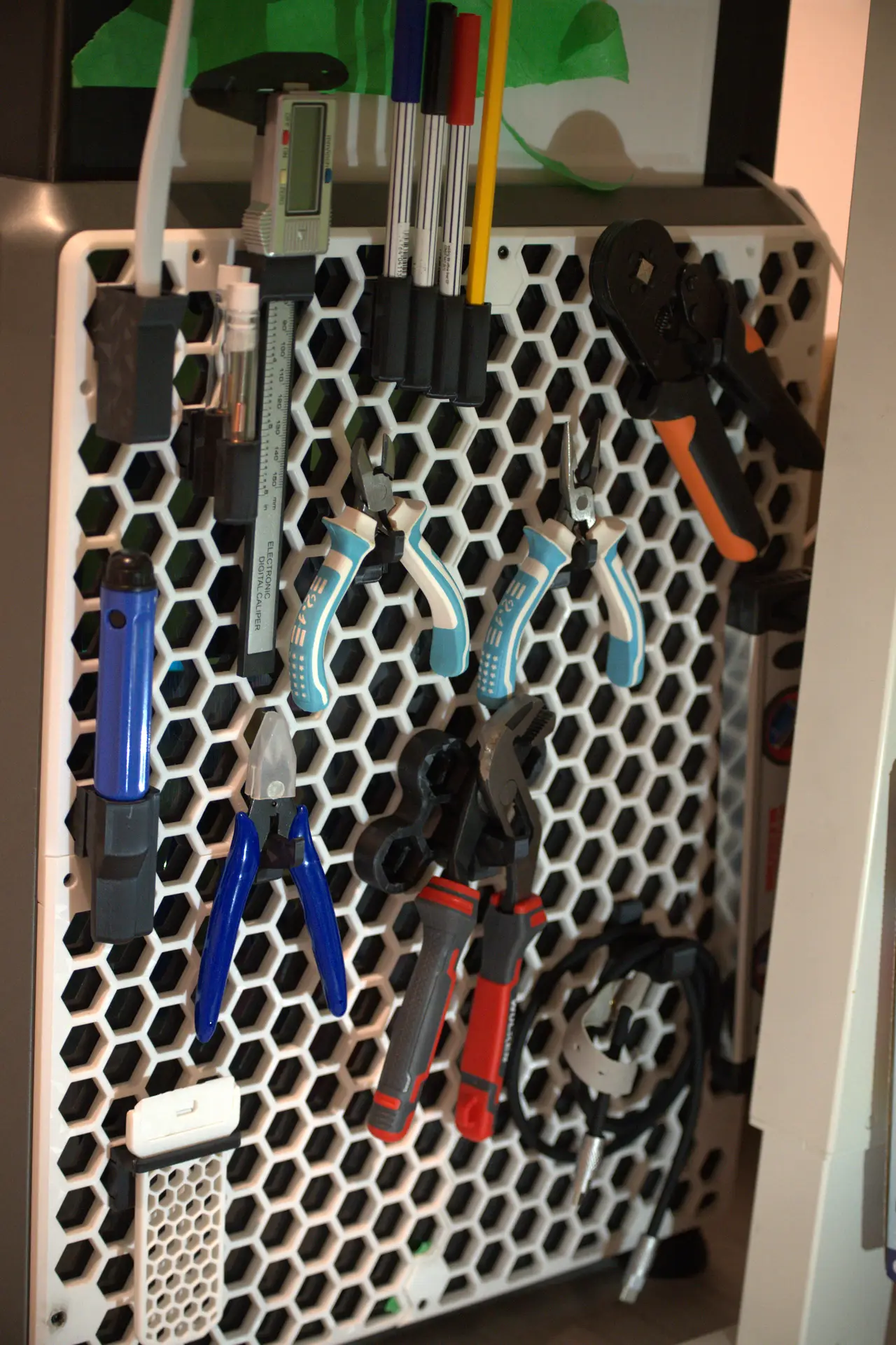
Creality k1 Max Honeycomb Side Panels + honeycomb tools mount
por Florian Antoine en Printables
Modular honeycomb wall for K1 Max with tool mounts and a locking system.
Licencia
Uso comercial permitidoCC BY-SA 4.0 — Atribución, compartir igual
Puedes usarlo y modificarlo dando crédito; las versiones modificadas deben compartirse con la misma licencia.
Al descargar aceptas respetar la licencia y dar crédito a Florian Antoine.
Archivos (13)
- Straight_support.stl STL · 156 KB
- Nozzle_holder_x2.stl STL · 118 KB
- Locking_pin.stl STL · 3 KB
- Brush_holder.stl STL · 24 KB
- Pliers_Holder.stl STL · 93 KB
- Little_Pliers_Holder.stl STL · 92 KB
- Cable_Hook.stl STL · 30 KB
- Center_Junction.stl STL · 116 KB
- Caliper_Stand .stl STL · 65 KB
- Deburring_Tool_Holder.stl STL · 151 KB
- Spatula_Holder.stl STL · 78 KB
- Pencil_Holder.stl STL · 262 KB
- k1-max-left-panel-honeycomb-wall.step STEP · 12,4 MB
- Categoría
- Para tu impresora
- Formatos
- STL, STEP
- Descargas
- 1
- Publicado
Sobre este modelo
Modular Honeycomb Wall for Creality K1 Max This is a remix of the original honeycomb wall system, redesigned for the Creality K1 Max. I created a series of new mounts for common 3D printing tools and added a locking system to keep each mount securely in place on the wall. A central lock also holds the honeycomb wall panels together, preventing them from shifting or coming apart during use. Included mounts - Nozzle_Holder – Store and organize your printer nozzles.
- Brush_Holder – Keep your cleaning brush within reach.
- Vertical_Support – Hold tools or accessories upright.
- Pliers_Holder – Securely store your pliers.
- Cable_Hook – Organize cables and keep them off the work area.
- Center_Junction – Connect and align wall panels.
- Caliper_Stand – Store your caliper in an accessible position.
- Deburring_Tool_Holder – Keep your deburring tool organized.
- Spatula_Holder – Store your print removal spatula.
- Pencil_Holder – Keep pencils and markers handy.
Printing - Material: PLA
- Infill: 10%
- Print one mount first to check the fit before printing the full set.
Feel free to ask if you need a mount for another tool or accessory!
Descripción original del autor, publicada en Printables.



