
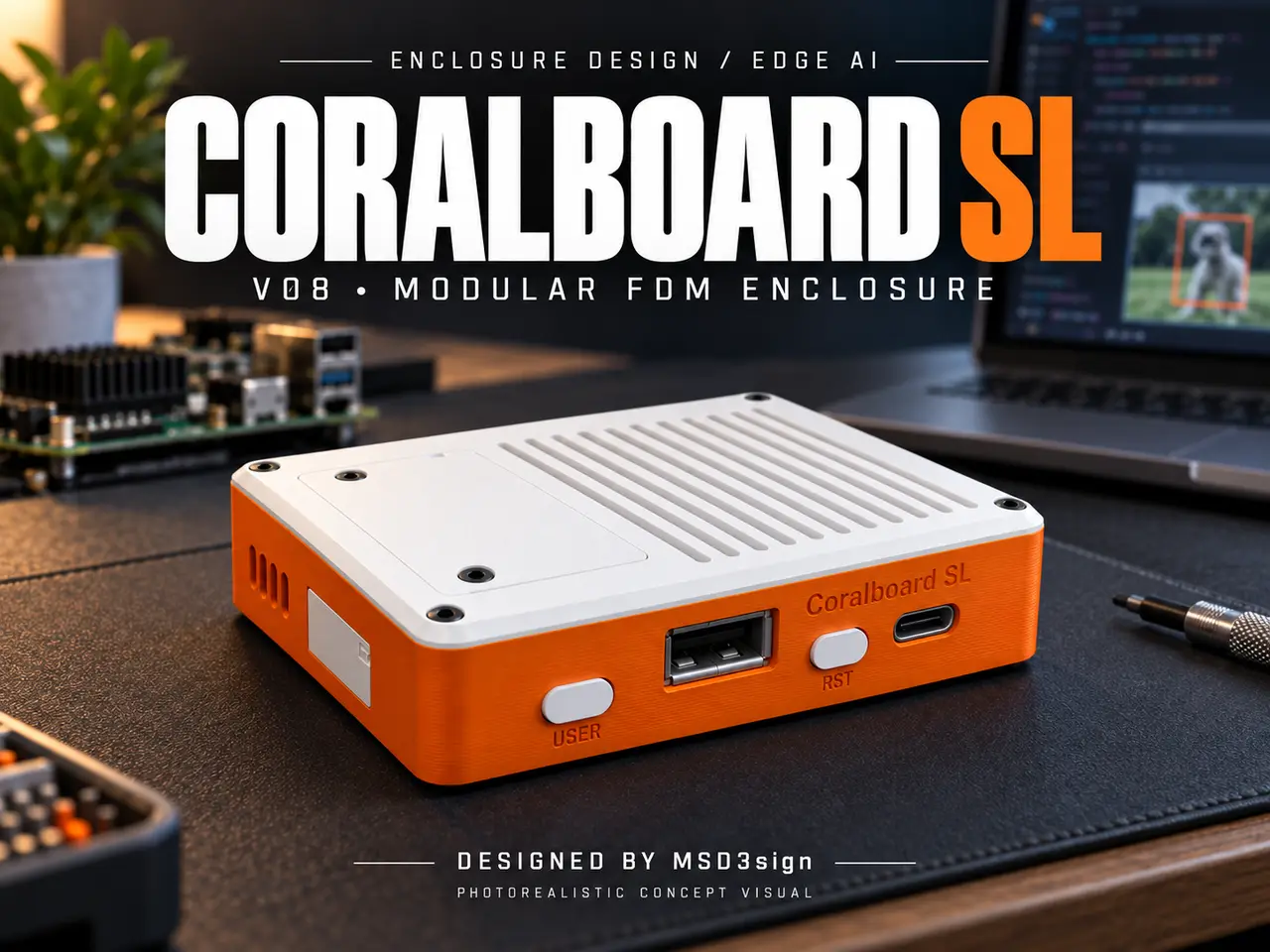
Coralboard SL Enclosure V08 | Service Covers & M2 Hardware
por MS_D3sign en Printables
FDM case with removable expansion and display covers, snap-fit microSD access, captive buttons and recessed M2 screws.
Licencia
Solo uso personalCC BY-NC-ND 4.0 — Atribución, no comercial, sin derivadas
Solo para uso personal, sin modificarlo y dando crédito. No se permite vender ni redistribuir cambios.
Al descargar aceptas respetar la licencia y dar crédito a MS_D3sign.
Archivos (9)
- 01_Base_V08.stl STL · 764 KB
- 02_Main_Lid_V08.stl STL · 251 KB
- 03_Expansion_Cover_V08.step STEP · 36 KB
- 09_DSI_Display_Cover_Open_Notch_V08.step STEP · 57 KB
- 06_USER_Button_V08.step STEP · 41 KB
- 07_RST_Button_V08.step STEP · 42 KB
- 08_MicroSD_Snap_Cover_V08.step STEP · 47 KB
- 04_Centering_Washer_PRINT_4.stl STL · 21 KB
- 04_Centering_Washer_PRINT_4.step STEP · 9 KB
- Categoría
- Tecnología
- Formatos
- STL, STEP
- Descargas
- 5
- Publicado
Sobre este modelo
A serviceable FDM enclosure for the Synaptics Coralboard SL, designed by MSD3sign with AI assistance in Fusion 360. The enclosure combines a removable main lid, a separate expansion cover, screw-free microSD access and a bottom display service cover. All gallery images are CAD renders, not photographs of a printed prototype. FEATURES • Nominal enclosure size: 89 × 67.65 × 21 mm. • Wide 1.6 mm exterior chamfers and recessed exterior screw heads, nominally 0.10 mm below the surface. • USB-A and USB-C openings, with the USB-C profile centered on the connector's front shield. • Separate captive USER and RST button plungers. • Four vertical rounded ventilation slots on each side, plus a ventilated top lid. • Removable top cover for the board's M.2 E-key wireless expansion area. This is not an M.2 SSD enclosure. • MicroSD cover with a fixed hook on one side and a flexible snap clip on the other; no screws. • Bottom MIPI DSI display service opening and removable cover. Its 14 mm ribbon-cable notch is open to the edge: connect and position the ribbon first, then fit the cover around it. • Integrated mounting slots in the base. • Coralboard SL front engraving and MSD3sign branding inside the base. FILES AND PRINT QUANTITIES Nine STL files and nine matching STEP files are included. Print one of each enclosure part and FOUR copies of the centering washer. The insert calibration coupon is a separate test piece, not part of the enclosure assembly. STEP files retain assembly coordinates; STL files are positioned for an initial print orientation in millimeters. The board, cables and metal hardware are not included. The official board reference model is not redistributed in these downloads. HARDWARE Use commercially manufactured M2 socket-head screws and brass heat-set inserts, nominal insert outside diameter 3.2 mm: • Main lid: 4 × M2 × 6 mm screws and 4 × M2 inserts, 6 mm long. • Board mounting: 4 × M2 × 6 mm screws and 4 × M2 inserts, 4 mm long; use the four printed centering washers. • Expansion cover: 2 × M2 × 4 mm screws and 2 × M2 inserts, 2 mm long. • Bottom DSI cover: 2 × M2 × 4 mm screws and 2 × M2 inserts, 2 mm long. Total: 8 screws of 6 mm, 4 screws of 4 mm, and 12 inserts (4 each of 2/4/6 mm length). Hex nuts are not used in this assembly. PRINTING Suggested starting point, not a tested profile: PETG, 0.4 mm nozzle, 0.16–0.20 mm layers and 3–4 walls. PETG is suggested for the snap cover; test the clip before installing electronics. • Base: flat bottom on the bed, cavity facing up. • Main lid, expansion cover and DSI cover: exterior face toward the bed. • Buttons: front face toward the bed. • Washers: flange on the bed; print four. • MicroSD cover: fixed-hook end toward the bed, with a brim if needed. Review local overhangs, pockets and the clip in your slicer. The vertical side slots are designed to reduce support demand, but support-free printing has not been verified. No tested slicer profile, print time or G-code is supplied. Print the insert coupon first. It provides 2.8/2.9/3.0/3.1 mm pilot options; the enclosure currently uses nominal 2.9 mm pilots. Measure your actual inserts and calibrate for your printer. ASSEMBLY 1. Test the fit of the printed parts, screws and inserts with no electronics installed. 2. Heat-set the inserts while the board is outside the case; let the plastic cool completely. 3. Fit the USER and RST plungers from inside, then install the board with its four printed centering washers and M2 × 6 mm screws. Check free button movement and switch return. 4. Fit the microSD cover's fixed hook, then close the clip side. 5. Install the main lid and expansion cover with their specified screws. 6. For the display ribbon, disconnect power, open the underside DSI connector latch, insert a compatible ribbon and close the latch. Route the ribbon through the open edge notch, fit the cover around it and secure with M2 × 4 mm screws. Check that the ribbon is not pinched. IMPORTANT FIT INFORMATION This is a CAD-verified, physically untested design. Printed fit, clip fatigue, button operation, mounting strength and temperatures under load have not been validated. The reference CAD omits some real components; compare with your actual board. The bottom M2 × 4 mm screw tips have only approximately 0.282 mm nominal clearance to the PCB in CAD. Measure actual under-head screw lengths and verify clearance before installing the board. Do not use longer bottom-cover screws. Ventilation opening area is a geometric feature, not a measured cooling result. DESIGN REFERENCE AND CREDIT Designed around the official Synaptics Coralboard SL reference CAD by Coral: https://www.printables.com/model/1859306-synaptics-coralboard-sl Board documentation: https://developer.synaptics.com/docs/developer-kits/coralboard/sl/user-guide Coralboard, Coral and Synaptics names identify compatibility; this is an independent enclosure design. LICENSE Creative Commons Attribution–NonCommercial–ShareAlike 4.0 (CC BY-NC-SA 4.0). Attribute MSD3sign, use non-commercially and share adaptations under the same license.
Descripción original del autor, publicada en Printables.



