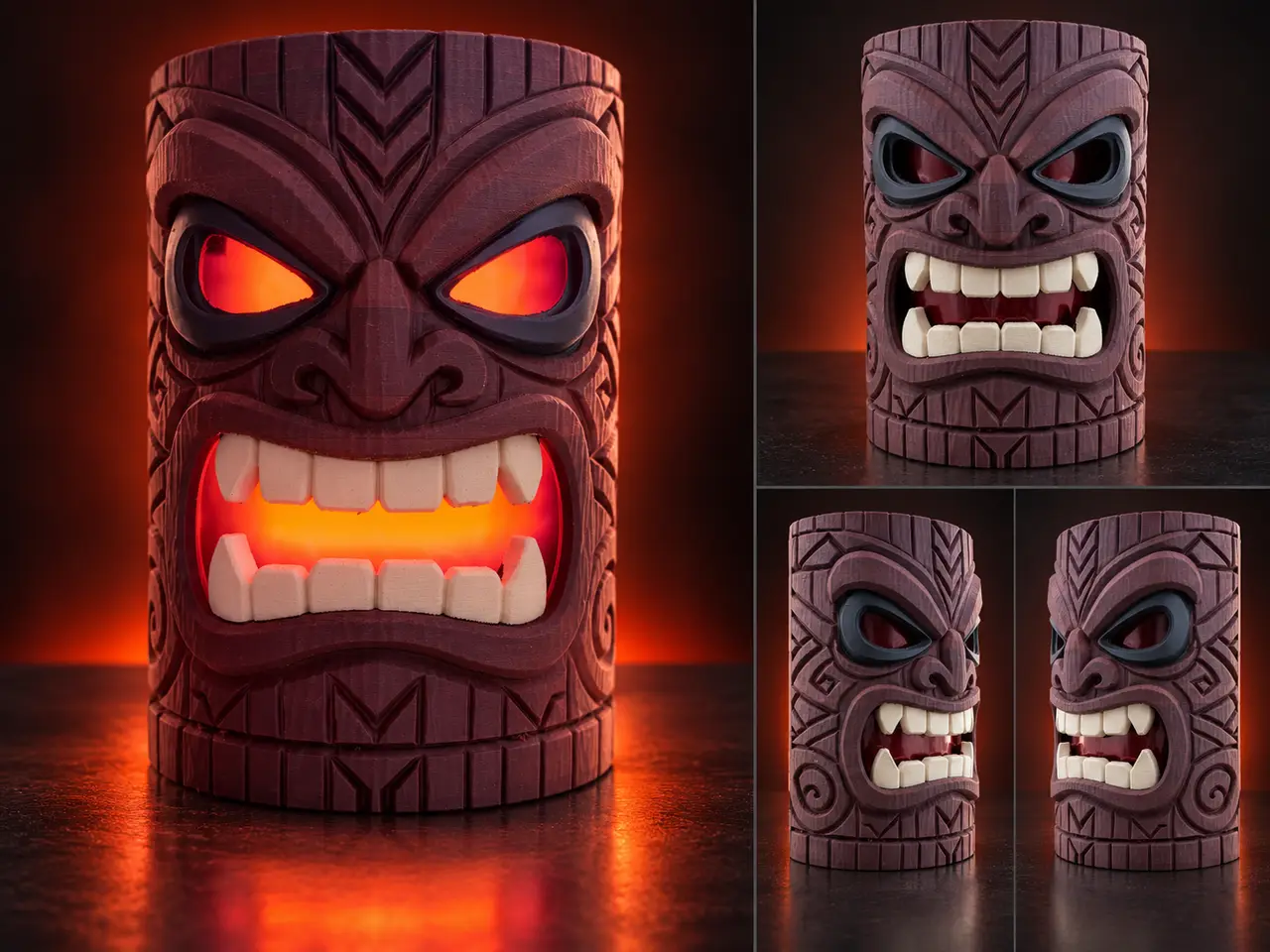
Cinder – Woodgrain Tiki Wall Light / Planter
por iPrintStuffau en MakerWorld
Cinder – Woodgrain Tiki. Cinder is a decorative tiki with a carved wood-grain finish, slanted eyes and spiral details along the sides. It has a flat back for wall mounting and a flat base.
MakerWorld entrega los archivos a usuarios con cuenta gratuita
Licencia
Solo uso personalMakerWorld Exclusive License
Licencia exclusiva de la plataforma: uso personal, no se permite compartir el archivo ni vender las impresiones.
Al descargar aceptas respetar la licencia y dar crédito a iPrintStuffau.
Archivos (1)
- Tiki_03_Wall_249mm_0.24mm_U1.3mf 3MF · 21,1 MB
- Categoría
- Hogar
- Formatos
- 3MF
- Descargas
- 0
- Publicado
Sobre este modelo
Cinder – Woodgrain Tiki Cinder is a decorative tiki with a carved wood-grain finish, slanted eyes and spiral details along the sides. It has a flat back for wall mounting and a flat base.
The wood-grain texture prints with the model in standard PLA; wood-filled filament isn't needed. The model can be displayed as it is, or you can add a backlight behind the open eyes and mouth.
Lighting is optional; the photos show how I finished mine, using several layers of red cellophane behind the face. Model details & included profiles
- Height: 249 mm
- Width: approximately 174.8 mm
- Depth: approximately 95.2 mm
- Wood-grain texture built into the model.
- Flat back and flat base.
- Separate Bambu and Snapmaker U1 3MF projects, both for a 0.4 mm nozzle.
Select the correct printer and filaments, then slice and check the preview before printing. Colour choices My version uses a rosewood-coloured body, black eye surrounds and light sand-coloured teeth. The interior and base use the body colour to avoid unnecessary colour changes.
Keep the supplied colour layout, swap the filament colours, or repaint the model in your slicer. Browns suit a timber finish, but you aren't limited to wood colours. You can also print it in a single colour and paint it by hand. Print settings Please note the infill is set to 8% adaptive cubic to keep print time down. SettingIncluded profiles Nozzle0.4 mm Layer height0.24 mm First layer0.20 mm Walls2, with the Arachne wall generator Top shell4 layers, with a 1 mm minimum thickness Bottom shell3 layers Infill8% adaptive cubic OrientationUpright on the flat base SkirtOff Model brimOff Prime towerEnabled for multicolour printing; tower brim retained
Support settings SettingIncluded profiles Support typeAutomatic tree supports StyleDefault Overhang threshold36° Build-plate-onlyOff - supports may also start on the model Top / bottom Z gap0.28 mm / 0.28 mm Support/object XY gap0.42 mm Top / bottom interface layers4 / 3 Interface patternRectilinear interlaced Top / bottom interface spacing0.5 mm / 0.5 mm Support base-pattern spacing2.5 mm RaftOff
Support settings are printer-specific. These values are a starting point, not a guarantee for every setup. Filament, cooling and calibration affect both support removal and the finish underneath overhangs. What releases cleanly on one printer may stick or sag on another. Check the supports around the teeth, mouth and eyebrows, and adjust the gaps or interface settings if needed. Optional lighting The red glow in the photos comes from several layers of red cellophane behind the face, with an LED backlight inside. A Bambu CMYK LED Backlight Board produces white light; the cellophane provides the colour.
Do not use a candle or other flame inside the print. Adding a mounting hole I used a negative cylinder in the slicer to cut a mounting hole through the back. The supplied model has no fixed mounting hole. Add a negative cylinder and set its diameter, depth and position to suit your screw or hook. Check the preview to make sure it cuts through the back without cutting into the face. Resizing You can scale the model proportionally, or unlock uniform scaling to change its height, width or depth independently. This also changes the grain, wall thickness and internal space, so check those details after resizing. Add or adjust the mounting hole after setting the final size, and recheck the LED fit if you plan to use one.
Descripción original del autor, publicada en MakerWorld.