
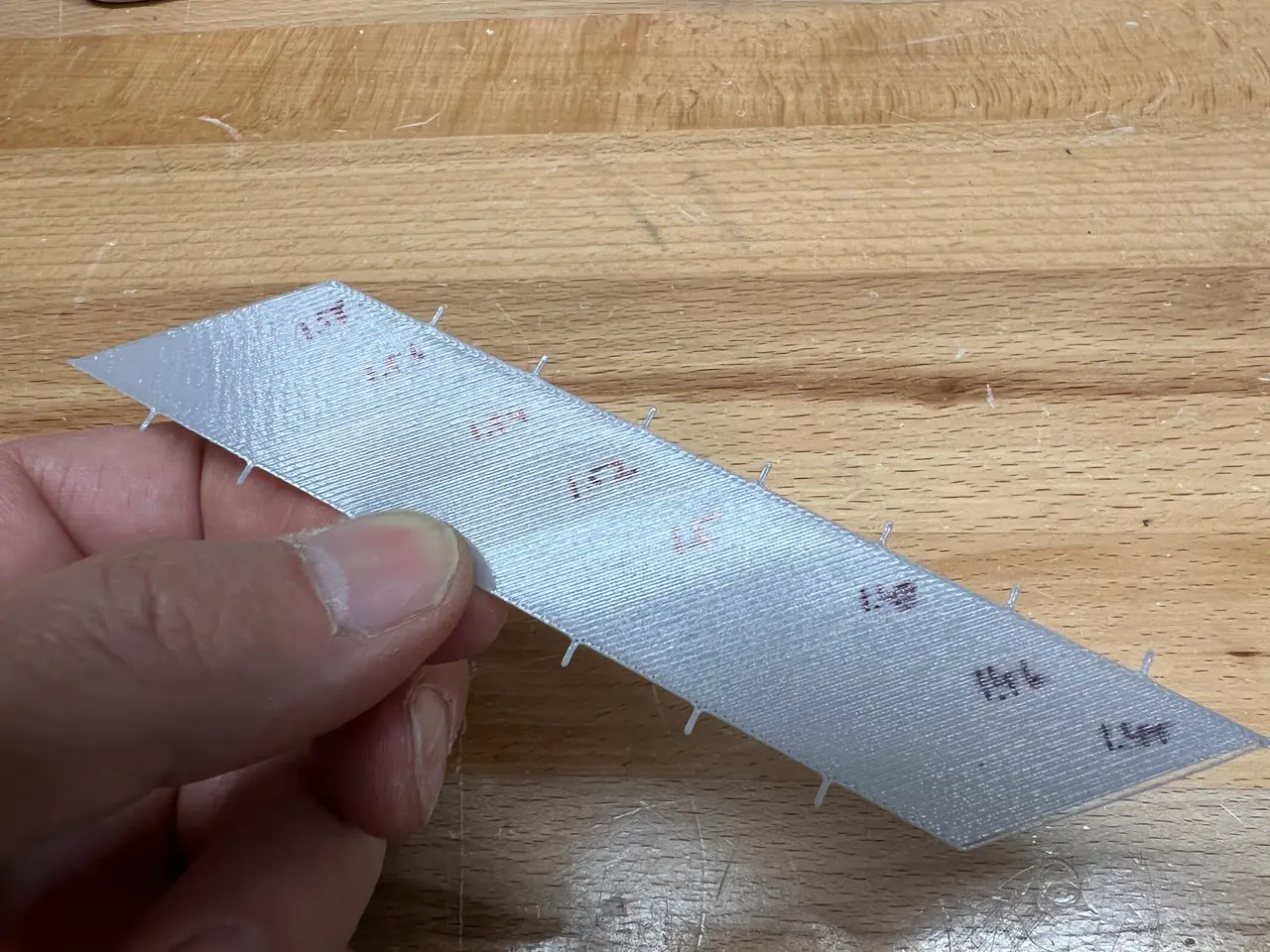
Calibration Strip for simple Live Z/First Layer calibration
por fuchsr en Printables
Improved model used in the Live Z My Way calibration method for first layer calibration
Licencia
Solo uso personalCC BY-NC-SA 4.0 — Atribución, no comercial, compartir igual
Uso personal dando crédito; sin fines comerciales y las modificaciones con la misma licencia.
Al descargar aceptas respetar la licencia y dar crédito a fuchsr.
Archivos (9)
- Small Live Z Strip.stl STL · 12 KB
- Small Live Z-Mini.3mf 3MF · 22 KB
- Large Live Z Strip-Mk3S.stl STL · 12 KB
- Large Live Z Strip-Mk3S.3mf 3MF · 44 KB
- Live Z Strip Mk3S (0.8).stl STL · 12 KB
- Live Z Strip Mk3S (0.8).3mf 3MF · 44 KB
- Live Z Strip Mini (0.8).stl STL · 12 KB
- Live Z Strip Mini (0.8).3mf 3MF · 23 KB
- Live Z Template.pdf PDF · 4 KB
- Categoría
- Para tu impresora
- Formatos
- STL, 3MF, PDF
- Descargas
- 3,814
- Publicado
Sobre este modelo
Update 9-11-2022: Added a version for 0.8mm nozzles. Tick marks of the old version didn't print correctly with a 0.8mm nozzle. Update 1-20-2022: Added a PDF file with a template, to write down the Live Z values used in the calibration. For forgetful minds like my own… Update 1-13-2022: Added a larger version, specifically for use with the Mk3(S+) series of printers as the fan somewhat obscures the view.
I guess 90% of questions raised on the PrusaPrinters forums related to filament adhesions can be answered with “get your Live Z right!" Jeff Jordan's Live Z My Way approach to optimizing the first layer is a popular method for doing just that. The method built into Prusa printers is okay but the tiny square at the end may be hard to interpret, especially if you're new to the game, plus it's time consuming if you want to test several Live Z values. The way I used to do Live Z My Way is by printing a 60 mm x 60 mm square and varying the Live Z values in -0.020 steps 6 to 8 times over the course of the print. But because of the tool path along the models, the areas you get for the steps differ wildly, from a small area in the lower right and upper left corner to a much larger area in the middle. Plus, it's much harder to see when to switch to the new value when the print head is in the corners as it obscures the view of the square. So, I created this “improved” version by converting the square into a rectangle. I also added small tick marks, to tell me when to change the Live Z value. Check out https://forum.prusaprinters.org/forum/original-prusa-i3-mk3s-mk3-assembly-and-first-prints-troubleshooting/life-adjust-z-my-way/ for details of this method of optimizing Live Z. I usually employ the printer's built-in first later calibration method to get to the point where the filament sticks nicely to the sheet. Then I use this model to fine tune it. Start with a given Live Z value, then every time the print head gets to one of the tick marks, adjust Live Z. Over the length of the model, this way you can test 8 values of Live Z. Just as an example (absolute numbers mean nothing), let's say I get decent adhesion at -1.100 Then I would run this model perhaps starting with a Live Z of -1.040, then go to -1.060 when it hits the first tick mark, -1.080 at the next, - 1.100, -1.120 etc. Of course, you can also use it to fine tune Live Z even more, say in steps of -0.01 or even -0.005, though I hardly ever feel a need for that. I've also uploaded .3mf files. Adjust them as needed for different filament types or first layer heights. If you like what I'm doing… … consider buying me a coffee or joining my Club.
Descripción original del autor, publicada en Printables.



