Build Tray - More Modules
por Polymorphic en Printables
A modular expansion pack for the Build Tray system, featuring new internal tray modules.
Licencia
Uso comercial permitidoPuedes imprimirlo, modificarlo y venderlo dando crédito al autor.
Al descargar aceptas respetar la licencia y dar crédito a Polymorphic.
Archivos (7)
- Categoría
- Organización
- Formatos
- STEP
- Descargas
- 6,447
- Publicado
Sobre este modelo
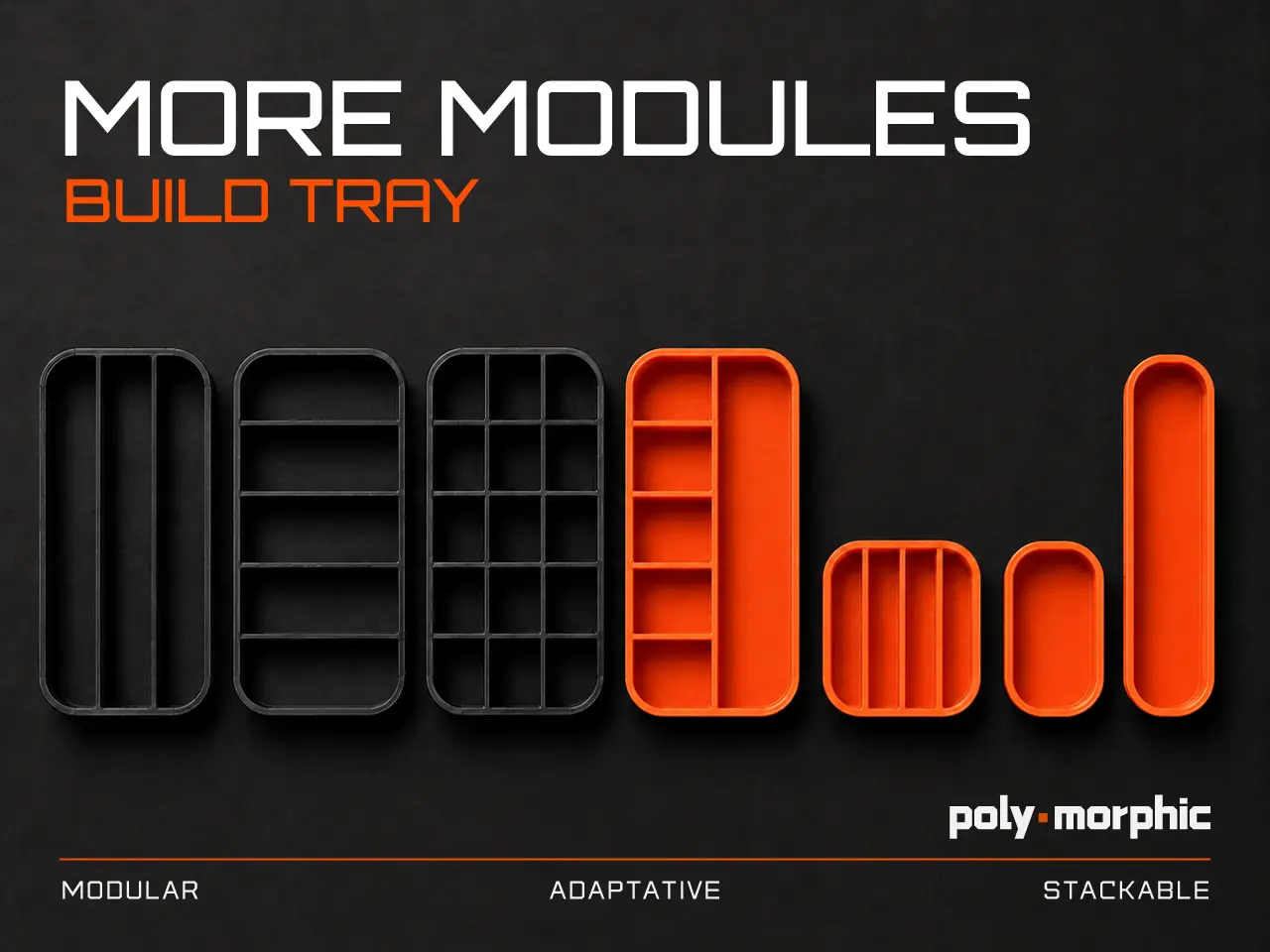
Build Tray - More Modules is a new set of internal tray modules designed to expand the original Build Tray system with more layout possibilities, more organization options and new workflow configurations.
This pack was created for makers, tinkerers, technicians, repair enthusiasts and anyone who uses the Build Tray to organize screws, tools, small parts and components during assembly, disassembly, repair or maintenance work. The new modules allow you to create different internal compositions depending on your project. Use them to separate screws, fasteners, tools, nozzles, inserts, wires, electronic components, mechanical parts or any small items that need to stay visible and organized while you work. This expansion includes new module proportions for more flexible tray layouts: - 4 modules in 2x4 proportion
- 1 module in 2x2 proportion
- 1 module in 1x2 proportion
- 1 module in 1x4 proportion
These new internal modules are designed to work as part of the Build Tray ecosystem, giving you more freedom to customize the tray depending on the type of project, amount of parts and preferred workflow. The design follows the same clean, functional and technical aesthetic of the original Build Tray, focused on practical use, modularity and workshop organization. This is a project made for the maker community. Makes, feedback, modifications and remixes are highly encouraged. Feel free to print it, adapt it to your own workflow and share your version. File Disclaimer The files are provided in STEP format. Depending on your slicer, the model may be imported as a single assembly or grouped object. Before slicing, make sure to separate the parts/objects inside your slicer so each tray module can be positioned, arranged and printed correctly. In most slicers, this can be done using options such as Split to objects, Separate objects, Split model, Ungroup or Convert assembly to separate parts. Please check the model layout before starting the print. Features - Expansion pack for the original Build Tray system
- New internal tray module layouts
- More modular composition possibilities
- Great for assembly, disassembly and maintenance workflows
- Helps organize screws, parts, tools and small components
- Useful for 3D printer maintenance, electronics, RC, keyboards, computers and general repairs
- Designed for flexible internal tray configurations
- Clean technical design
- Practical workshop and desktop organization
- Remix-friendly project for makers
Print Settings These settings are recommended for printing the modules: - Material: ABS
- Layer height: 0.16 mm
- First layer height: 0.20 mm
- Infill: 10–15%
- Infill pattern: Gyroid
- Supports: No
- Orientation: Print flat on the build plate whenever possible
For best results, print the modules with the same material and settings used for your original Build Tray. Recommended Use Use the Build Tray Expansion Modules whenever you need more control over the internal organization of your tray. They work especially well for: - Custom Build Tray layouts
- 3D printer maintenance
- Electronics repair
- Mechanical assembly
- Tool maintenance
- Keyboard builds
- Computer repair
- RC and hobby projects
Descripción original del autor, publicada en Printables.