
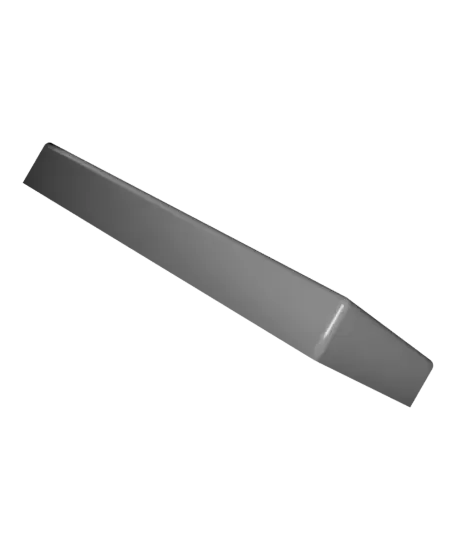
BIGTREETECH Pi TFT 43 Mount for Ender 3 S1
por The Blue Portal en Thangs
Created a Mount that replaces the OEM Screen on the Ender 3 S1 and use of the BigTreeTech TFT Pi 43. I split the print into two pieces to make it faster to print as well make them stronger once assembled. It also wanted to use the original screens screws to make it so anyone can print and just insta
Thangs entrega los archivos a usuarios con cuenta gratuita
Licencia
Solo uso personalSin licencia indicada
El autor no indicó una licencia: todos los derechos le pertenecen. Úsalo solo para imprimir en casa y consulta al autor para cualquier otro uso.
Al descargar aceptas respetar la licencia y dar crédito a The Blue Portal.
Archivos (3)
- screen-case.stl STL · 99 KB
- support-bracket.stl STL · 118 KB
- bigtreetech-pi-tft43-mount.f3d F3D
- Categoría
- Para tu impresora
- Formatos
- STL, F3D
- Descargas
- 17
- Publicado
Sobre este modelo
Created a Mount that replaces the OEM Screen on the Ender 3 S1 and use of the BigTreeTech TFT Pi 43. I split the print into two pieces to make it faster to print as well make them stronger once assembled. It also wanted to use the original screens screws to make it so anyone can print and just install . Also note I really wanted the tolerance of the case and screen to be pretty tight so make sure printer is calibrated before printing.
Designed under these guidelines: - easy to print - able to screw screen to mount - sturdy enough for everyday use - smallest footprint as possible - easily modifiable - flush to screen
Included is the 3mf files. Was designed using the following variables: - ScreenLength - ScreenHeight - ScreenTolerance - ScreenCaseHeight - ScreenCaseThicness - ScreenMountingHoleSpaceingX - ScreenMountingHoleSpaceingY - RaspberryPiHoleSpaceingX - RaspberryPiHoleSpaceingY - BracketThickness - ScreenIncline
I did some testing with changing the variables it should work fine if you change any of as long as they aren't grossly wild.
Recommendation for printing: - infill: 15% to 20% - Min shell walls : 3 - Print Orientation: as Flat as possible - Supports: No (all overhangs are bridgeable with minimal sagging you can if you want though)
Material: - Screen Case - PLA - Support Bracket - PLA+ or better
The Screen case don't really matter I made mine in a pretty Silk PLA. PLA will work for the support bracket but note it will be a little wobbly when pressing on the scree, using a stronger filament fixes this issue. It is recommend you must use PLA with the Support Bracket then do 100% infill, with only 1-2 shell walls.
Assembly Instructions
1. Insert or mount BigTreeTech TFT Pi 43 into 3D printed screen case 2. Attach stand off screws from BTT kit 3. Attach Raspberry Pi with included screws from BTT kit 4. Run FPC cable from screen to Raspberry Pi 5. Unplug and remove original screen from Ender 3 S1 6. Remove the 3 M4 screws from original screen mounting bracket on the Ender 3 S1 7. Install 3D printed support bracket with screws from step 6 8. Install 3D printed screen cast onto 3D printed support bracket
Descripción original del autor, publicada en Thangs.



