Basket Studio | Custom 3D-Printable Baskets + Offline Generator
por Lišejník en Printables
Custom solid and grid baskets. Includes four STLs and a free offline generator.
Licencia
Solo uso personalCC BY-NC 4.0 — Atribución, no comercial
Puedes imprimirlo y modificarlo para uso personal dando crédito. No se permite vender las impresiones.
Al descargar aceptas respetar la licencia y dar crédito a Lišejník.
Archivos (5)
- Categoría
- Organización
- Formatos
- STL, ZIP
- Descargas
- 2
- Publicado
Sobre este modelo
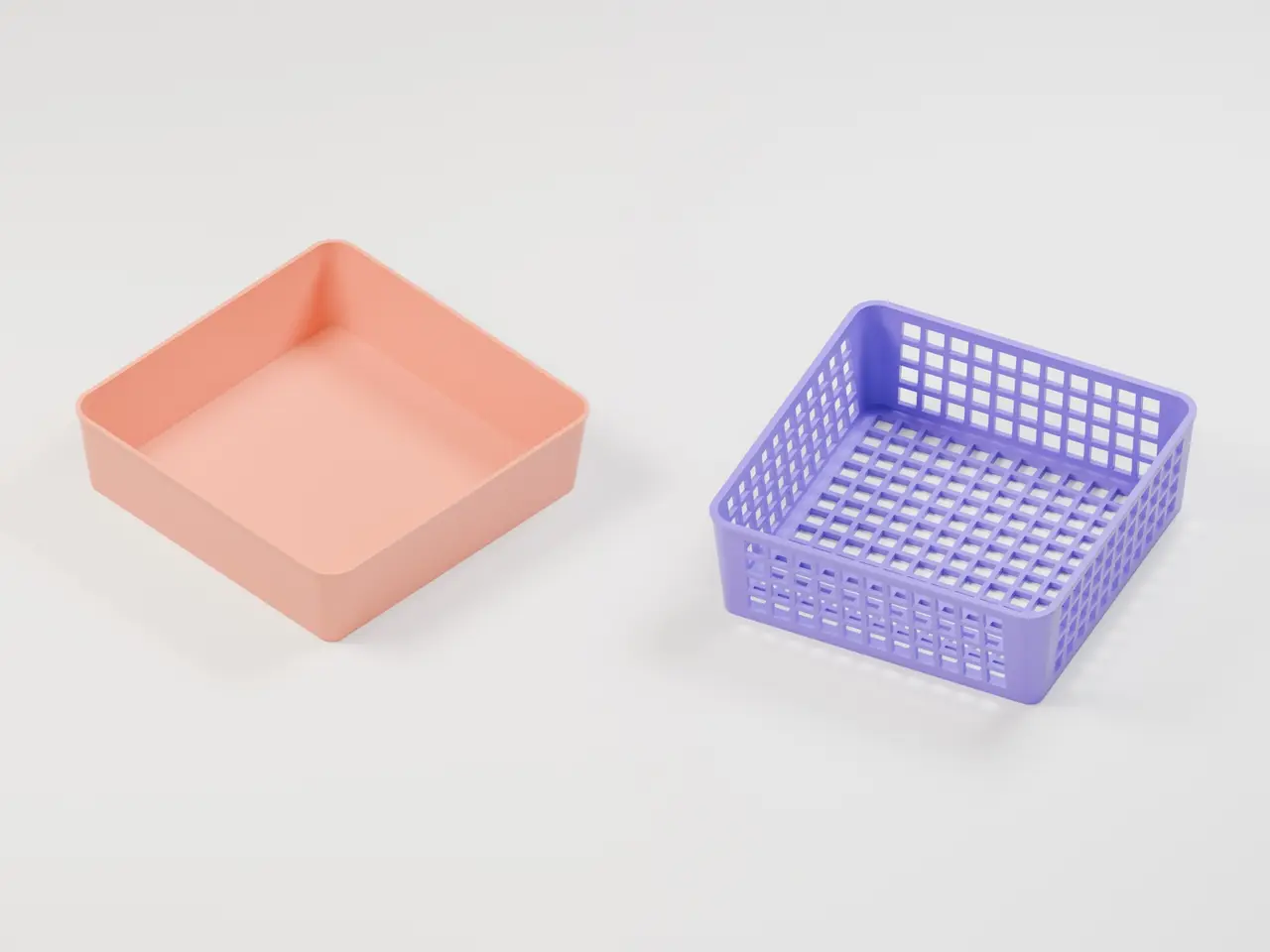
Design a basket that fits your space. Basket Studio is a free browser-based generator for solid and grid baskets, with an interactive 3D preview and STL export. The interface is available in English and Czech. The download includes four sample STLs and an offline version of the generator. Use a sample as it is, or set your own dimensions and generate another model. The baskets have rounded corners, gently flared sides and an optional reinforced rim. The physical basket shown in the gallery served as the reference for this project. The grid model reinterprets its shape and lattice walls and base as a configurable design. Included sample models - FAST 100 × 100 × 40 mm – 1.2 mm walls and base
- FAST 150 × 150 × 40 mm – 1.2 mm walls and base
- FAST 200 × 200 × 40 mm – 1.6 mm walls and base
- GRID 150 × 150 × 50 mm – 2.4 mm walls and ribs, 3 mm base, approximately 8 mm openings
These are overall outside dimensions, including the top rim. The samples are starting points. Their load capacity depends on the material and print settings. How to make a custom basket - Download and extract Basket-Studio-Offline (ZIP) from the files.
- Open Basket-Studio.html in a current browser. The app has been tested in Google Chrome.
- Select FAST for solid walls and base, or Grid for openings. Adjust the dimensions and other settings.
- Wait for the 3D preview to finish, then select Download STL.
- Open the STL in your slicer and inspect the toolpaths before printing.
The generator runs locally in your browser, including model generation and export. The extracted app works offline and requires no account. Its 3D preview requires WebGL 2. Use the CZ / EN buttons to change the interface language. You can also save and load settings as JSON. What can be adjusted - Width and length from 60 to 250 mm and height from 20 to 120 mm
- Wall and base thickness, corner radius, and base inset
- An optional reinforced rim
- Wall openings and base openings independently, plus opening size and rib thickness
The number of openings changes with the basket dimensions. The generator checks parameter combinations and shows a message when a usable model cannot be produced. Printing notes The bottom of each STL is at Z = 0. The model is exported in millimetre-scale coordinates. A 0.4 mm nozzle and 0.2 mm layers are reasonable starting points for trying the included samples. Check your slicer preview, especially the thin walls of the FAST baskets, bridges over grid openings and overhangs. Support requirements depend on the geometry and printer settings. The sample meshes were checked in PrusaSlicer. Both basket types were sliced successfully. A physical test print is still needed. The gallery includes renders of the generated models and a photograph of the reference basket. Česky Předlohou projektu byl košík na fotografii v galerii. Mřížkovaný model vychází z jeho tvaru a mřížky na stěnách i ve dně. Generátor vytváří plné a mřížkované košíky s nastavitelnými rozměry. Stáhněte a rozbalte Basket-Studio-Offline (ZIP), otevřete Basket-Studio.html v prohlížeči a vpravo nahoře přepněte jazyk na CZ. Po nastavení košíku stáhněte STL a zkontrolujte ho ve sliceru. Rozbalená aplikace funguje lokálně i bez internetu.
Descripción original del autor, publicada en Printables.